Out of office responder on ReachMyTeach is useful when you are unable to respond to messages due to absence or unavailability. This feature automatically sends a pre-written or custom message to incoming email correspondents, informing them of your absence.
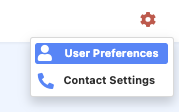
Begin by selecting the gear icon in the upper right corner, after you have logged in to ReachMyTeach. Select User Preferences
Check the box that says "enable out of office mode"
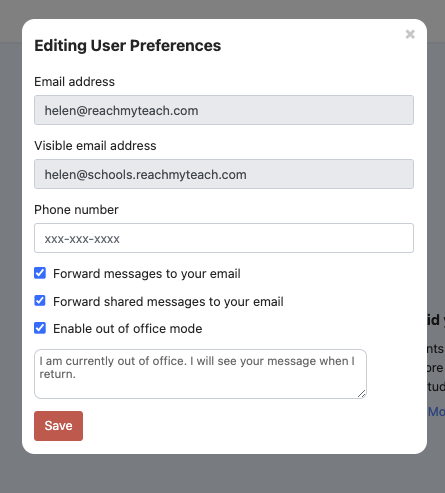
Click Save.
 REMEMBER TO DESELECT ENABLE OUT OF OFFICE MODE ONCE YOU HAVE RETURNED!
Was this article helpful?
That’s Great!
Thank you for your feedback
Sorry! We couldn't be helpful
Thank you for your feedback
Feedback sent
We appreciate your effort and will try to fix the article