Sometimes you may want to send a message to multiple students/families and have it personalized. You can put certain variable fields in to the message. To do this, when you are creating a new message, you can add the following tags in to the message
When the message is sent, it will replace these fields with the relevant recipients information:
Below is an example:
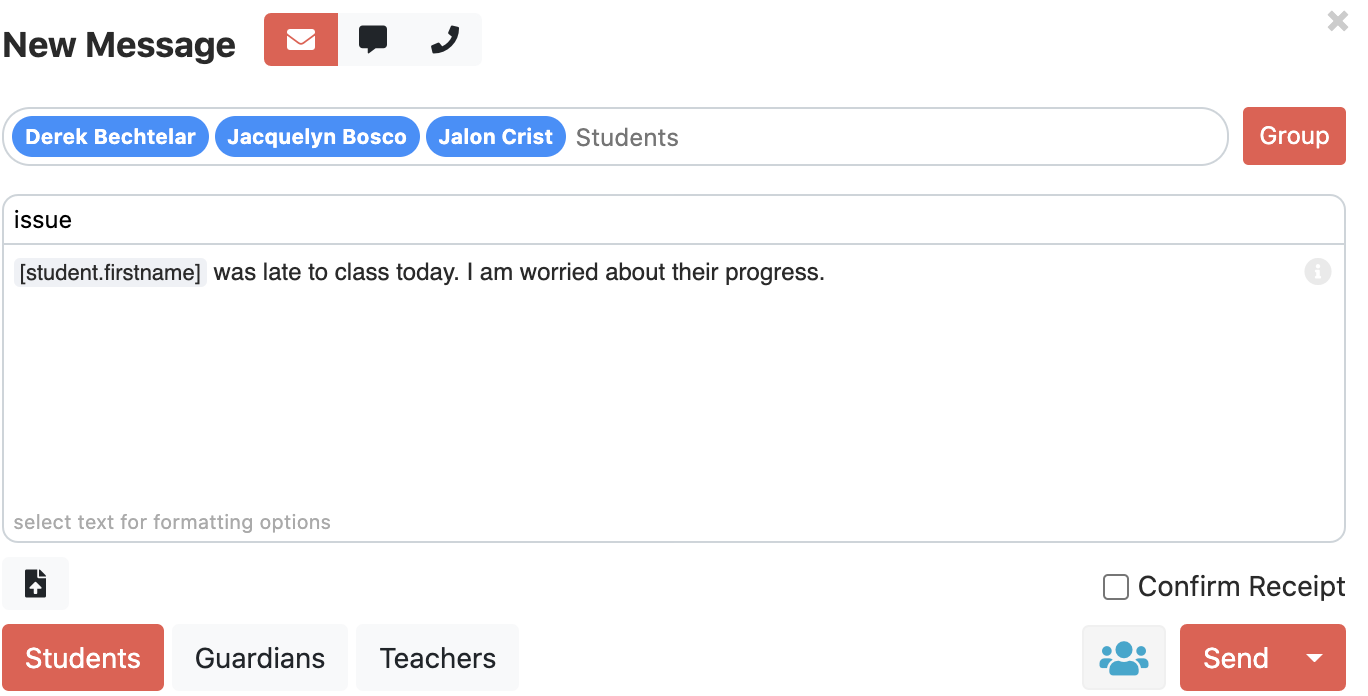
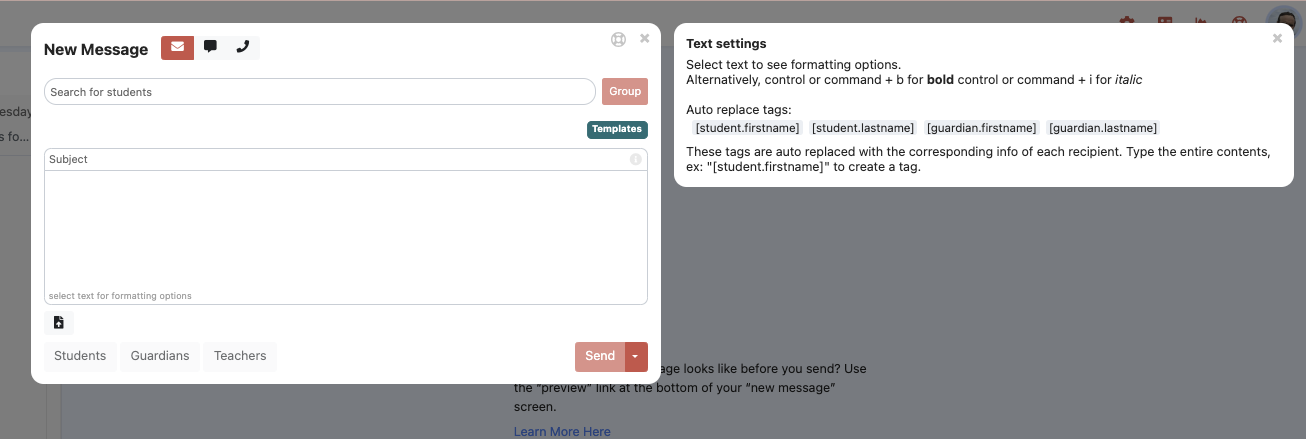
You can get reminders and more information if you click the i  in upper right corner of the text box. You can even click on the variable tags to enter them more quickly.
ADVANCED: Secret Tags
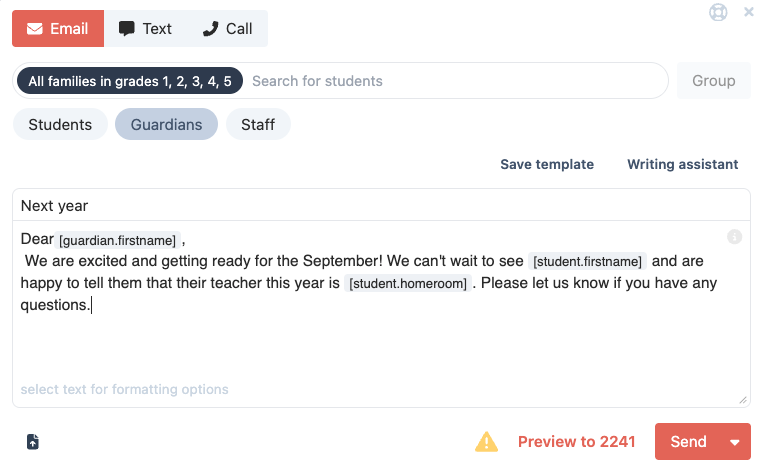
If you made it this far, there is an additional tag [student.homeroom] this will find the students homeroom teacher (if they have one). The homeroom class must be named exactly Homeroom (capitalization doesnt matter). When you put that in, we advise looking at preview to see if it matches what you expect.
ie:
Dear guardians of [student.firstname],
Welcome to the new school year at _____________. We are eagerly anticipating the first day, and looking forward to a wonderful school year for your child. Your child's classroom teacher is: [student.homeroom]
Was this article helpful?
That’s Great!
Thank you for your feedback
Sorry! We couldn't be helpful
Thank you for your feedback
Feedback sent
We appreciate your effort and will try to fix the article