How Families Can Unsubscribe from Messages
Families have full control over which messages they receive from their school. There are several easy ways to opt out, depending on how they prefer to communicate.
Unsubscribing from Text Messages
To stop receiving text messages, a family member simply needs to reply STOP to any text message they receive from the school. They will immediately stop receiving texts. If they ever want to resubscribe, they can reply START to re-enable text messages to their number.
Unsubscribing from Emails
Every email sent through ReachMyTeach includes an Unsubscribe link in the footer. Clicking that link will automatically opt the recipient out of future emails from their school. This is the quickest way to unsubscribe without needing to log in or contact the school.
Managing Preferences Through the Portal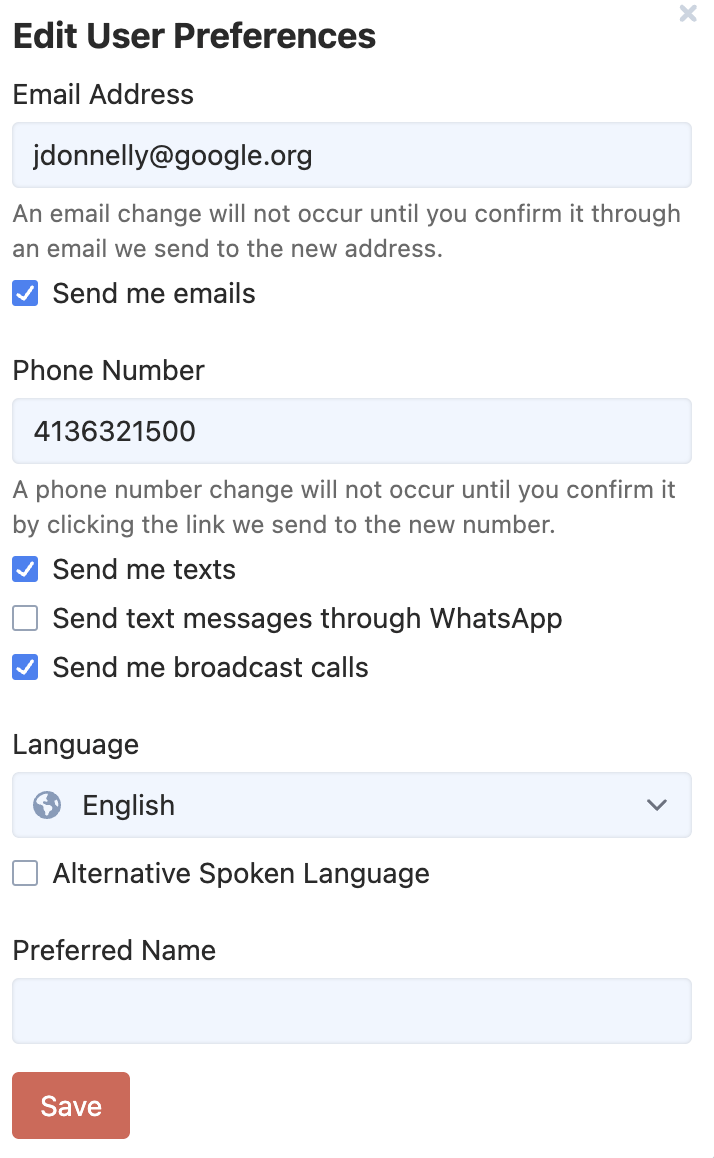
Families can also manage all their communication preferences directly through their ReachMyTeach account. After logging in, they can navigate to their personal settings to choose which types of messages they receive — including whether to receive texts, emails, or both. This gives them granular control, for example opting out of texts while still receiving emails, or vice versa.
Was this article helpful?
That’s Great!
Thank you for your feedback
Sorry! We couldn't be helpful
Thank you for your feedback
Feedback sent
We appreciate your effort and will try to fix the article