The Other Appointments tab helps you see when families are already scheduled to meet with other teachers of the students you’re directly rostered to. This makes it easy to coordinate, avoid double-booking, and join relevant conferences.
How to Access
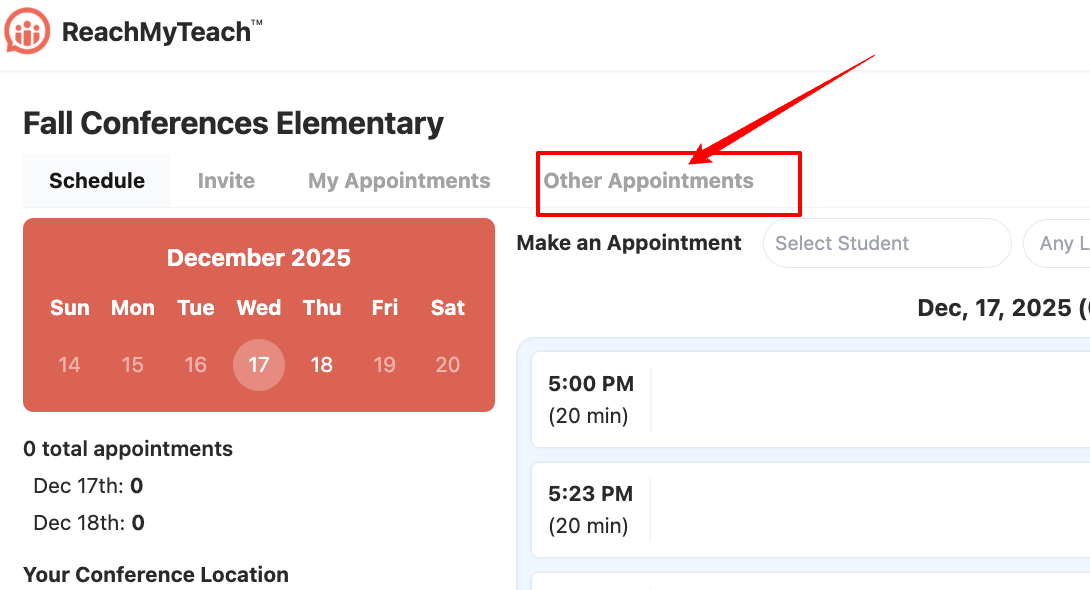
From your Parent-Teacher Conference dashboard, navigate to Other Appointments:
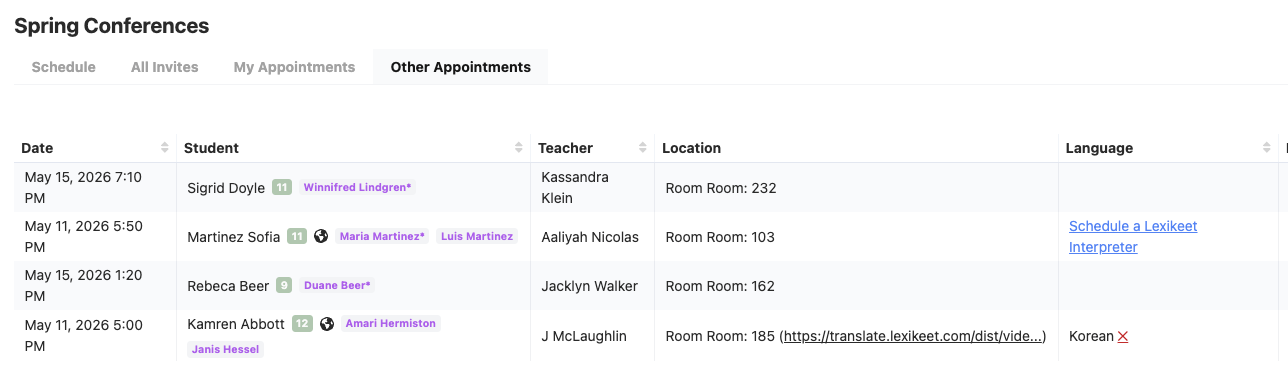
You’ll see a list of scheduled conferences between families and other teachers who share your students, you can then join those conferences by their room number or link staff can also invite each other to the created Google Calendar invites.
What You Can Do
View Appointments
See details about when your students’ families are meeting with other teachers.Leave a Note
Add a note if you plan to attend a specific meeting — this helps colleagues know who will join.Block Off Your Schedule
If you’re attending another teacher’s conference, you can block that time on your schedule. This ensures you’re not booked for your own individual conferences at the same time.
Was this article helpful?
That’s Great!
Thank you for your feedback
Sorry! We couldn't be helpful
Thank you for your feedback
Feedback sent
We appreciate your effort and will try to fix the article