Students can have one or multiple advisors. The idea is the advisor would see all communications between the student and their family with any teacher, so that they can stay informed and "in the loop". Schools might use this option for Special Education case managers, English Learners case managers, or different advisory programs.
The advisor will see and be able to participate in any conversation between any teacher and that student.
Setting up an advisory relationship
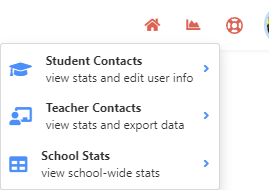
An administrator would need to either add the student to the teacher as his advisee or the teacher to the student as his advisor. Go to student-contacts or teacher contacts and search for the student or teacher:
Then click the blue icon:
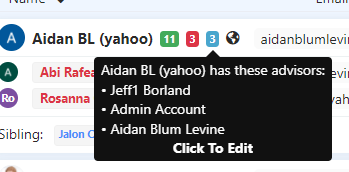
and click to edit (adding either the teacher or student).
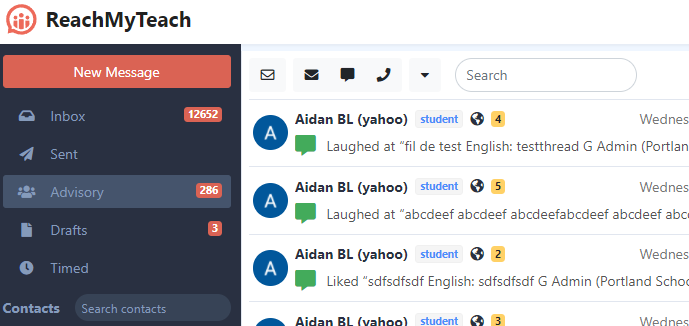
Advisory Teacher view:
The teacher will now see a new mailbox, advisory where they will see all communications between any teacher and their advisors
Students/Guardians/Other Teachers
Other teachers when they send out messages will see a notification saying that the message will be shared with the advisor (and listing their names).
Students and Guardians when they receive a message are informed that the message will be shared with the student's advisor.
Was this article helpful?
That’s Great!
Thank you for your feedback
Sorry! We couldn't be helpful
Thank you for your feedback
Feedback sent
We appreciate your effort and will try to fix the article