The SIS data is updated nightly, but changes can be made by teachers or students/families. Edits in ReachMyTeach system override nightly sync and have priority. Those changes can be updates to:
- Email (including disabling emails)
- Phone number (including disabling text messages)
- Written language
- Alternative spoken language (for families who speak a language that is different than that which they speak
- Text-to-speech for written communications
- Messages going through WhatsApp for a parent
A teacher can search for any student in their school and make those changes if your district has allowed it. To edit:
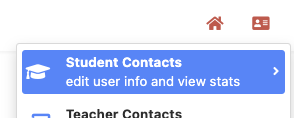
Click the student ID card in the upper right corner
Select student contacts
- Search for the student
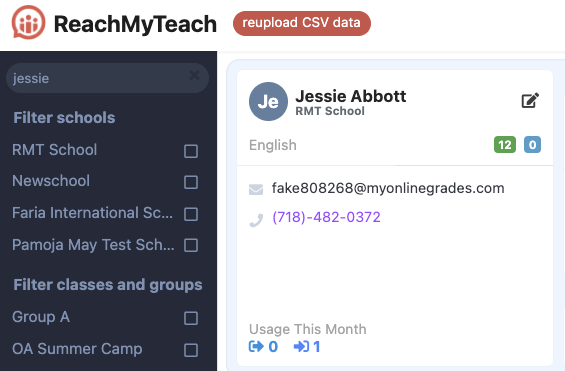
- Edit the student or guardian by clicking the pen and paper icon. Make updates as needed then click save
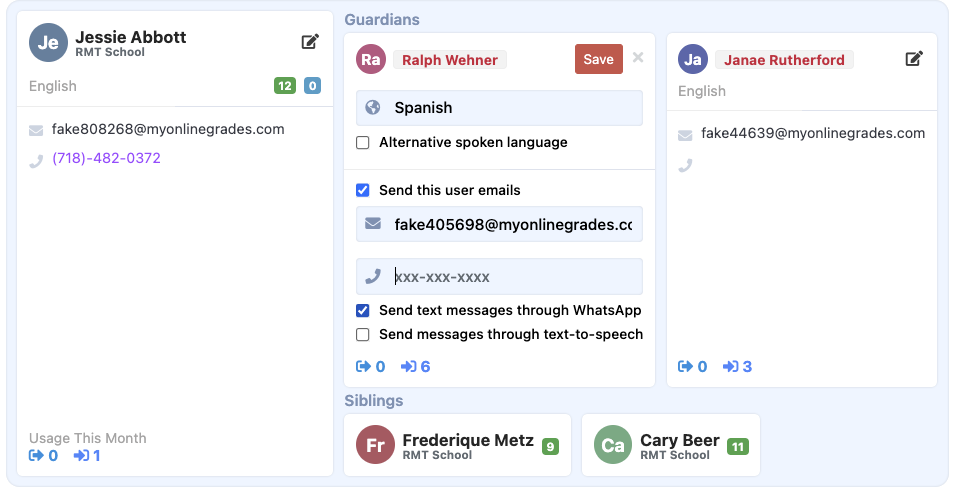
A family or student can unsubscribe to emails by clicking unsubscribe in the email. Or they can reply stop to a text. They can also edit their info on the website.
Was this article helpful?
That’s Great!
Thank you for your feedback
Sorry! We couldn't be helpful
Thank you for your feedback
Feedback sent
We appreciate your effort and will try to fix the article