Text-to-speech converts written text into speech, and it can be beneficial for students or guardians who have difficulty reading or comprehending written communications from their school. Text-to-speech technology can make it easier for these individuals to understand important information from their school, and it can also help to increase their level of engagement and participation in their education.
This video will walk you through how to update this preference, or refer to the guide below.
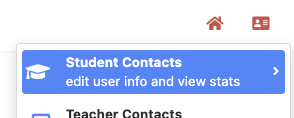
To turn on the text-to-speech preference for a guardian or student. Begin clicking the student ID card in the upper right corner:
Search for the student or guardian name and click the pen & paper icon next to the contact to edit:
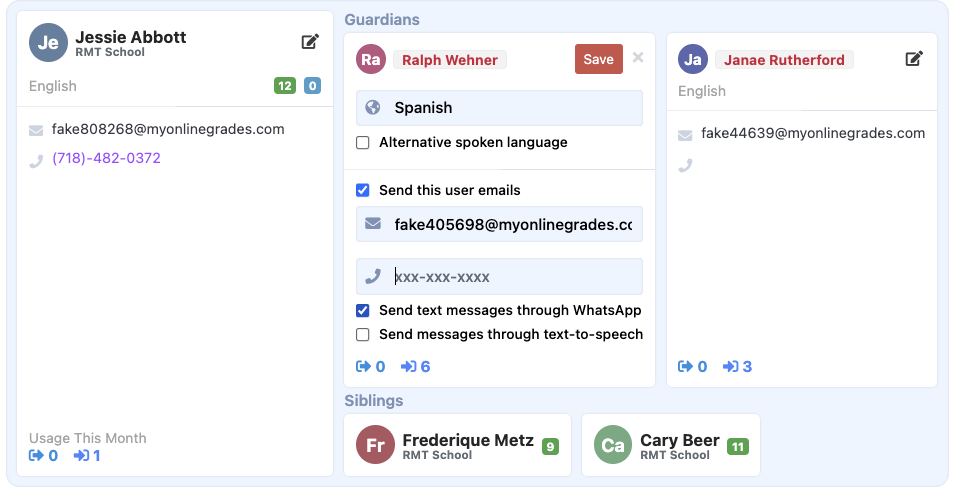
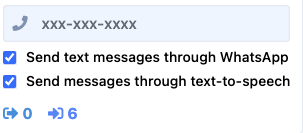
Select the checkbox "send messages through text-to-speech". Contact will now get the message written in their preferred language, English, and with the ability to listen to the message in their preferred language and English and respond with voice.
Was this article helpful?
That’s Great!
Thank you for your feedback
Sorry! We couldn't be helpful
Thank you for your feedback
Feedback sent
We appreciate your effort and will try to fix the article