Scheduled Passes

Modified on Wed, 24 Dec, 2025 at 3:26 PM

The Scheduled Pass page allows teachers to view and create scheduled passes for students. You can access this page from the navigation bar under Create a Pass and then Create Scheduled Pass, or by selecting View Passes and choosing View Scheduled Appointments.

 

Creating Scheduled Passes

  1. Click the New Scheduled Pass Button: A pop-up window will appear.
  2. Enter Details:
    • Student: Use the dropdown menu to either type the student’s name or select it from the list.
    • Location: Use the dropdown menu to either type the location name or select it from the list.
    • Note (Optional): You can add a note to the pass if desired.
    • Date and Time: Click the calendar icon to set the date and time for the pass.
  3. Create the Pass: Click Create to finalize.

    If you decide not to create the pass, click the X to cancel.


Using and Approving Scheduled Passes

  • Activation: Scheduled passes become active at the designated date and time.
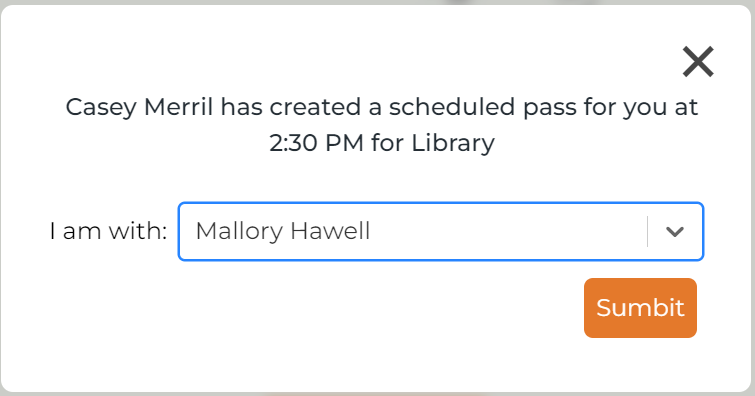
  • Notification: Five minutes before the pass is active, the student will receive a pop-up notification and be prompted to select their current teacher.
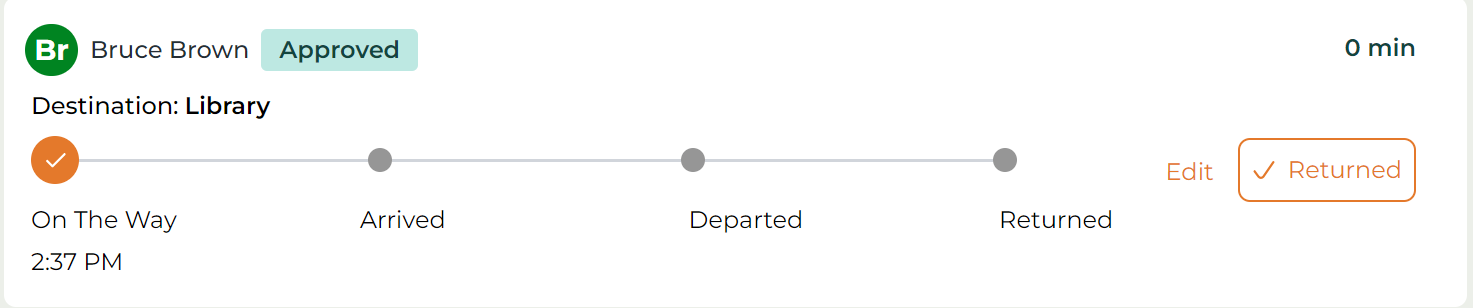
  • Approval: If you are the student’s current teacher, you must approve the pass. It will appear in your Pending Passes section on your My Students page. If auto-approval is enabled, the pass will be automatically approved and moved to the Approved Passes section.


Viewing Scheduled Passes

  • Details Shown: Each pass displays the student’s name, destination, any notes, scheduled date, and time.
  • Today’s Passes: Passes scheduled for the current date will appear in the Today section.
  • Future Passes: Passes for future dates will appear in the Future section.


Deleting Scheduled Passes

Click the Delete button on the far right of the pass you wish to remove. The pass will be deleted from the schedule.

Was this article helpful?

That’s Great!

Thank you for your feedback

Sorry! We couldn't be helpful

Thank you for your feedback

Let us know how can we improve this article!

Select at least one of the reasons
CAPTCHA verification is required.

Feedback sent

We appreciate your effort and will try to fix the article