Pie Chart
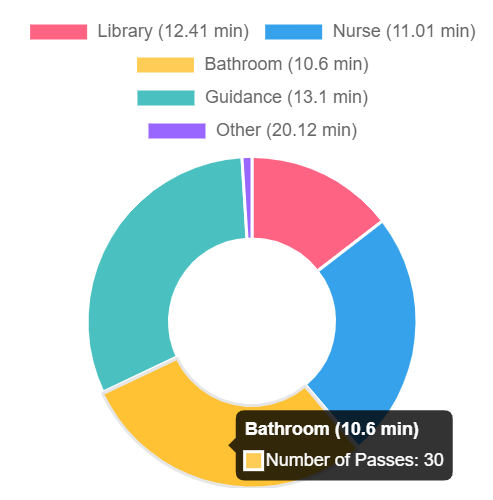
The pie chart allows staff to see where students are currently. Hovering over the section with its matching color coordinated label will show you how many passes are for that location and average time of the passes for that location.
Table
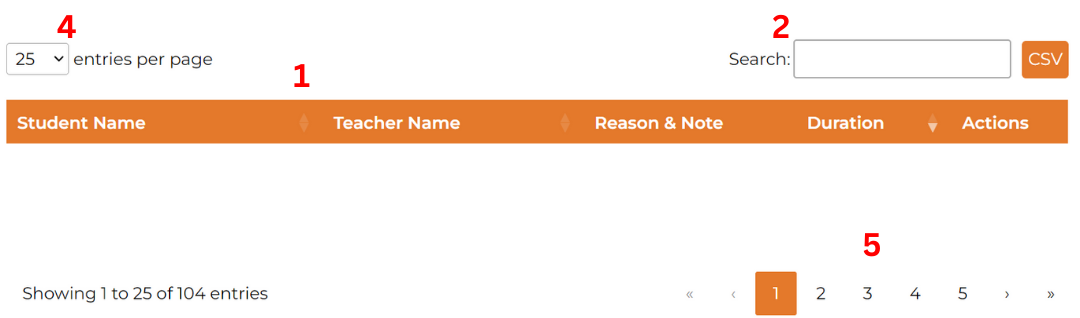
The table organizes and displays all student passes. The columns includes student name, teacher name, reason & note, and duration of each pass.
Features:
- Sorting: Click on the table headers to sort alphabetically by student or teacher, or by duration.
- Search: Use the search bar to find specific students, teachers, reasons, notes, or durations.
- CSV: Click the CSV button to download the current list of passes active.
- Entries per Page: By default, 25 passes are shown per page. You can adjust this to display 10, 25, 50, or 100 passes per page.
-
Change Page: If not all the passes you need to view are visible on the current table, you can navigate through different pages using the controls at the bottom:
-
Double Arrow: Click to jump to the first or last page.

-
Single Arrow: Click to move forward or backward one page at a time.

-
Page Number: Click on a specific page number to jump directly to that page.

-
Highlighted Number: Shows the page you are currently on.

-
Double Arrow: Click to jump to the first or last page.
Interactive Elements:
- Links: Click on a student’s or teacher’s name to navigate to their statistics page.
-
Editing Notes: Click the pen icon under the reason & note column to add or modify notes for any pass.

-
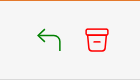
Manage Passes: The last column allows you to delete or return passes. Green arrow allows you to return a pass and the red bin allows you to delete a pass.
Was this article helpful?
That’s Great!
Thank you for your feedback
Sorry! We couldn't be helpful
Thank you for your feedback
Feedback sent
We appreciate your effort and will try to fix the article