Sharing messages with other teachers is simple and versatile. You can share messages via various means such as email, text, WhatsApp, or phone, either at the moment of composing the message or during an ongoing conversation.
To share a message, start by crafting your message. First select who the message is regarding. Even for teacher only message a group of students or individual student must be selected.
Then click Staff-- this action will automatically fill in all the teachers listed on the recipient's schedule from your SIS.
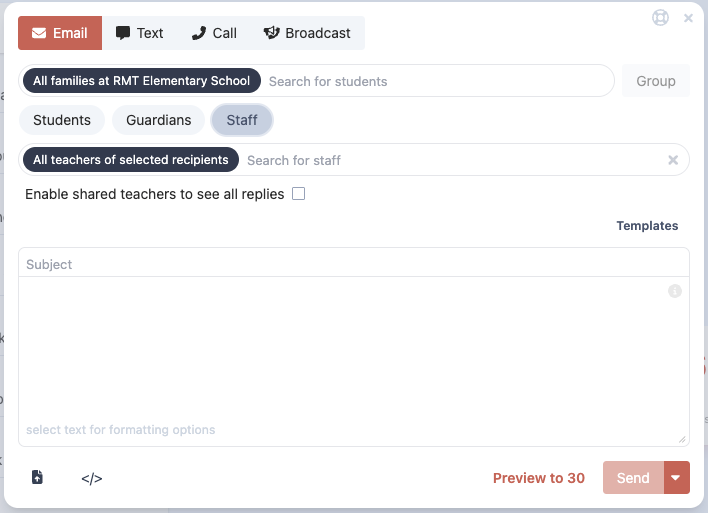
If you need to include or remove teachers, simply backspace or click them to delete or search for their names to add or add a staff group.
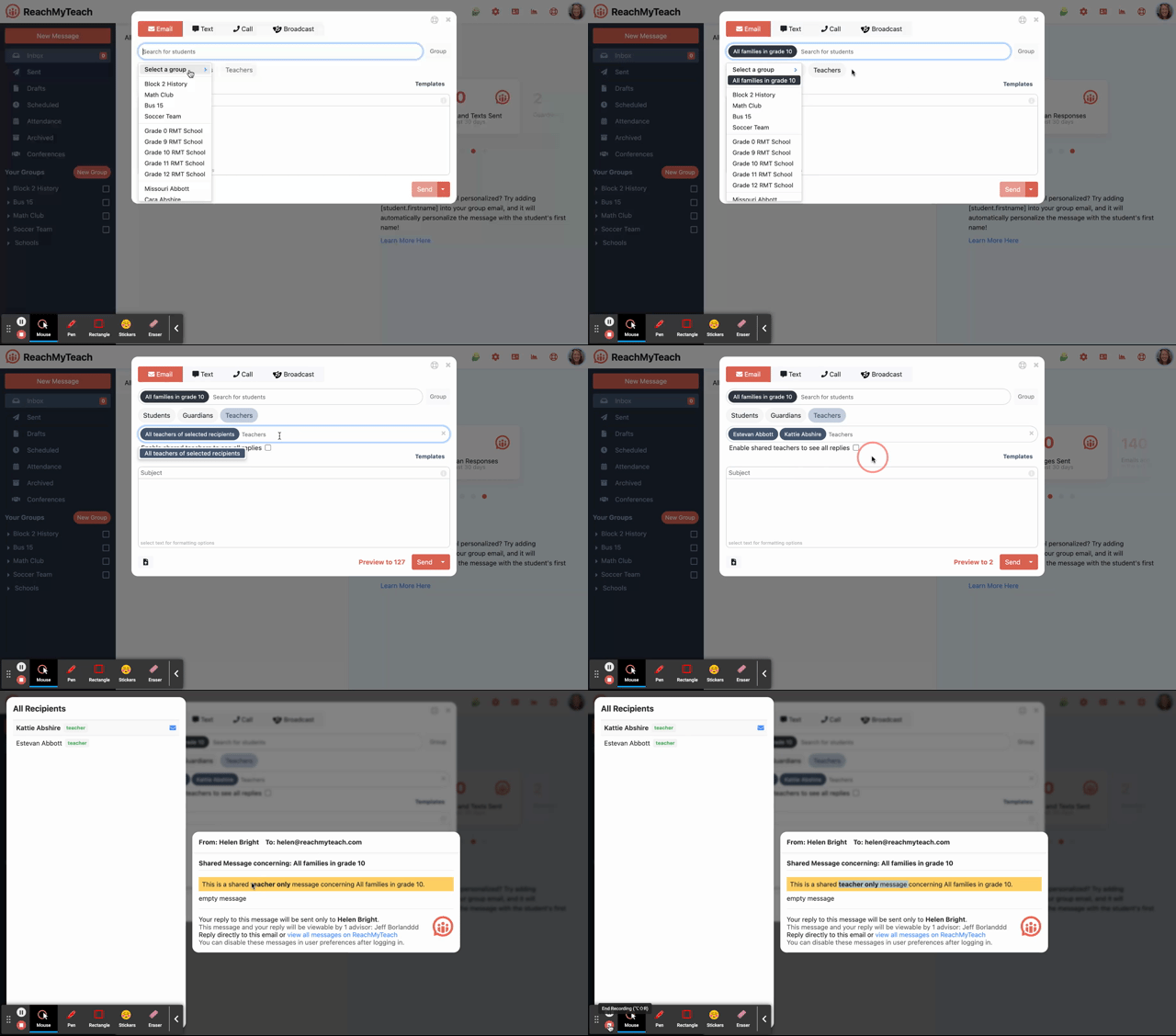
These teachers will get your message as well (through email).
You can also share the message (or share it with more teachers) after the thread is created by clicking the share button to the right of your reply.

Who gets and can see your shared message?
Messages to families
Every message in ReachMyTeach is sent individually.
Messages are not cc’d or bcc’d.
Families and students cannot see who else received the message.
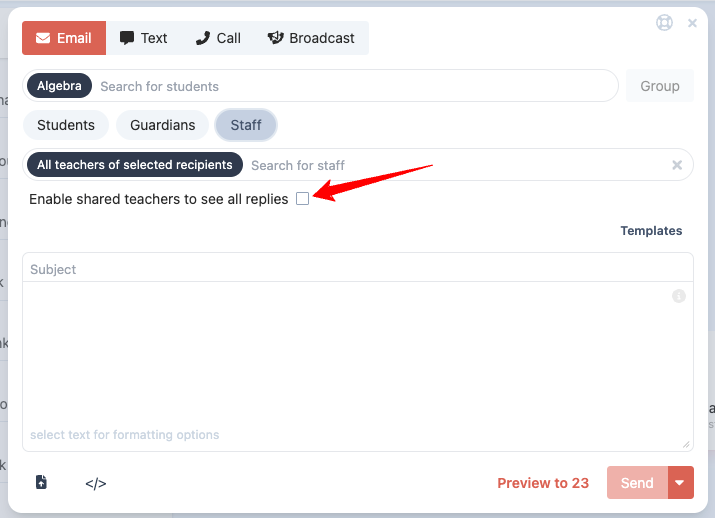
When “Shared teachers can see all replies” is OFF (default)
All selected teachers receive a copy of the original message.
Teachers can see who else is included on the message.
Teachers and families are told that their reply goes only to the original sender.
Replies
Family or student replies are only visible to the original teacher.
Teacher replies go only to the original teacher.
Other teachers and families cannot see these replies.
When “Shared teachers can see all replies” is ON
All selected teachers receive a copy of the original message.
Teachers are informed that replies will be visible to shared teachers inside ReachMyTeach.
Replies
Family or student replies are visible to all shared teachers.
Teacher replies go to the original teacher, and other shared teachers can view them.
Families and students cannot see teacher replies.
Was this article helpful?
That’s Great!
Thank you for your feedback
Sorry! We couldn't be helpful
Thank you for your feedback
Feedback sent
We appreciate your effort and will try to fix the article