We highly recommend taking a moment to preview your message before hitting that "send" button.
This will allow you to see the recipient's view, see translated PDFs, and double check everything looks right.
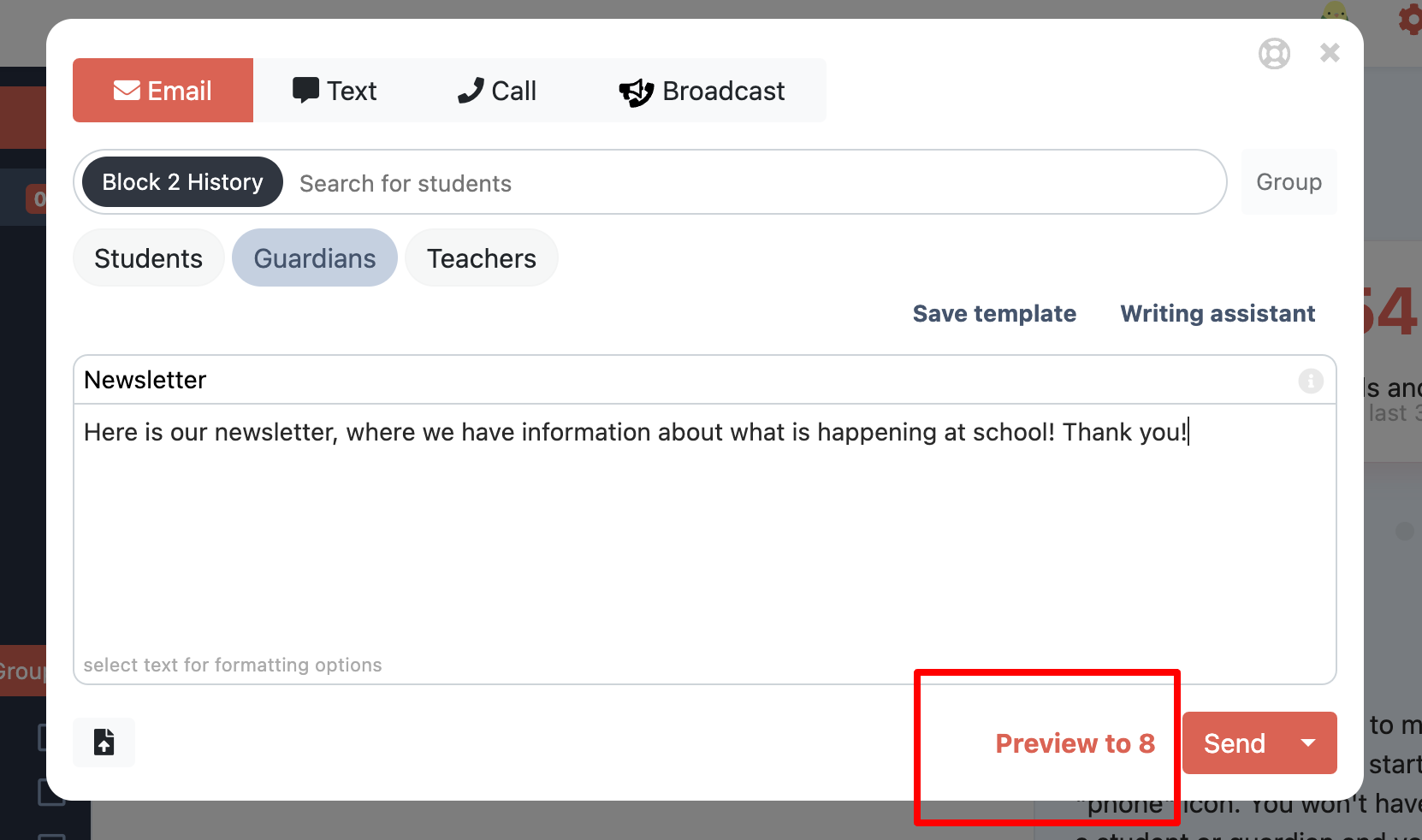
Before hitting "send" underneath is "preview this message to X people". The number should represent the number of recipients you anticipated.
A pop-up will open with a limited list of recipients. By clicking different recipients you can see what the message will look like.
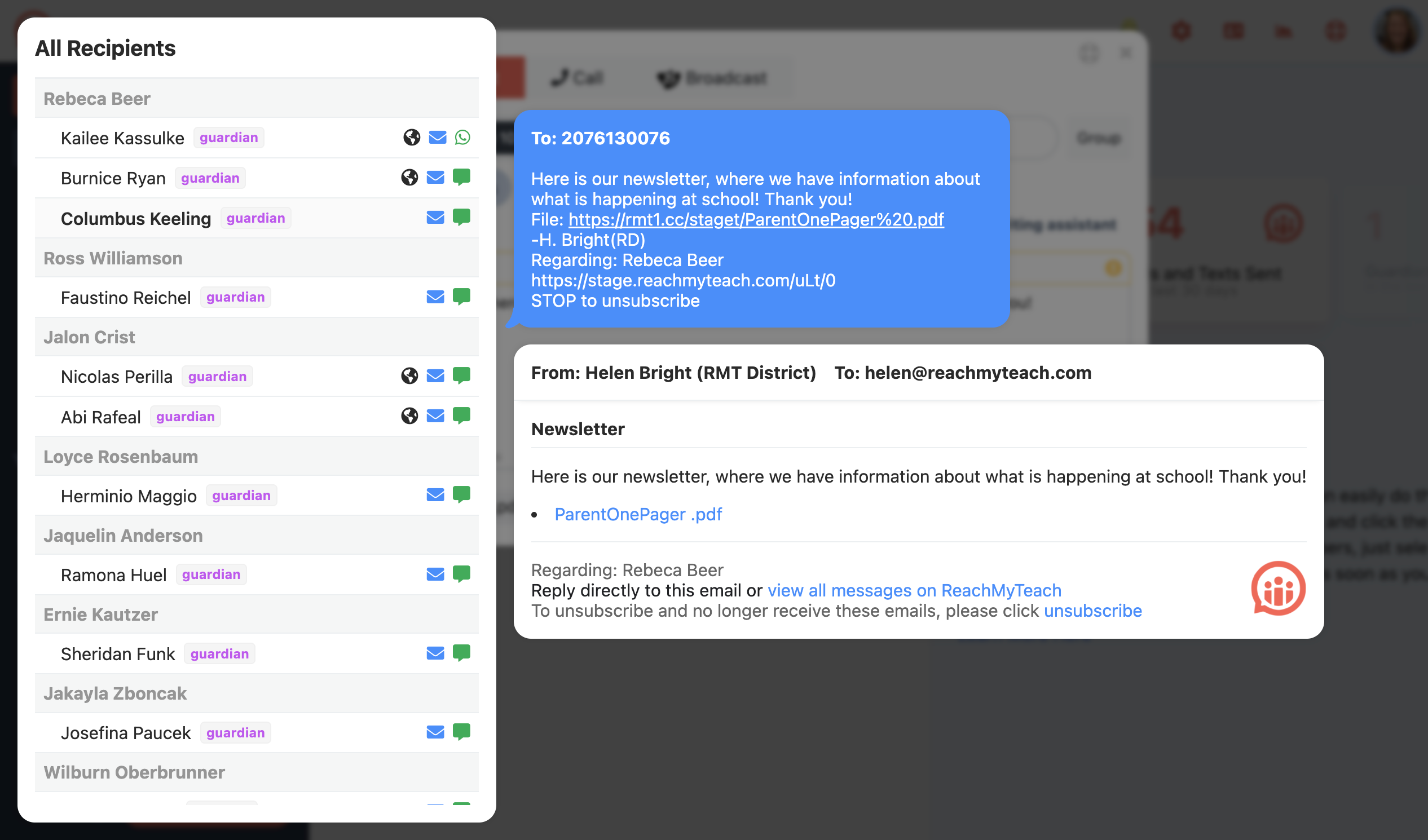
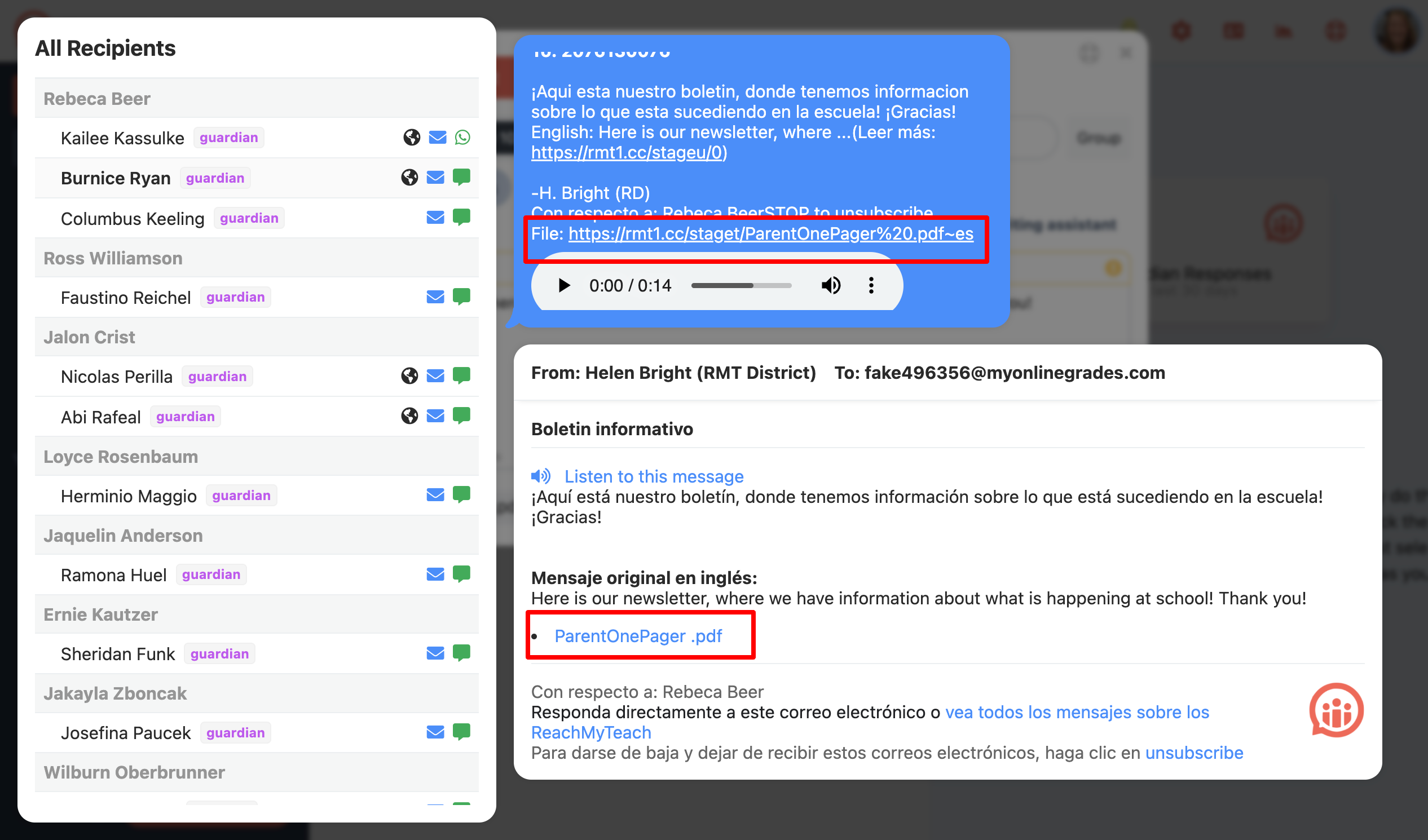
For files added you can click the file link in the message to see the file, recipients with a globe will have a translated version:
Was this article helpful?
That’s Great!
Thank you for your feedback
Sorry! We couldn't be helpful
Thank you for your feedback
Feedback sent
We appreciate your effort and will try to fix the article