After creating your Field Trip Form, you can send invitations to families and monitor completion status in real time.
Send the Form to Families
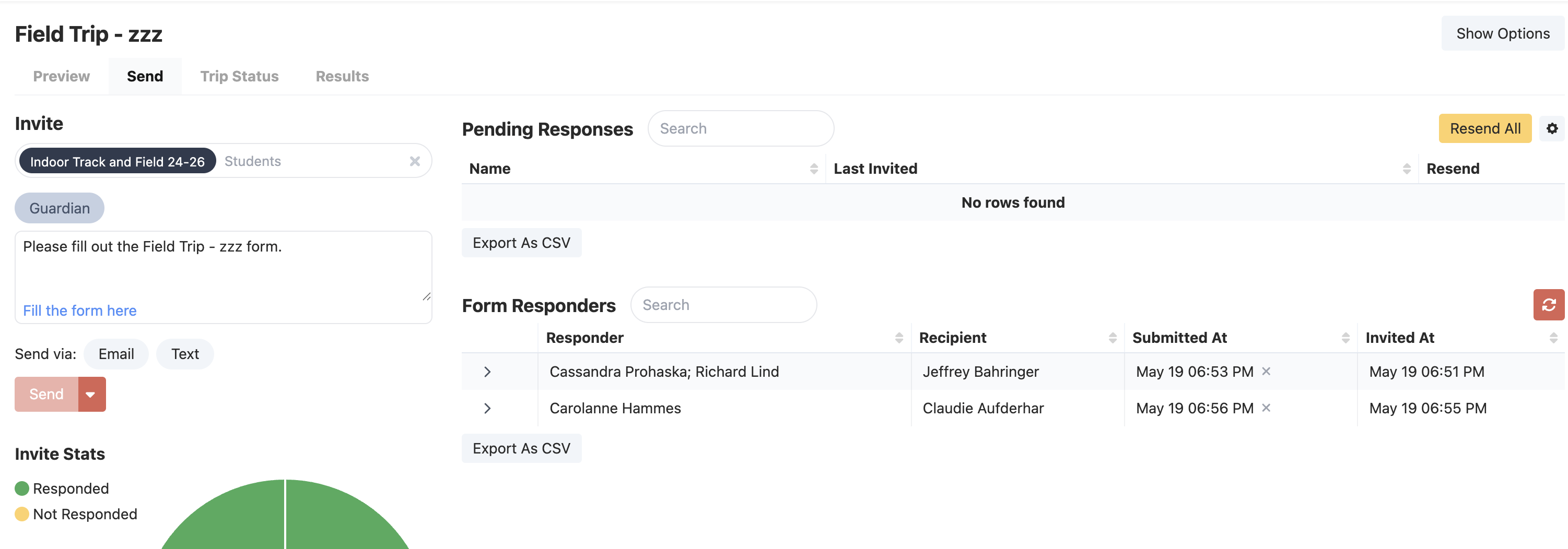
- Open the Field Trip form dashboard
- Go to the Send tab
- Select recipients
- Choose delivery channels:
- Text
- Edit or preview the invite message
- Click Send or schedule delivery
Best Practice
Send the initial invite early, then resend reminders (click resend all - which will resend JUST to families who have not filled it out) to pending families before the deadline.
Track Completion Status
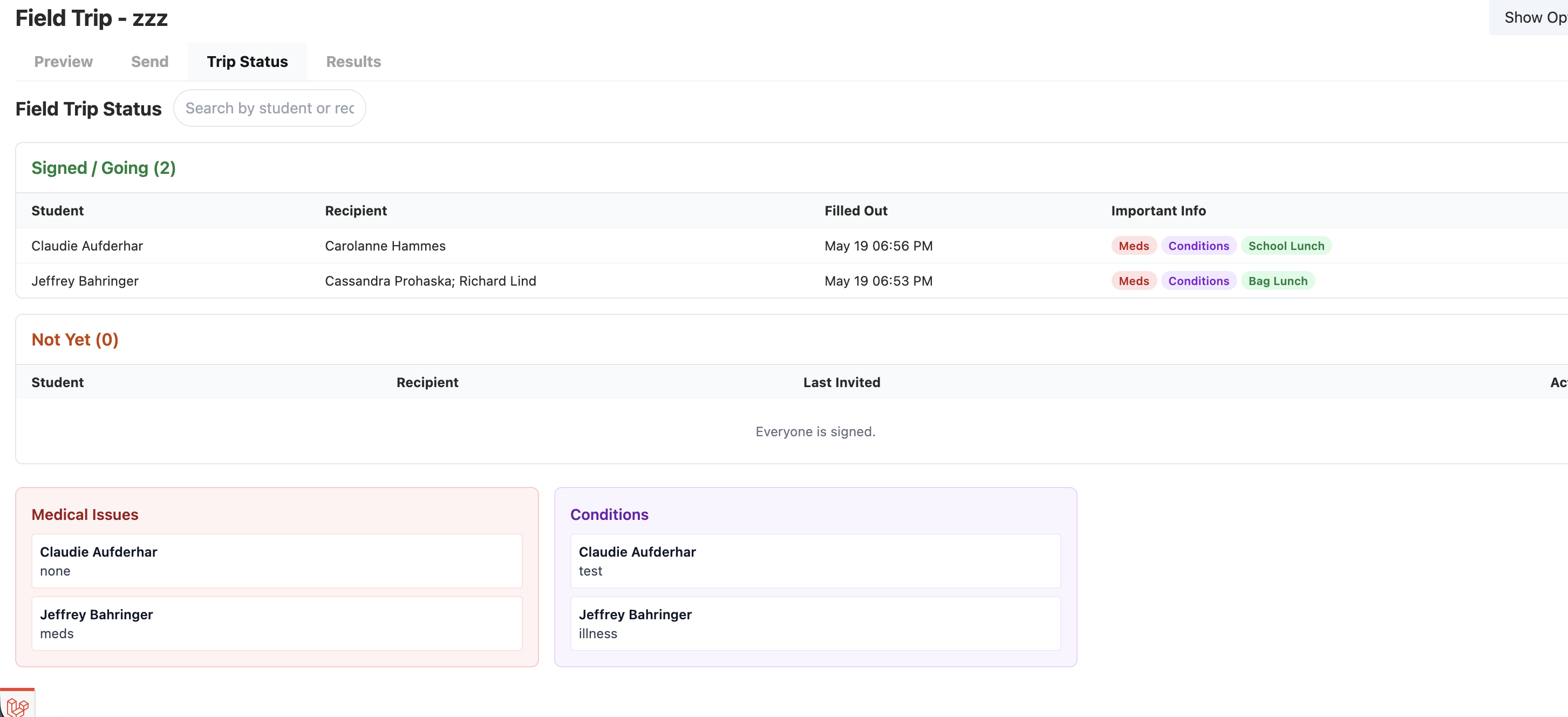
The Trip Status tab is the main view for monitoring responses.
You’ll see two sections:
- Signed / Going
- Not Yet
From this page you can:
- Search for students or recipients
- Resend invites
- Print trip-ready status lists
- View response indicators such as medications, lunch selection, or chaperone interest
Handle Paper Permission Slips
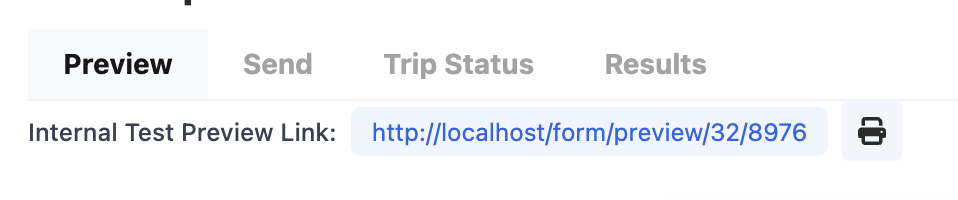
To get a printable form - go to preview and click print
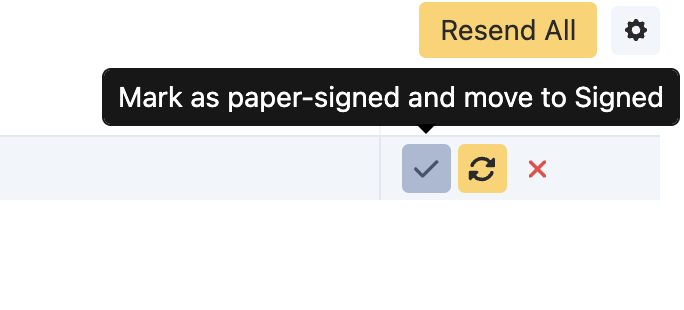
If a family submits a paper form:
- Open Trip Status
- Find the student in the pending list
- Click Mark as paper-signed and move to Signed
The response will be marked as a manual submission.
Important
Manual paper signing updates completion status only. It does not automatically enter handwritten form details into the digital form.
Where to Review Responses
You can review response data in several places:
Trip Status Tab
Best for:
- Signed vs pending tracking
- Trip-day readiness
Results Tab
Best for:
- Reviewing responses
- Exporting data
Send Tab
Best for:
- Quick responder lookup
- Resending invitations
Google Spreadsheet (Optional)
If enabled, submissions can sync to a linked spreadsheet. You set this up when creating the form, or under edit (show options)
Was this article helpful?
That’s Great!
Thank you for your feedback
Sorry! We couldn't be helpful
Thank you for your feedback
Feedback sent
We appreciate your effort and will try to fix the article