If you have multiple accounts (for example, you are a guardian in a district that uses ReachMyTeach and also a staff member), you can switch between them by clicking on your avatar in the upper right corner and selecting the account you’d like to use.
If your accounts use different emails (for instance, you log in with your work email as a staff member and a personal email as a parent), you may need to log out and log back in with the correct credentials to move between those accounts.
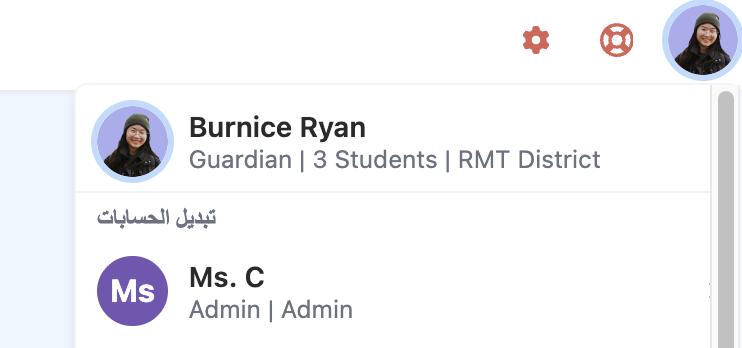
You can also manage preferences in the upper right.
Was this article helpful?
That’s Great!
Thank you for your feedback
Sorry! We couldn't be helpful
Thank you for your feedback
Feedback sent
We appreciate your effort and will try to fix the article