Custom templates let you save messages you send frequently, so you don’t have to retype them each time.
Interpreter-Certified Templates
Creating a Custom Template
-
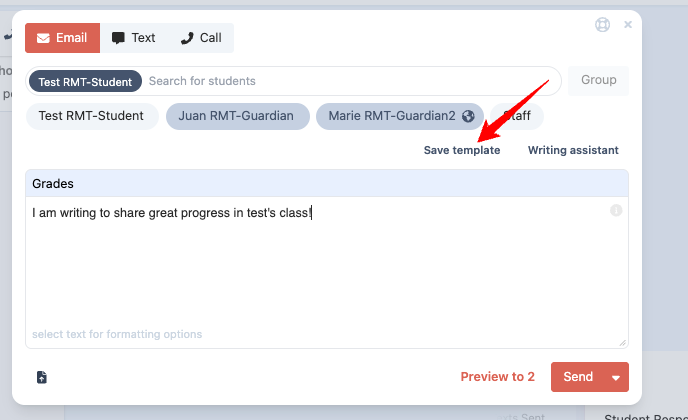
Start a new message and write your text.
-
You can use merge fields to personalize your message.
-
The Writing Assistant can help simplify and improve your text for better comprehension and translation.
-
-
Select Save Template to store it for future use.
Using a Saved Template
-
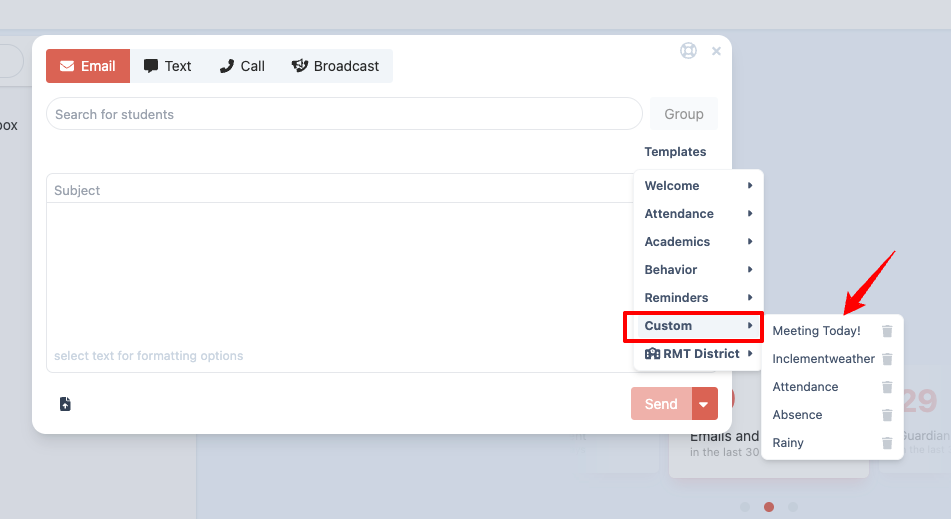
When composing a new message, click Templates, then choose Custom to view your saved templates.
-
Click on the template name to insert it into your message.
Managing Templates
-
To delete a template, click the trash icon next to its name.
Interpreter-Certified Templates
Interpreter-certified templates are pre-written, interpreter-reviewed messages designed to save you time and ensure clear, translatable communication.
Using Interpreter-Certified Templates
-
Start a new message and choose your recipient.
-
Click the Templates button (blue/green).
-
Browse templates organized into five categories:
-
Welcome
-
Attendance
-
Academics
-
Behavior
-
Reminders
-
Each template is:
-
Crafted with strength-based language for family communication.
-
Designed for high accuracy in translation.
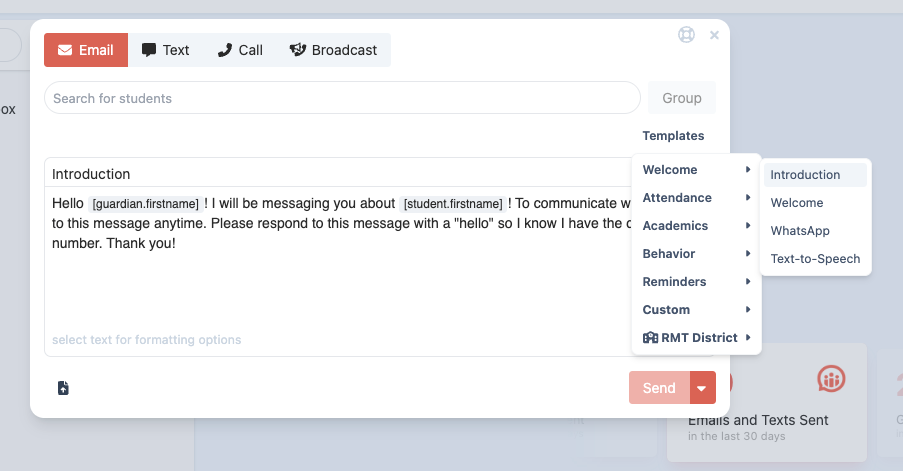
Hover over a template to preview it. Click the template title to insert it into your message.
District Templates
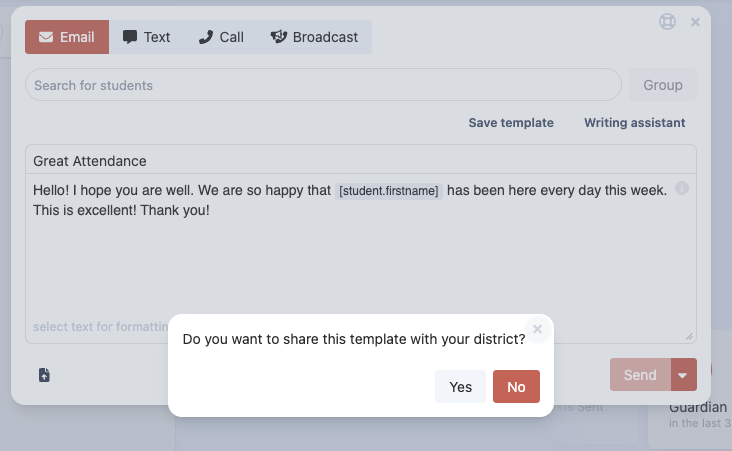
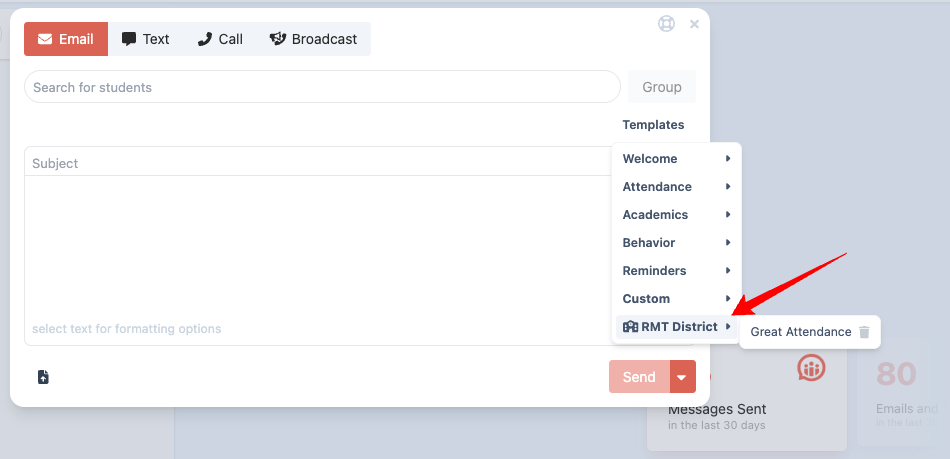
If you are a district administrator, you can create and share templates that will automatically appear in every staff member’s account.
Benefits of District Templates
-
Ensure consistent messaging across schools and staff.
-
Save time by providing ready-to-use messages for common situations.
-
Support equity by offering interpreter-reviewed, district-approved language.
Creating District Templates
-
Navigate to the Templates section as an administrator.
-
Select Create Template and write your message.
-
Save the template to distribute it automatically to staff accounts.
Was this article helpful?
That’s Great!
Thank you for your feedback
Sorry! We couldn't be helpful
Thank you for your feedback
Feedback sent
We appreciate your effort and will try to fix the article