Sometimes you want staff to have limited access to students. IE, you want a coach to only be able to send messages to students/families on their team.
To do this,
- You will need to add staff (either individually or from a spreadsheet - see here). You want to make all this staff external. External staff can login and view messages, but they are only able to send to their students (meaning students that are connected to them).
-
Next create groups of students that each staff member should have access to. IE a group for the tennis team. Then share that group with the coach. This step might be done by the athletic director or a secretary.
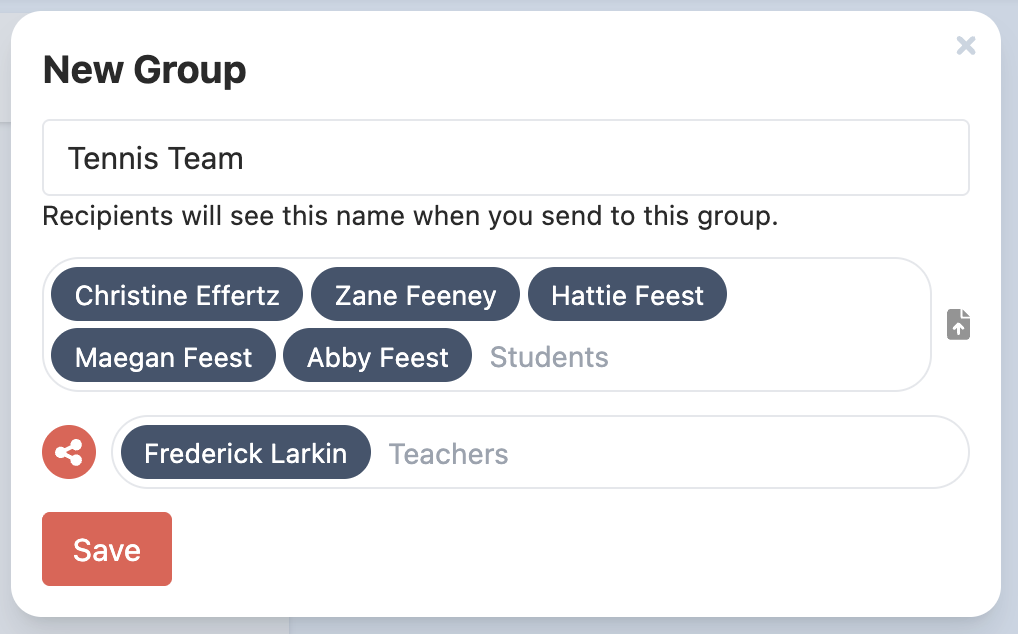
- The coach then can message that group.
- Note: if the tennis team changes membership, you will need to update the group.
Was this article helpful?
That’s Great!
Thank you for your feedback
Sorry! We couldn't be helpful
Thank you for your feedback
Feedback sent
We appreciate your effort and will try to fix the article