Staff can log in and send messages to students and families. This includes teachers, administrators, secretaries, and nurses. External staff (e.g., bus drivers, crossing guards, coaches, and volunteers) typically only receive messages, with some exceptions like coaches who have limited messaging capabilities.
You can:
- Adding a Staff Member Individually
- Importing Staff via Spreadsheet
- Removing Staff
- Updating an Existing Sheet
- Viewing External Staff
Adding a Staff Member Individually
- Open your Staff Contacts section.

- Click the "+" button in the lower-left corner.
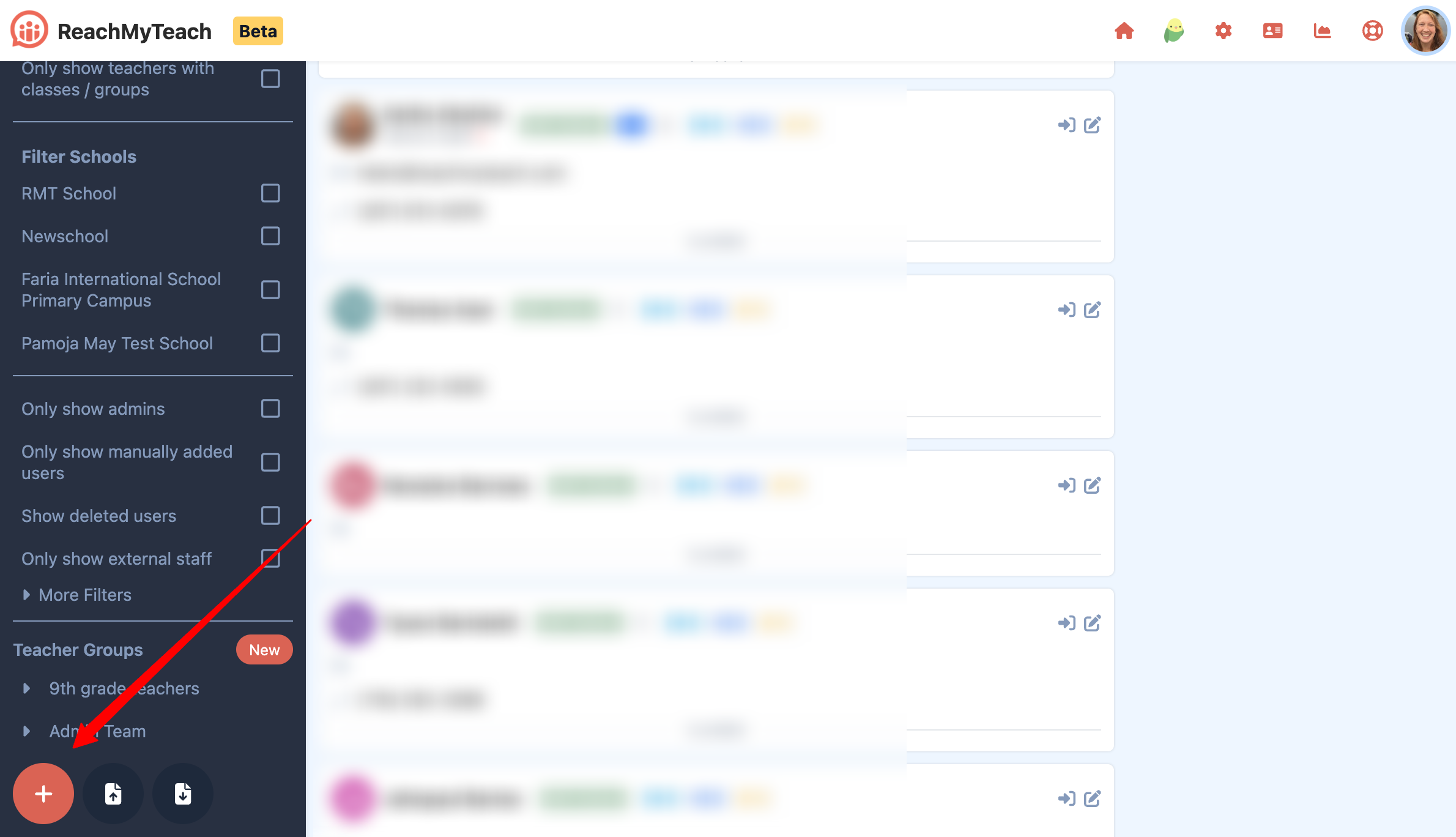
- Enter the required information for the new staff member.
- Click Save to add the staff member.
Importing Staff via Spreadsheet
- Open your staff spreadsheet.
- Click the Upload button.
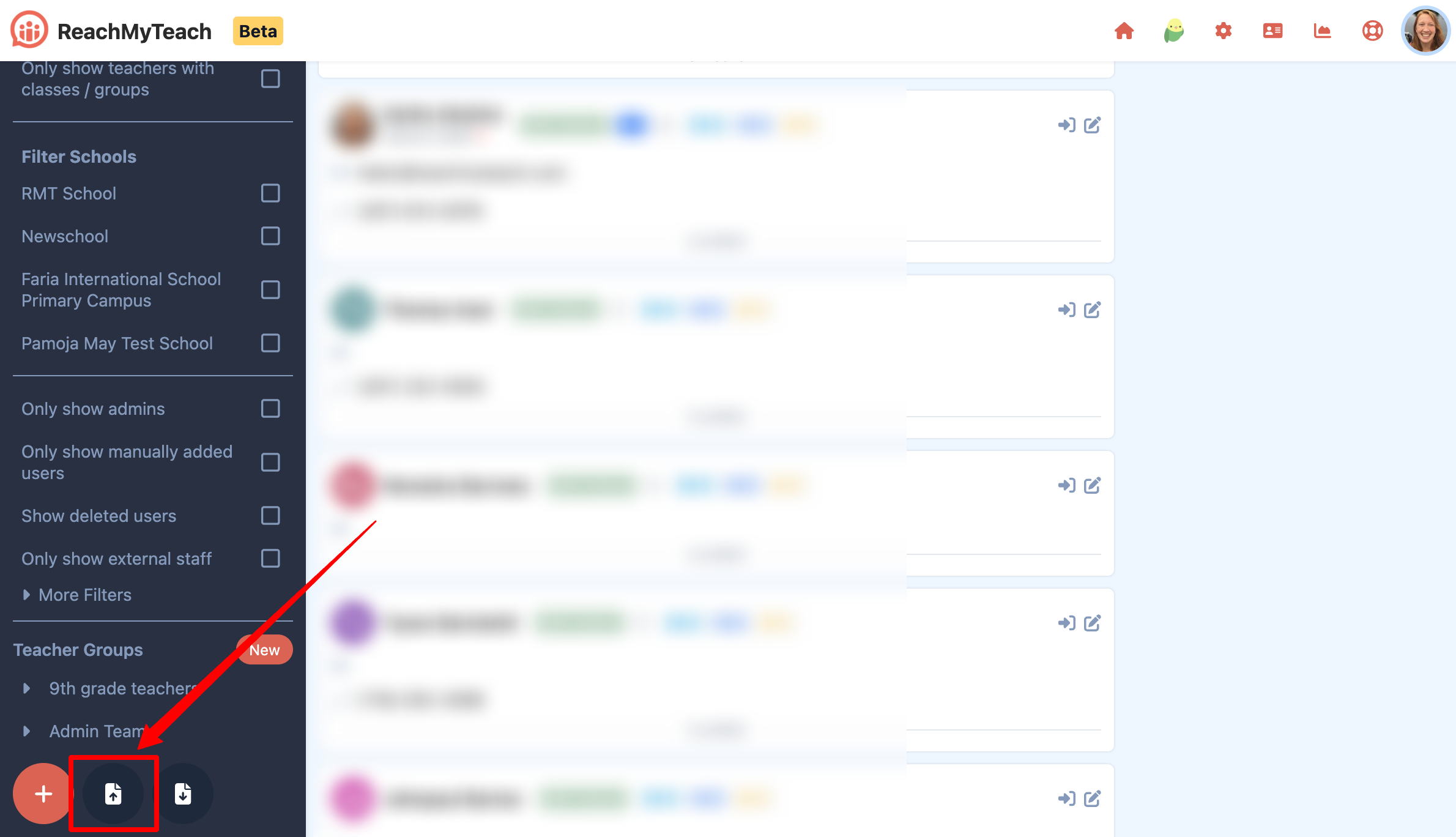
- Select "Open Spreadsheet":
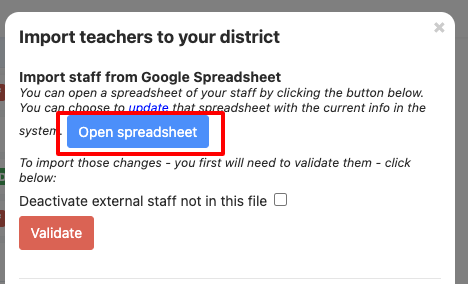
- OUTLOOK USERS: You will receive an email to access the sheet.
- Fill in the required fields. (Click here to learn more about the fields.)
- ✅ Click "Validate." When you are done to have the changes reflected in ReachMyTeach.
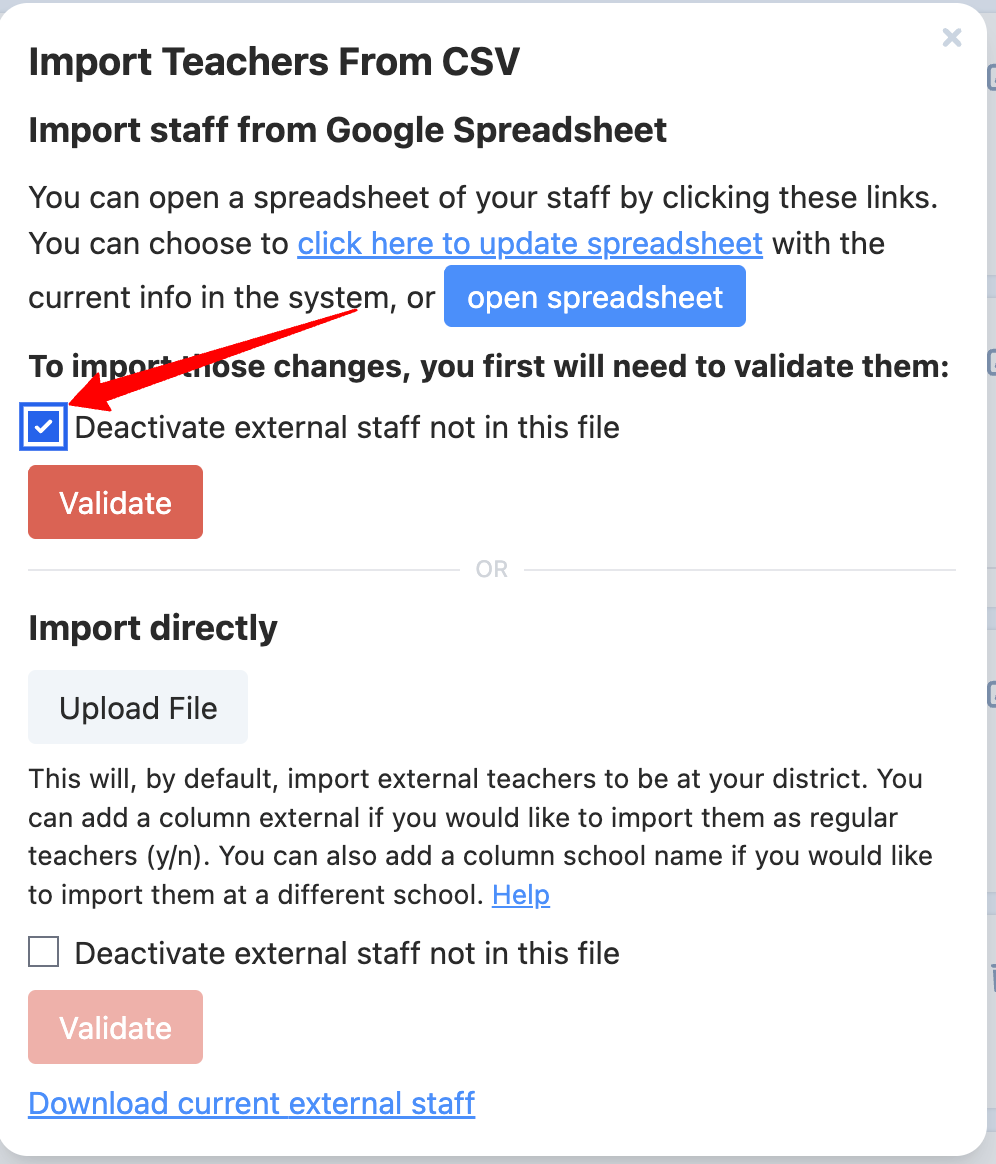
? If you removed staff from the spreadsheet, remember to click "Deactivate external staff not in this file."
Removing Staff
- To remove staff:
- Delete their entries from your CSV or Google Spreadsheet.
- Check the Deactivate students not in this file option during validation to ensure ReachMyTeach reflects these removals.
Updating an Existing Sheet
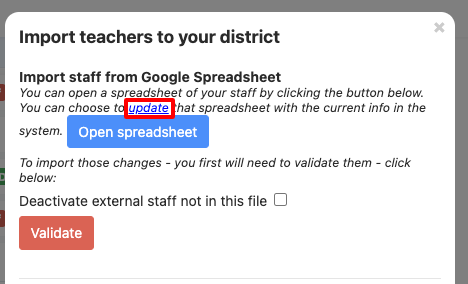
- If you have already uploaded a spreadsheet, you can update it to reflect any manually added teachers.
- Click Update to sync the latest data.
Viewing External Staff
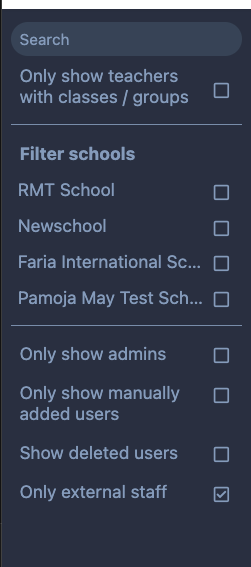
- Open Teacher Contacts.
- On the left side, select the "Only external staff" filter.
Was this article helpful?
That’s Great!
Thank you for your feedback
Sorry! We couldn't be helpful
Thank you for your feedback
Feedback sent
We appreciate your effort and will try to fix the article