If you are at a school that is not synced with a student information system, and the setting is enabled you have the ability to add an individual student. To upload many students please see uploading students from a csv.
Begin by selecting student contacts in the upper right.
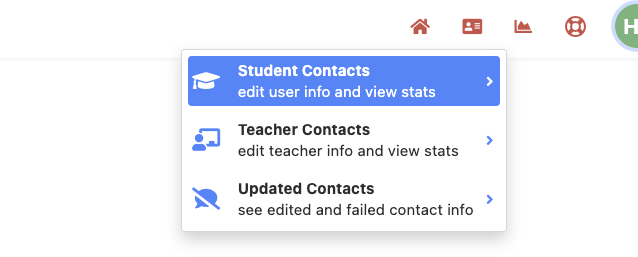
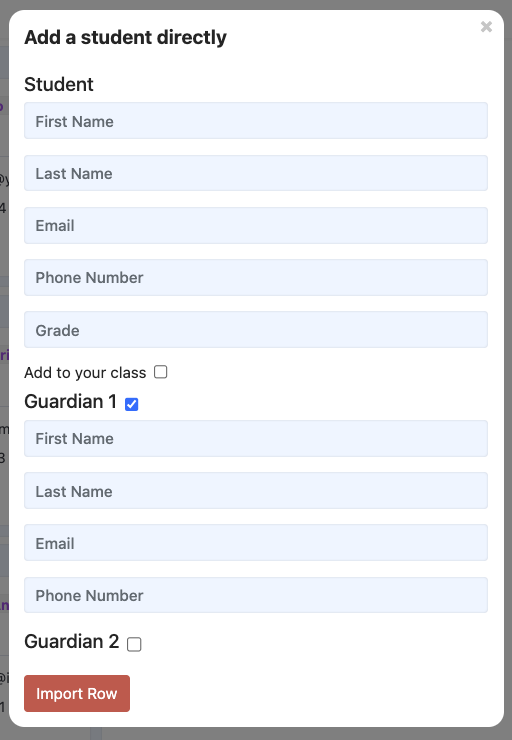
Then click the "+" button in the lower left. Here you can add individual students manually.

Complete the form to add student and guardian contact information. !!Be sure school name and grade match what is in ReachMyTeach for your system!! By selecting "add to my class" students will automatically be rostered to you.
Was this article helpful?
That’s Great!
Thank you for your feedback
Sorry! We couldn't be helpful
Thank you for your feedback
Feedback sent
We appreciate your effort and will try to fix the article