Daily attendance summary reports will be emailed to designated individuals at the schools where the absences occurred:
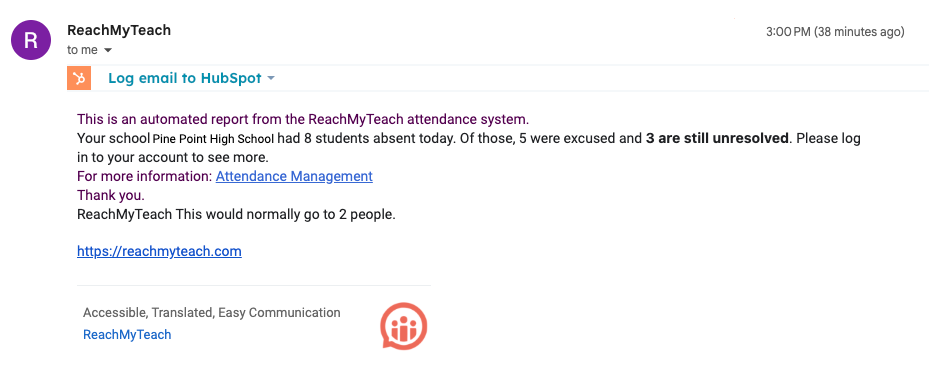
The recipients of these reports will be:
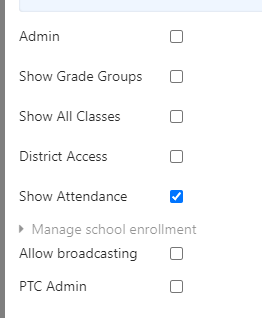
- Staff with the "Attendance" setting enabled at that specific school.
- If no staff have this setting enabled, the reports will go to all school administrators.
Since administrators may not want to receive these daily reports, we recommend schools designate specific staff members (e.g., secretaries, front office staff, counselors) to handle attendance communications.
To designate attendance staff, go to the teacher contacts, edit the staff member, and enable the "Show Attendance" setting: Editing Permissions Guide.
Was this article helpful?
That’s Great!
Thank you for your feedback
Sorry! We couldn't be helpful
Thank you for your feedback
Feedback sent
We appreciate your effort and will try to fix the article