As an admin + in ReachMyTeach (see privileges to learn more), you will have access to the integration page, providing you with the tools to manage and oversee the sync between ReachMyTeach and your Student Information System (SIS). This feature ensures that you can monitor and maintain seamless data integration, keeping your communication platform up-to-date and efficient.
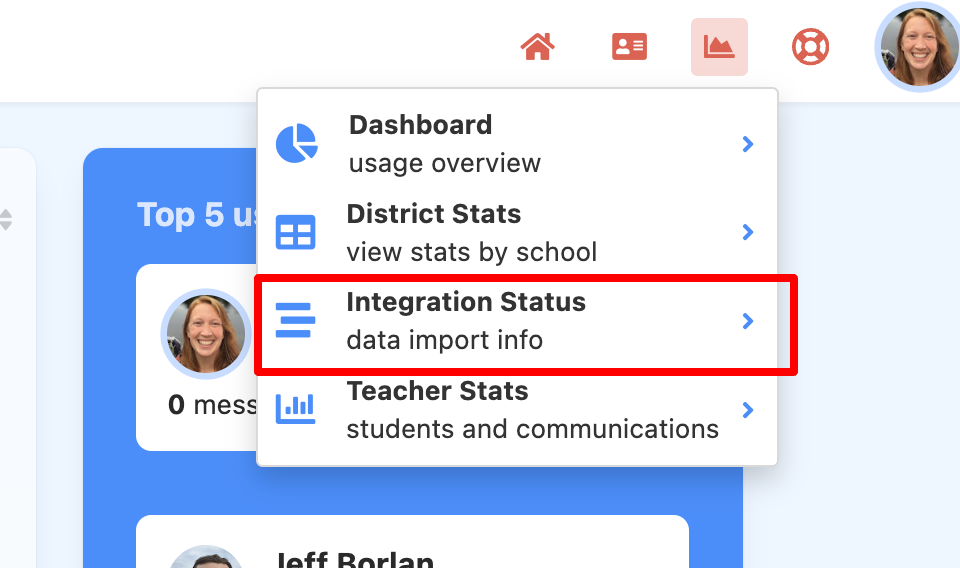
From your dashboard or homescreen. In the upper right select the graph icon next to your avatar and select "Integration Status"
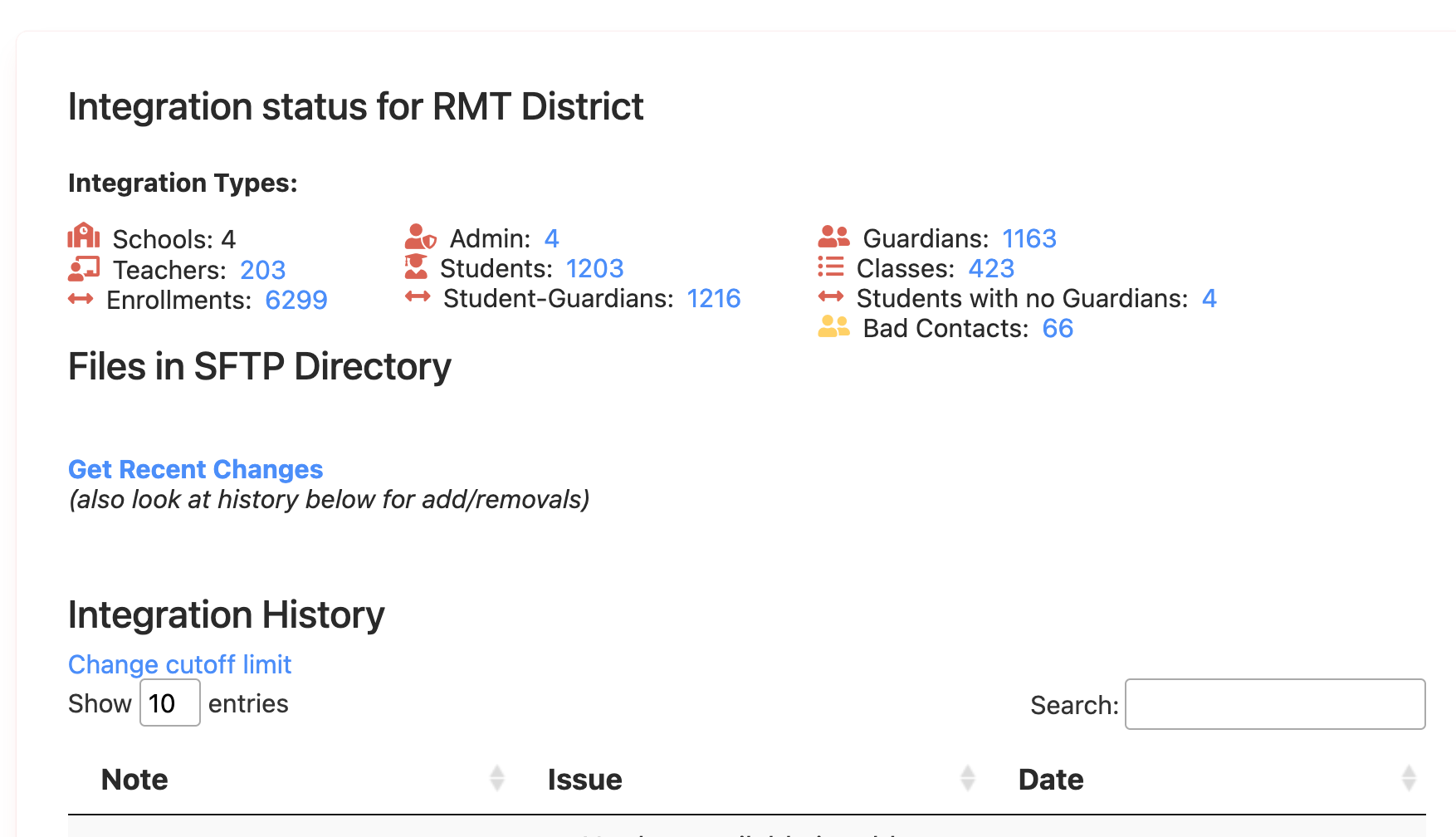
On your integration page you will see details of your sync. If you ever need assistance with your sync please email support@reachmyteach.com
OneRoster connection
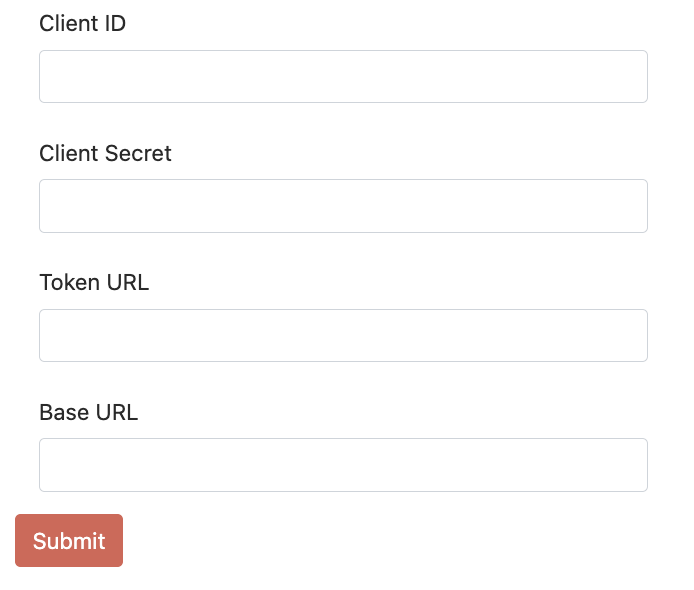
If your district uses OneRoster connection - you can update those urls/tokens directly (ie: key rotations) by going to that page and clicking Update Sync Settings as shown below:

On that page, you will see places to put in all 4 necessary inputs for OneRoster.
Was this article helpful?
That’s Great!
Thank you for your feedback
Sorry! We couldn't be helpful
Thank you for your feedback
Feedback sent
We appreciate your effort and will try to fix the article