If you need to cancel or make changes to your upcoming conferences, ReachMyTeach makes it easy.
Go to the Conference Folder in ReachMyTeach.
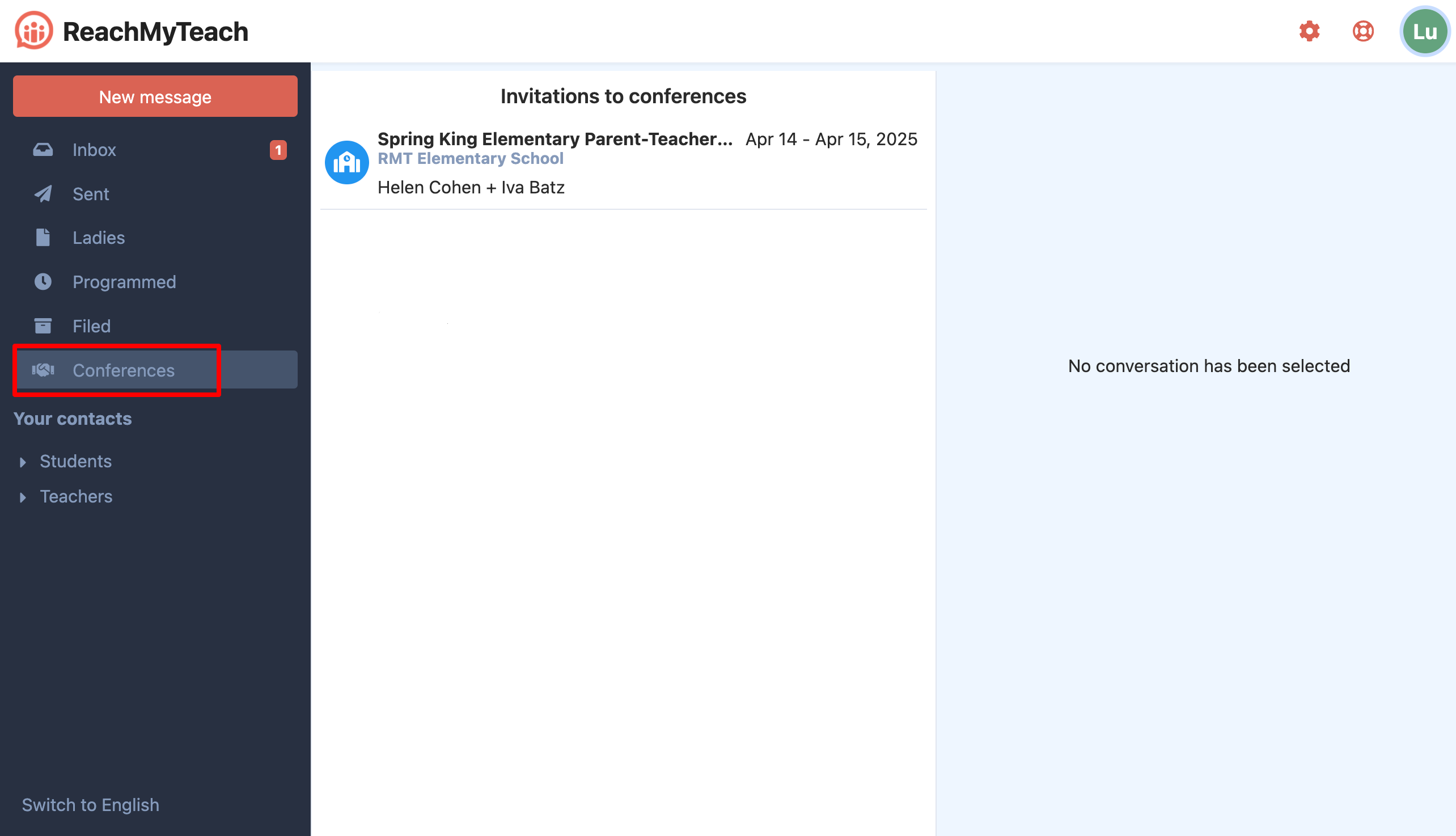
Here, you’ll be able to view all scheduled appointments.
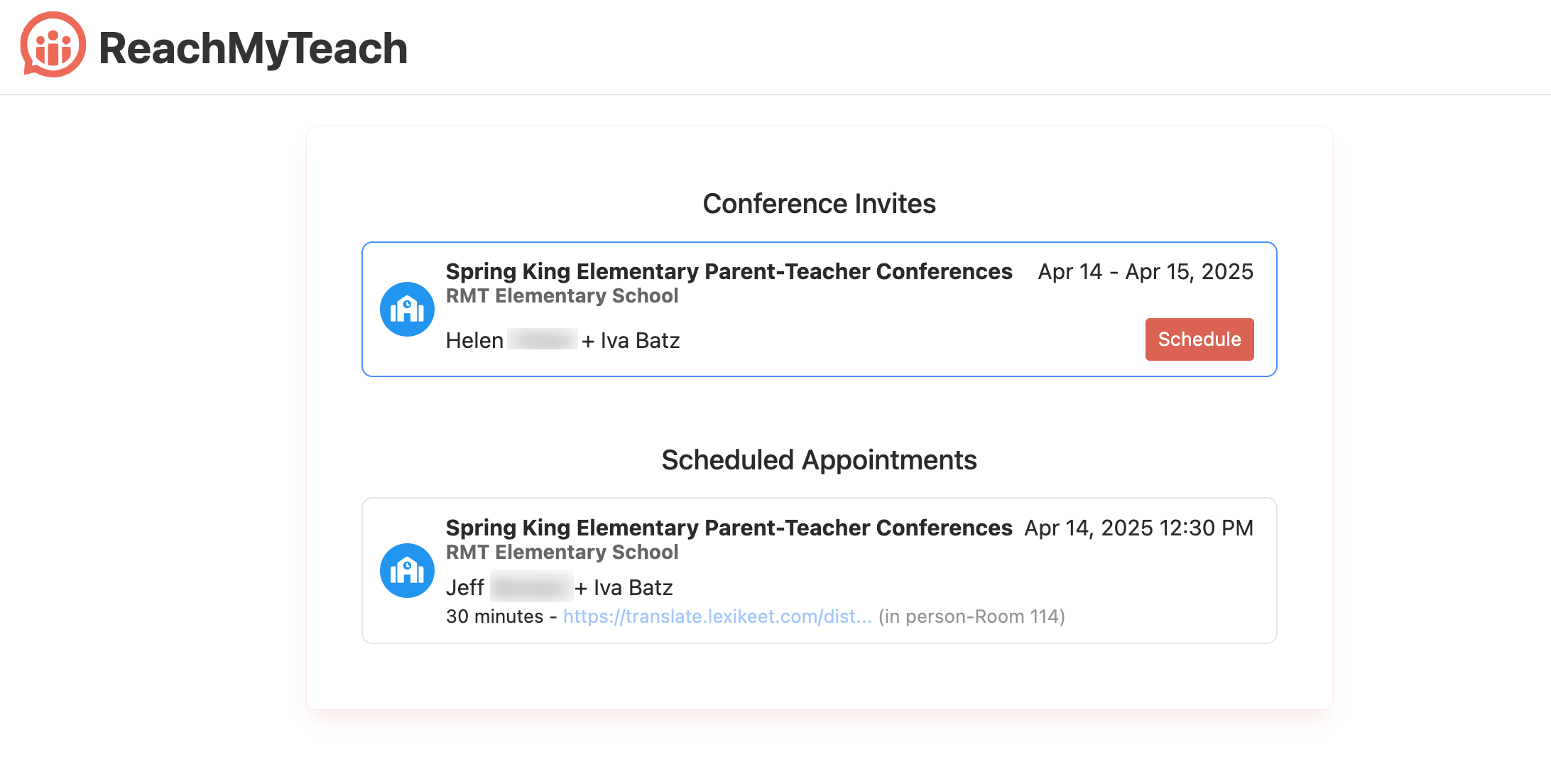
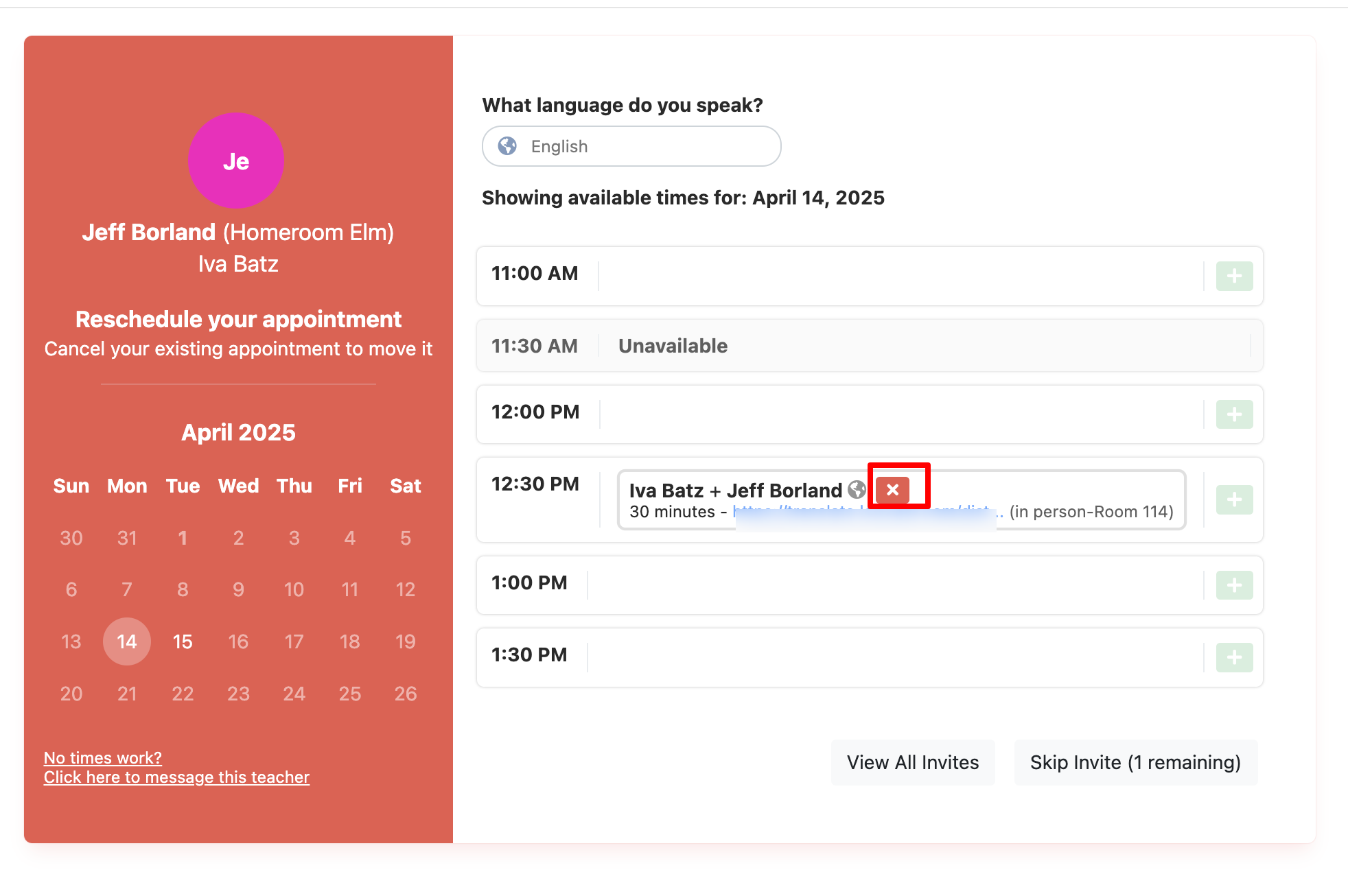
Select the already scheduled conference you wish to adjust or cancel, and make the necessary updates. You can click the "x" to cancel or click no times work to message the teacher:
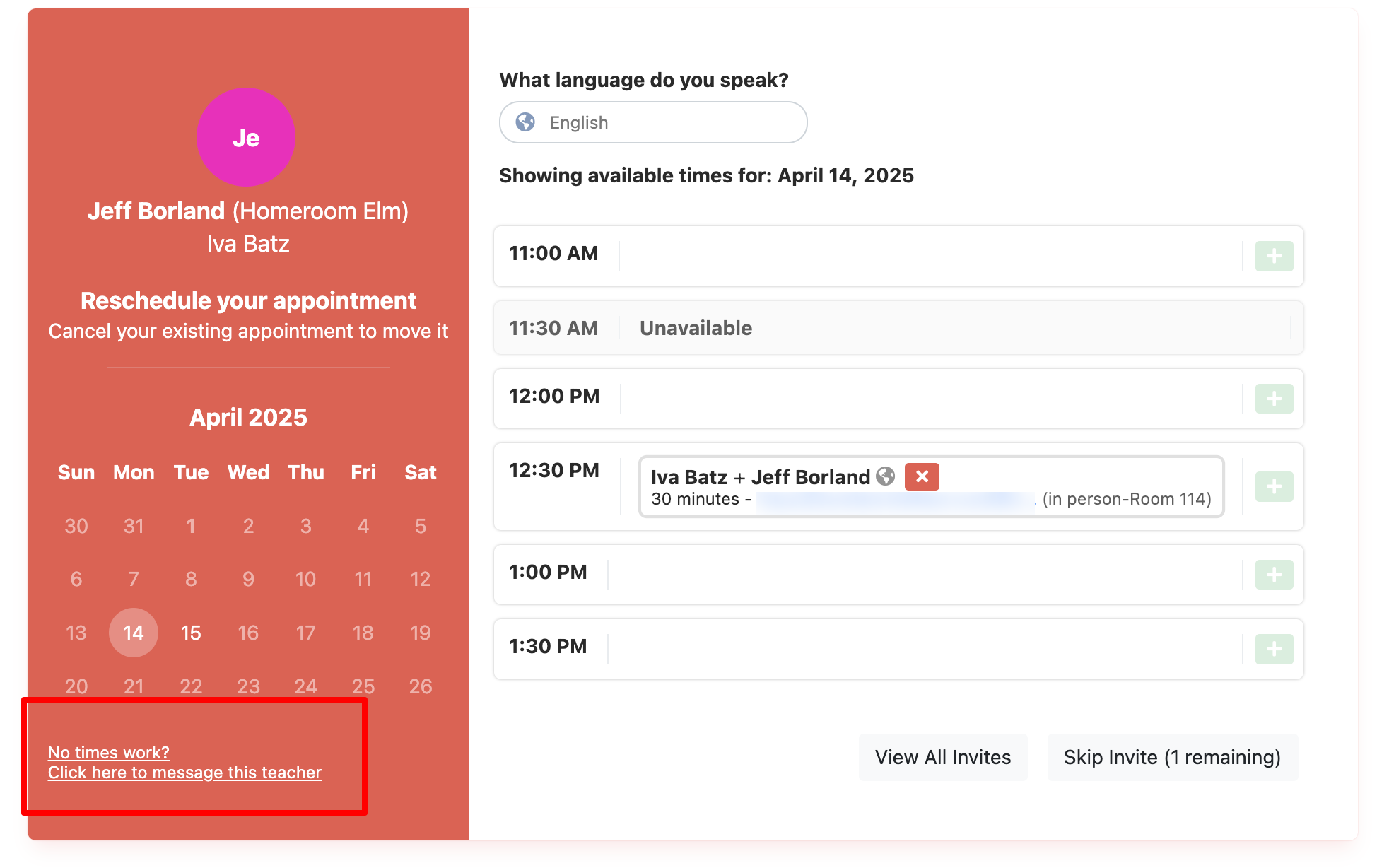
To reach out to the teacher to schedule more than 1 time slot or to ask for other accommodations click the "message this teacher" button in the lower left:
Was this article helpful?
That’s Great!
Thank you for your feedback
Sorry! We couldn't be helpful
Thank you for your feedback
Feedback sent
We appreciate your effort and will try to fix the article