ReachMyTeach recognizes the diverse needs of families and ensures that separated, divorced, or divided families have the ability to schedule separate parent-teacher conferences.
Overview
When signing up for parent-teacher conferences, guardians have the option to select "Don't share conference with other guardians." This option ensures:
-
Conference details will not be shared with another guardian connected to the student.
-
Each guardian can schedule a separate conference.
Please note: This option must be selected by the first guardian who responds to the initial conference invitation.
Step-by-Step Instructions
1. Receiving the Conference Invitation
-
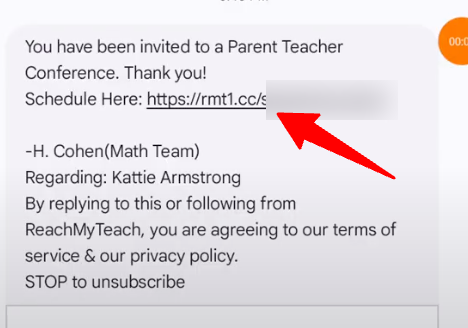
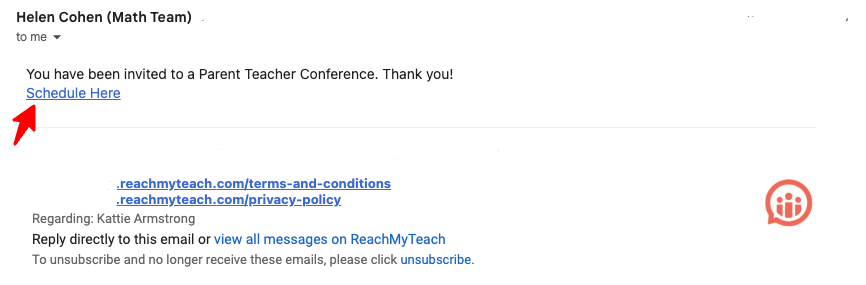
You will receive a notification from ReachMyTeach with a link to sign up for your child's parent-teacher conference or you can click https://reachmyteach.com/?redirect=ptc/invites/all
-
Click the link to access the conference scheduling page.
2. Selecting the "Don’t Share Conference" Option
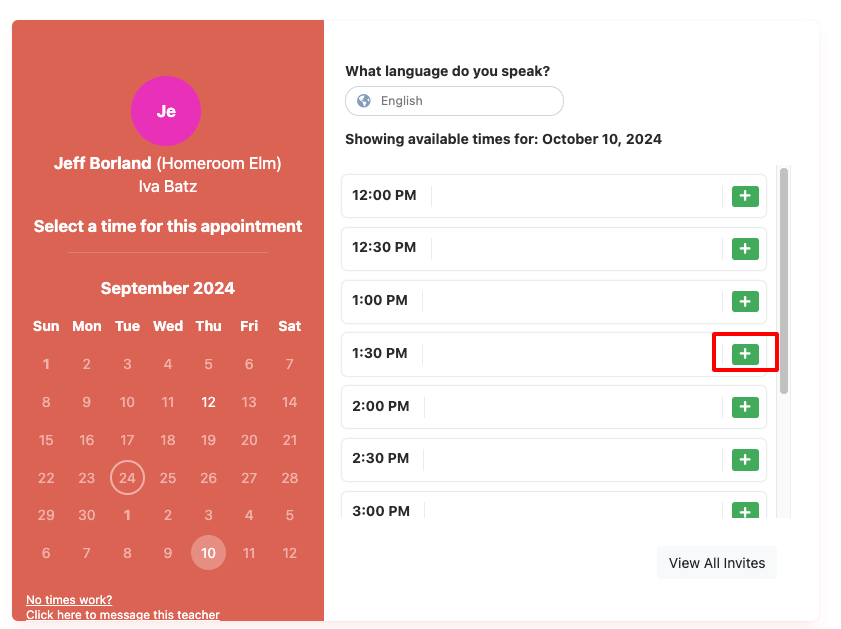
You will then be on the scheduling page. Select the date and time that works best for you to meet with the teacher.
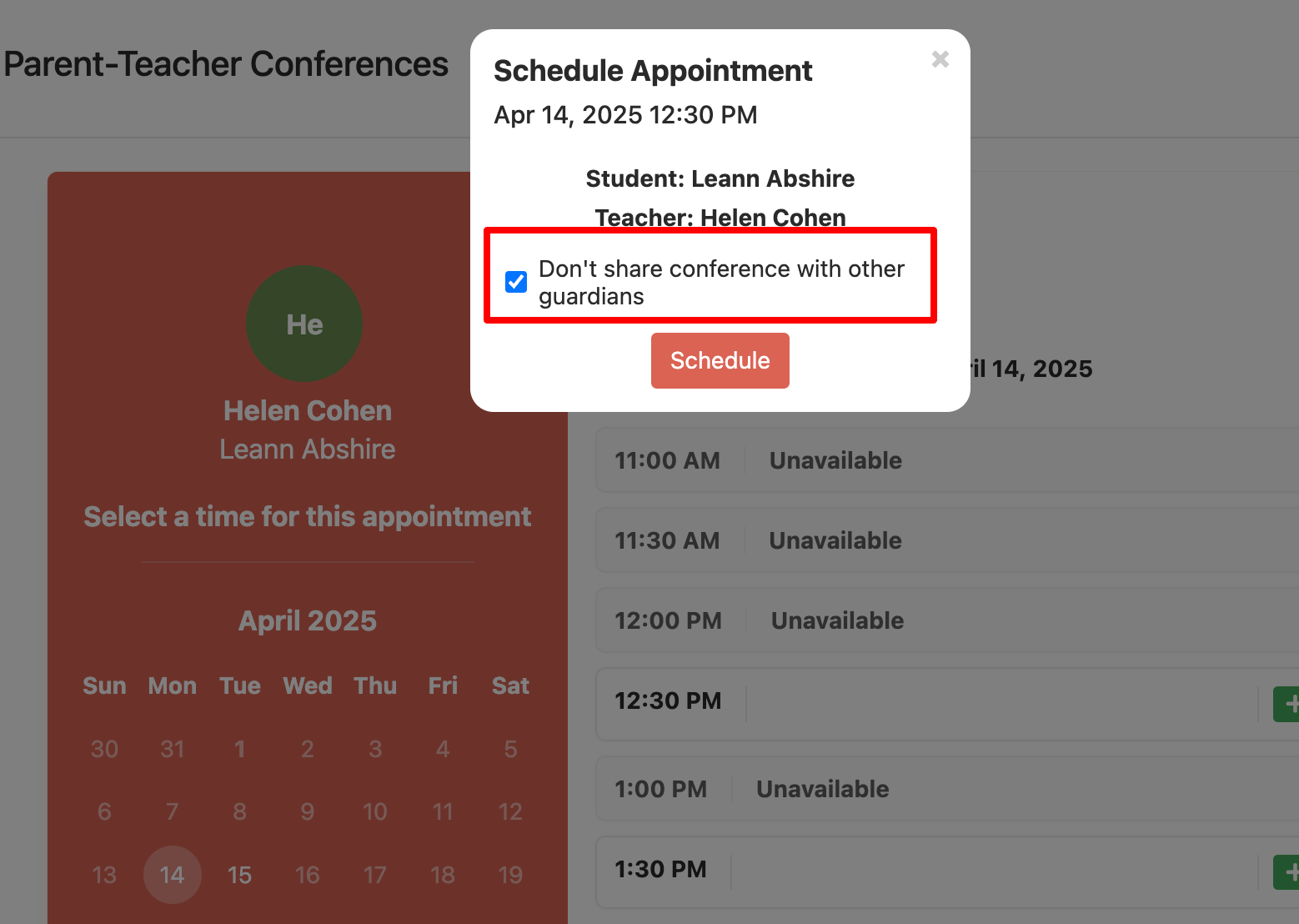
- You will see an option labeled "Don’t share conference with other guardians." when you go to sign up!
-
Important: If you do not select this option, the conference details will be shared with all guardians connected to the student.
3. Scheduling Your Conference
-
After selecting the "Don’t share conference" option, proceed to choose an available time slot for the conference.
-
Confirm your choice and submit.
4. What Happens Next
-
The other guardian(s) connected to the student will still receive the invitation to schedule their own separate conference.
-
They will not see any details about your conference.
Key Points to Remember
-
First to Respond: The first guardian to respond to the invitation must select the "Don’t share conference" option to enable separate scheduling.
-
District Setup: Guardians connected to a student are determined by the district. Typically, this includes individuals with custody and/or educational rights.
-
Separate Scheduling: Each guardian is responsible for scheduling their own conference once the option is selected.
FAQs
Q: What if I forget to select "Don’t share conference"? A: If the first guardian does not select this option, all conference details will be visible to other guardians connected to the student. You cannot retroactively enable separate scheduling for that conference cycle.
Q: Who is considered a connected guardian? A: Guardians are determined by district setup. Generally, this includes individuals with custody and/or educational rights over the student.
Q: Can I change my conference time after scheduling? A: Yes, you can log back into the scheduling portal to modify your conference time, provided there are still slots available.
Q: Will my contact information be shared with the other guardian? A: No. If you select the "Don’t share conference" option, your conference details, including time and any associated information, will remain private.
Was this article helpful?
That’s Great!
Thank you for your feedback
Sorry! We couldn't be helpful
Thank you for your feedback
Feedback sent
We appreciate your effort and will try to fix the article