You can attach original PDFs, docx, or pictures to a ReachMyTeach message.
Document Translation Guidelines
ReachMyTeach can translate documents up to 10,000 characters, which typically covers 2-3 pages. We support most document types, but PDFs provide the best results as they tend to preserve the original formatting effectively.
Please note:
- Scanned documents, screenshots, and photos cannot be translated.
- If a document cannot be translated, it will be flagged in yellow.
Important: Pictures cannot be translated. However, you can still send pictures through ReachMyTeach by following the process outlined below, but these images will not undergo translation.
Begin by starting a new message, search for the group or individual you are messaging. Select student, guardian and/or teacher to determine the recipient of your message.
Write your message and attach a file using the up arrow below the content of your message. Or drag and drop your attachment.

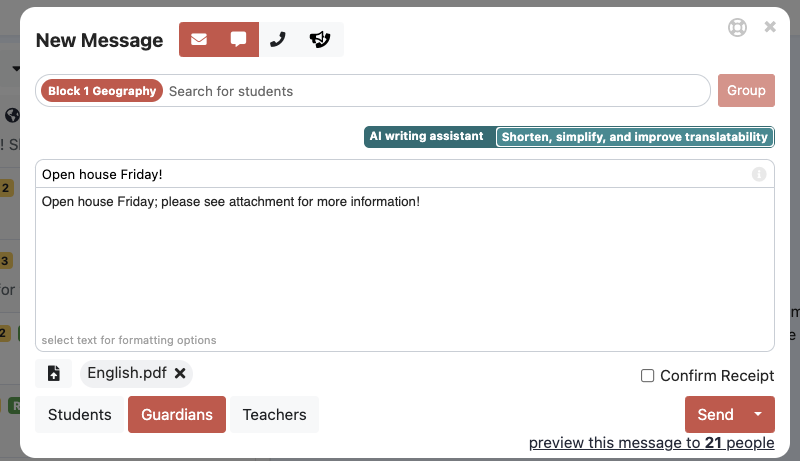
To have a document translated, it can be uploaded in English and the translation will be done automatically. To view the translation click "preview message" below the send button.
Confirm translation:
Choose a multilingual family, the preview will have the file linked in both email and text. Attachments begin with rmt1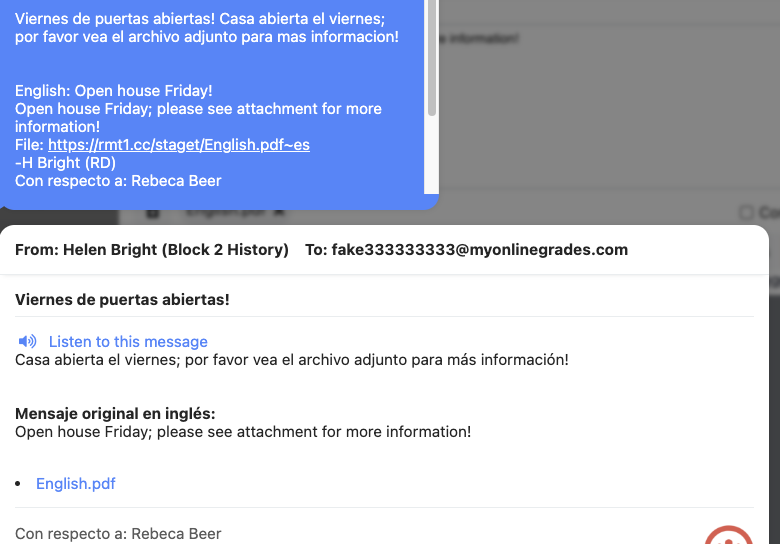
You can click the file to see it translated, download it, or translate into another language.
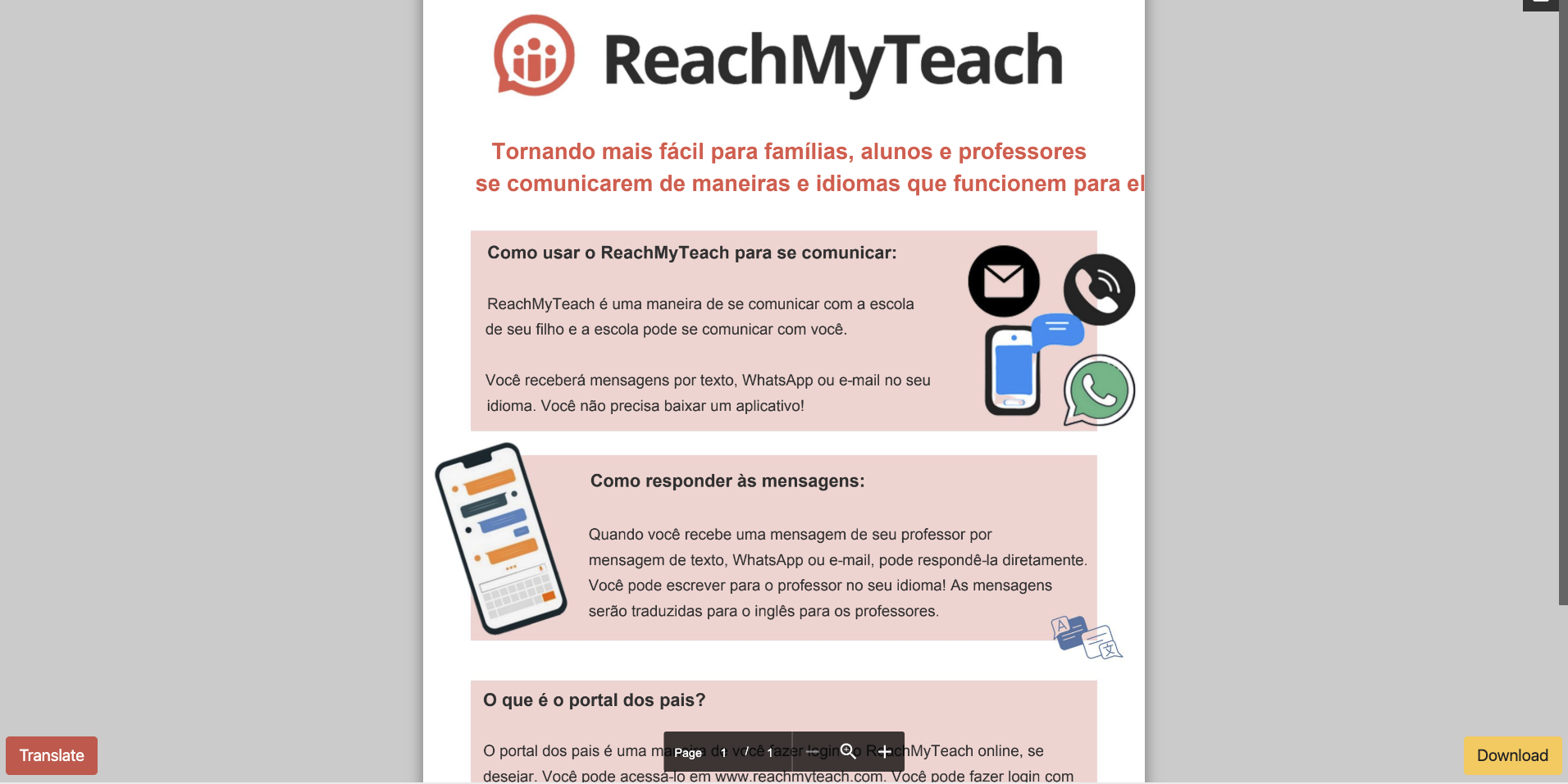
You can also view the recipients perspective under your message data.
Note: This will work on pdf and docx files of a certain length (less than 10,000 characters). Some pdf settings may prevent translation. If the PDF is highlighted in yellow upon upload that is a flag it will not translate, please revise the document to ensure translation.
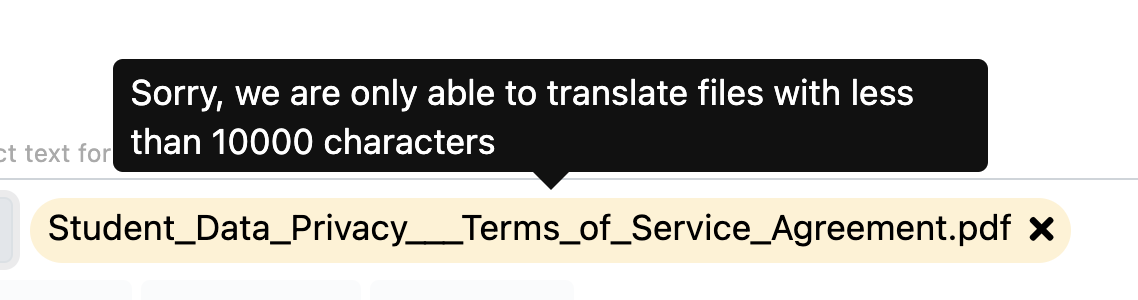
Tips on formatting attachments for best translation outcomes.
Was this article helpful?
That’s Great!
Thank you for your feedback
Sorry! We couldn't be helpful
Thank you for your feedback
Feedback sent
We appreciate your effort and will try to fix the article