Sometimes you may need an interpreter for a meeting or conversation where the parent is with you in person, but you don’t want to send them an invite or involve them in the scheduling process. This guide shows you exactly how to set that up.
When this comes up:
-
A parent-teacher conference or IEP meeting where the parent is sitting with you, but the interpreter will join online.
-
A health or safety conversation with a student where an interpreter is needed.
How to Schedule the Call
-
Log in to ReachMyTeach and start a new message.
-
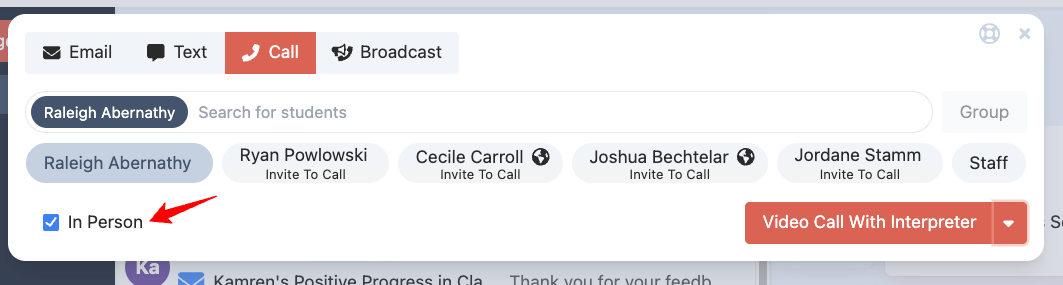
Click on the call icon.
-
Type the name of the student or click the paren't name and select the IN PERSON check box
-
-
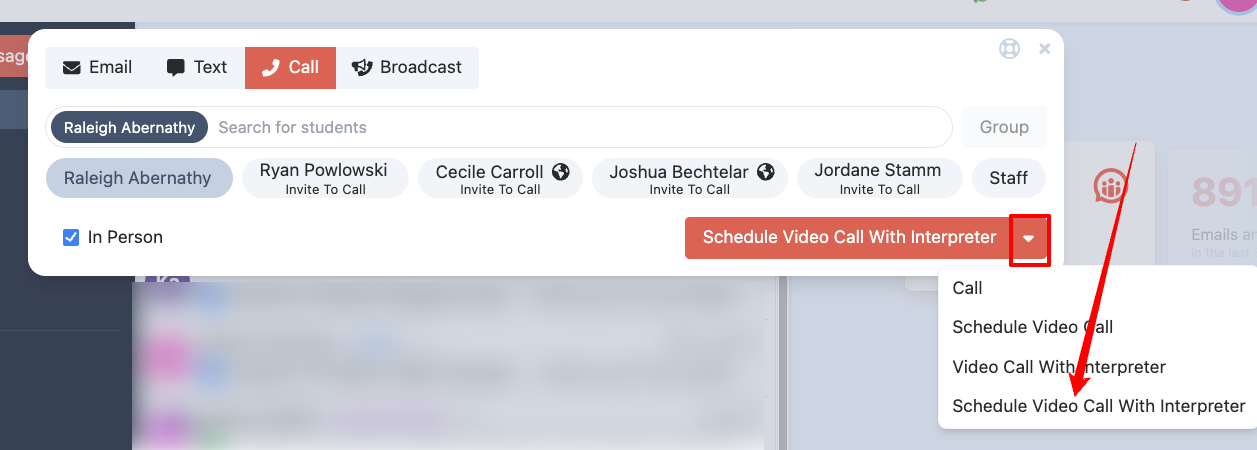
Schedule ahead
-
From the dropdown, choose “Schedule Video Call with an Interpreter.”
-
-
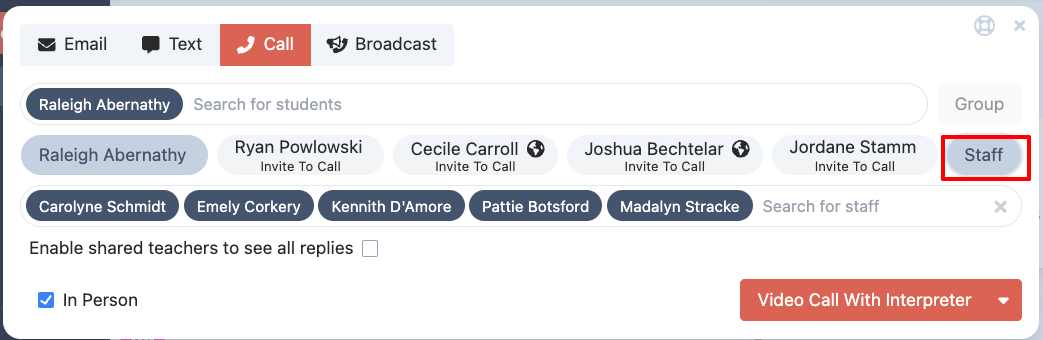
Add staff as needed.
-
Make sure “staff” is selected.
-
Remove or add staff so the right people get invited.
-
They’ll receive both an email and a Google Calendar invite.
-
Joining the Call
When it’s time, open the Lexikeet link from your Google Calendar or your email invite. The interpreter will be there, ready to join, and you don’t need to involve the parent at all.
To learn more about making calls that invite the guardians go here for on-demand and here for scheduled.
Was this article helpful?
That’s Great!
Thank you for your feedback
Sorry! We couldn't be helpful
Thank you for your feedback
Feedback sent
We appreciate your effort and will try to fix the article