Schedule an Interpreted Video Call

Modified on Thu, 25 Dec, 2025 at 10:28 AM

exclamation-mark-png-red-exclamation-mark-ico-11562992636ey2tvu7dhh-removebg-preview.pngAttention TEACHERS: Reschedule Your Cancelled Conference by Following These Directions.

exclamation-mark-png-red-exclamation-mark-ico-11562992636ey2tvu7dhh-removebg-preview.pngPARENTS: YOU MUST CONTACT THE TEACHER TO RESCHEDULE. Learn how to contact the teacher here or quickly send a Text/Email to the teacher on a message you have already talked to them on.

Skip to:


For Teachers: Scheduling an interpreted call

  1. Start a New Message:

    • Click New Message and select the phone icon.
  2. Select the Guardians and Set Up the Call:

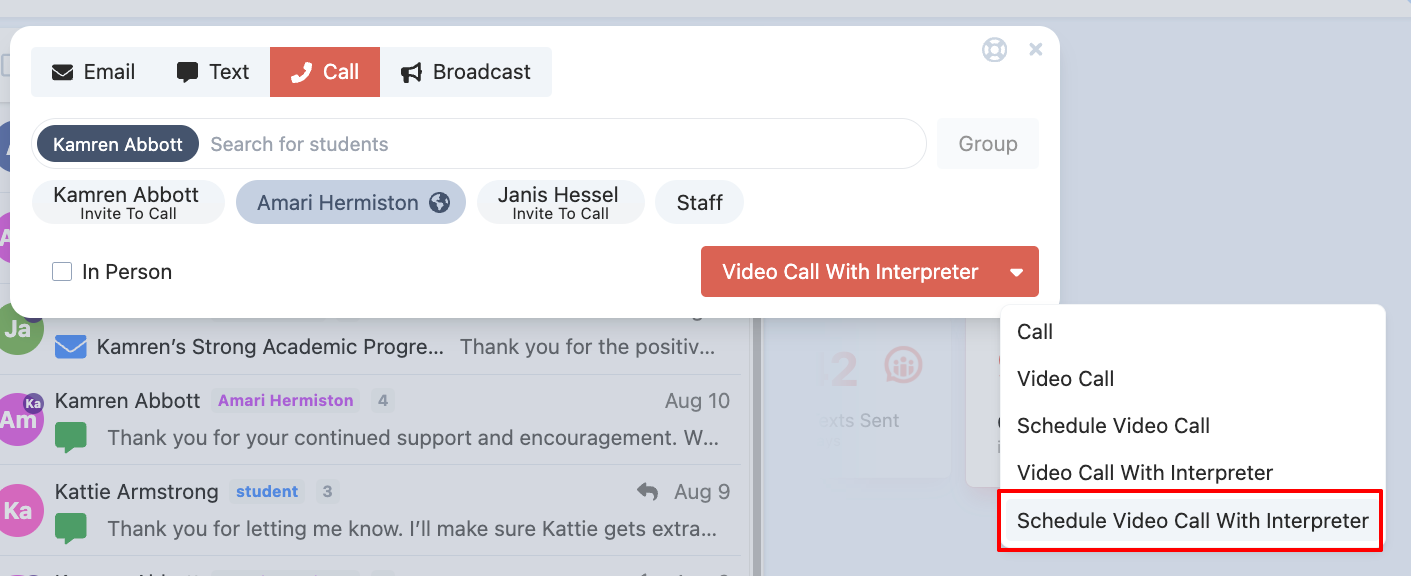
    • Search for the student’s name, then select the guardian(s) you’d like to invite.
    • Use the drop-down menu in the bottom right corner to choose Schedule a Video Call with an Interpreter.
    • ReachMyTeach-Messages-09-27-2024_08_24_AM.png
  3. Adding Additional Participants:

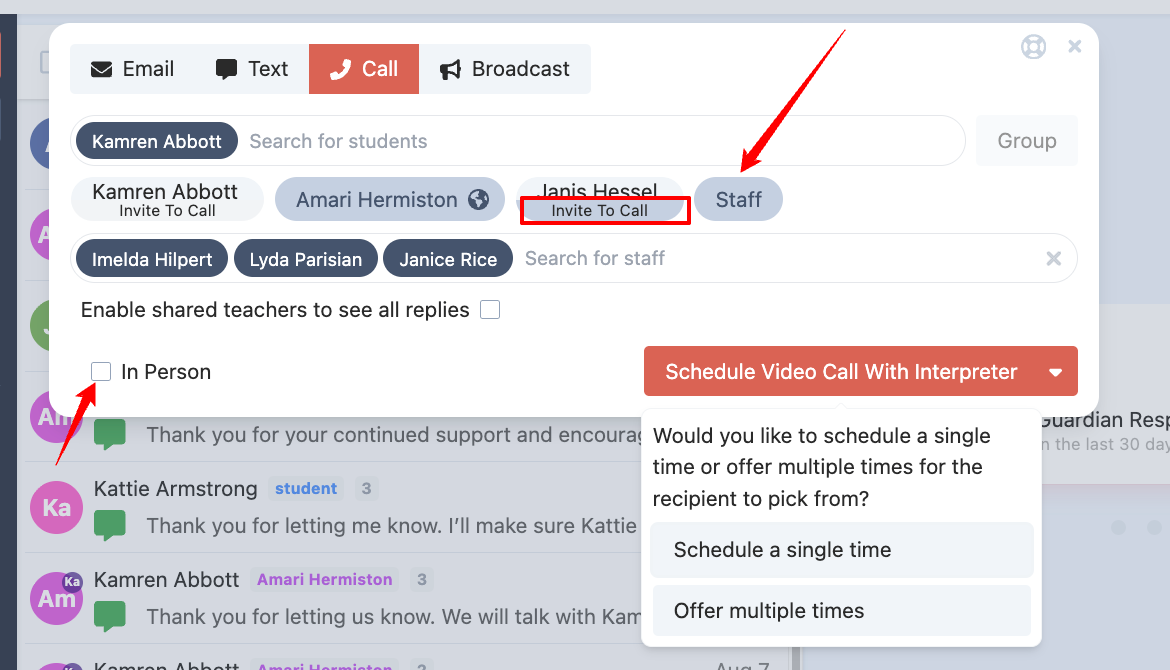
    • To invite other teachers, select Teachers to roster them from the student’s schedule.
    • If a specific teacher’s name doesn’t appear, search and add them manually.
    • You can also invite other guardians by selecting Invite to Call.
    • ReachMyTeach-Messages-09-27-2024_08_25_AM.png
  4. Scheduling a Confirmed Meeting Time:

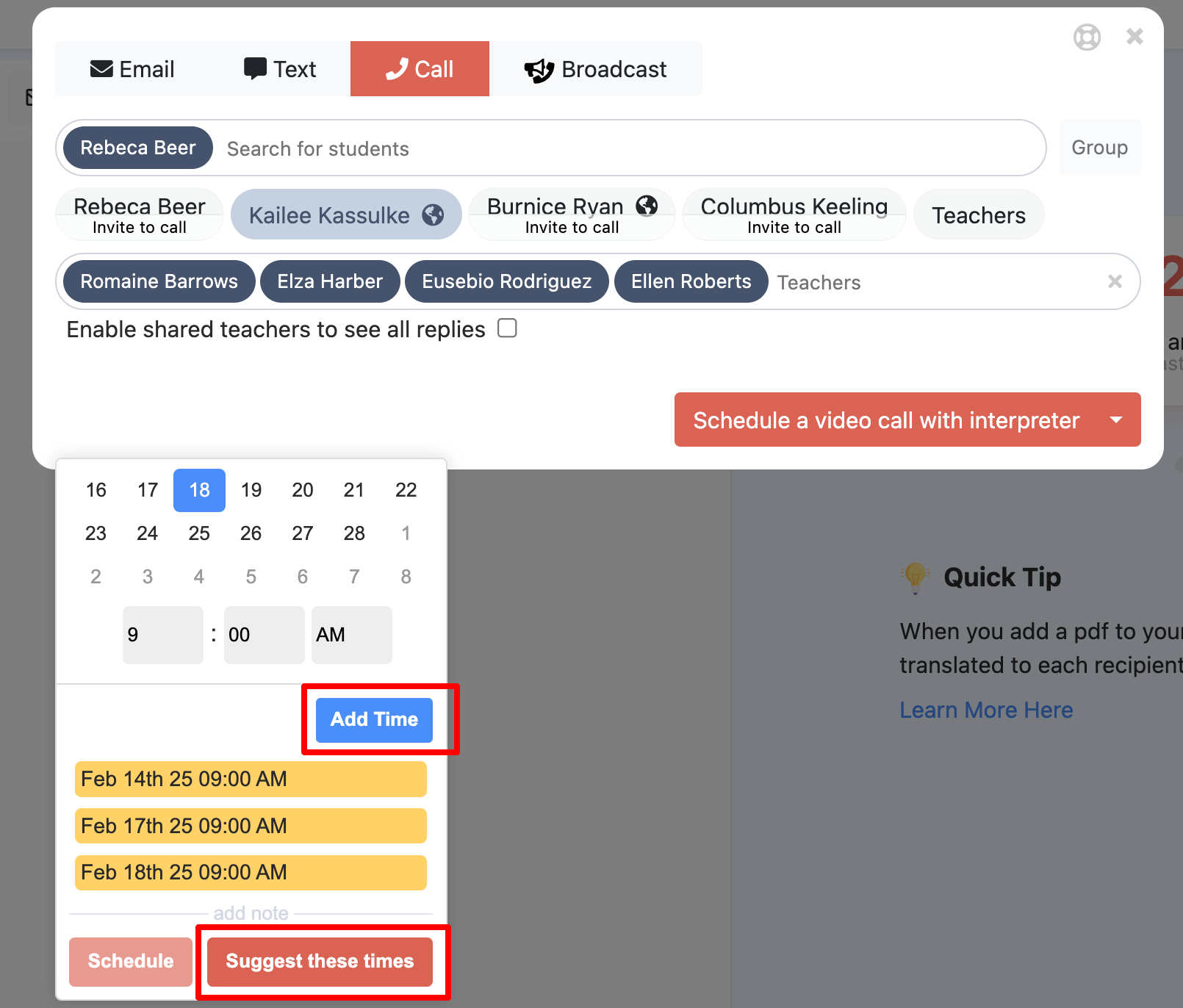
    • Set the agreed-upon date and time by selecting Add Time, then click Schedule.
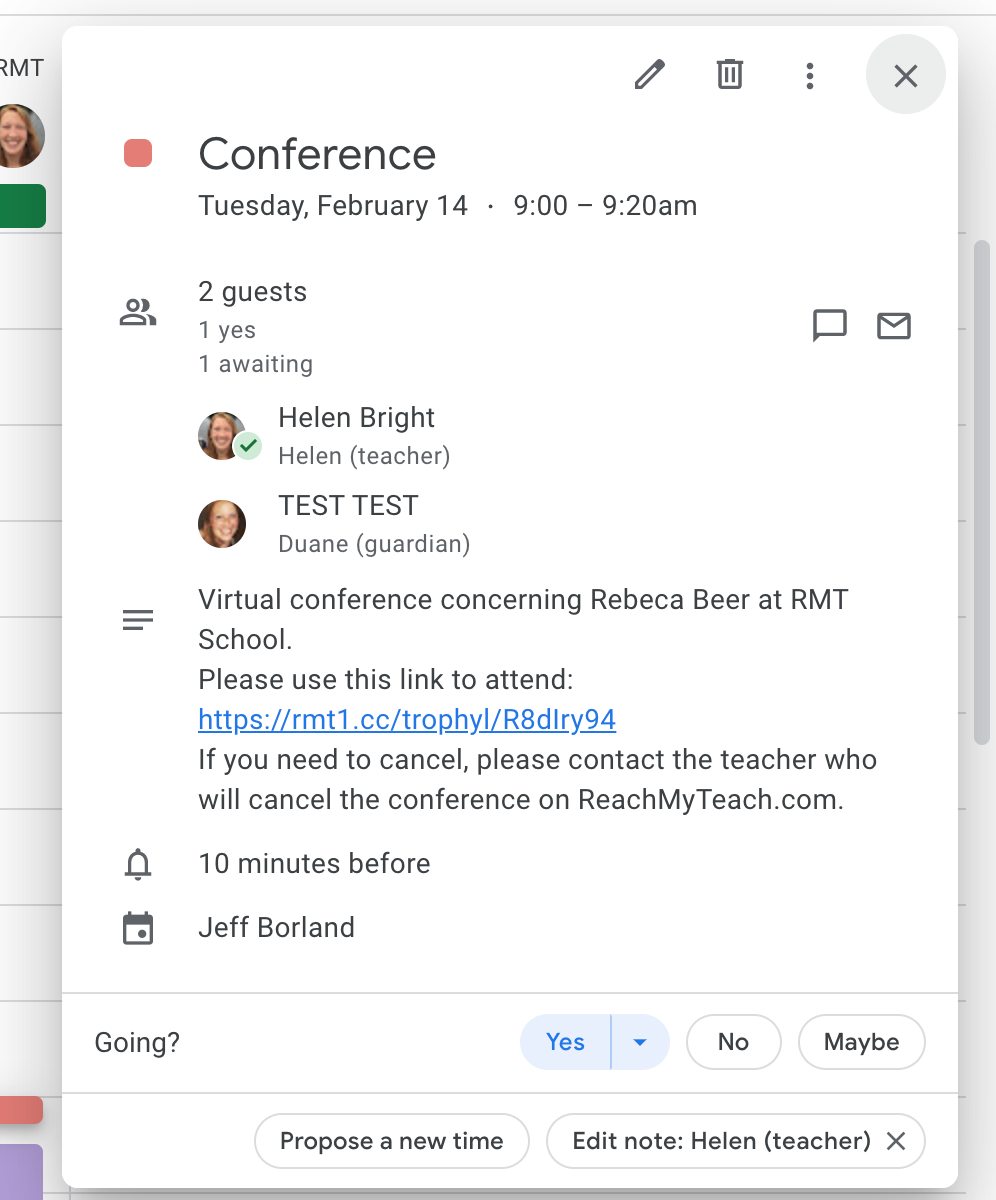
    • This sends a confirmation email to all teachers and creates a Google Calendar event.
    • Guardians receive a confirmation by email or text and a reminder with the video link 10 minutes before the meeting.

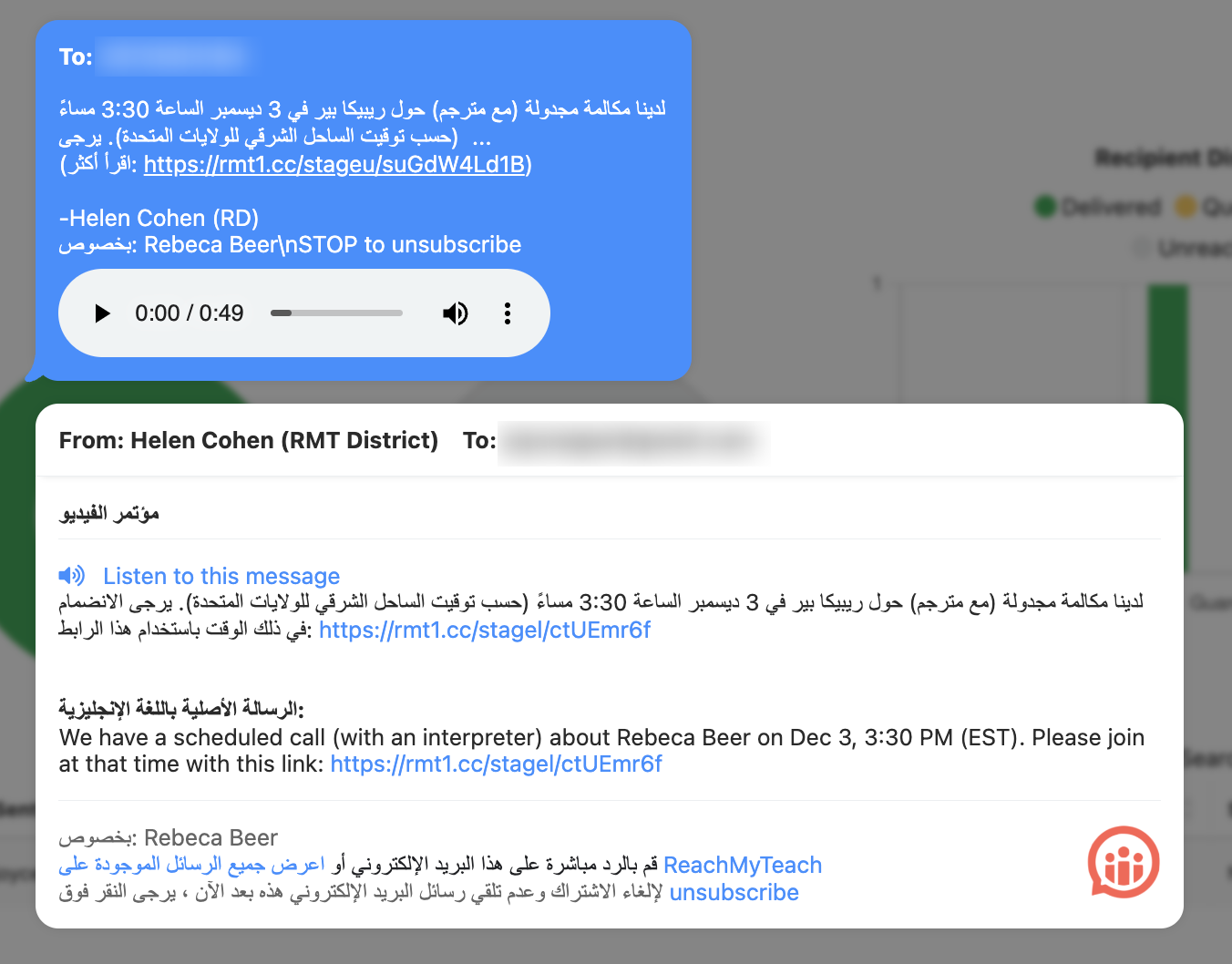
Family view of invitation:

Families will also be sent a reminder with the link 10 minutes prior to conference start time.

ReachMyTeach-Messages-11-19-2024_02_15_PM.png

  1. Suggesting Times for a Meeting:

    • If you’re unsure of the guardian’s availability, use the Suggest Times feature to propose multiple options.
    • Guardians will choose a convenient time or notify you if none work.
    • Once a time is selected, all teachers receive a confirmation and a Google Calendar invitation. Guardians are also notified and will receive the video link reminder 10 minutes before the meeting.
    • ReachMyTeach-Messages-09-27-2024_08_28_AM.pngor
    • ReachMyTeach-Messages-09-27-2024_08_29_AM.png

      Family view:

      Screenshot_20230213-102235.png

  2. Joining the Call:

    • Click the link in your email or Google Calendar event to join the interpreted video call.
    • Enable your camera for the best experience.
    • Guardians will receive a text and email with the join link, and interpreters have the guardian’s number if needed for additional support.
      • If guardians do not join the call, please ask the interpreter to call them.
    • Screen_Shot_2023-02-13_at_10.18.55_AM.png
  3. Need an Interpreter Without Notifying the Family?

  4. To Cancel a Scheduled Meeting:

  5. Interpreter Assistance:

    • If there are issues with the interpreter, contact Lexikeet directly at 1-844-539-5338.
  6. Ending the Call:

    • Once the meeting concludes, click End Call.


Was this article helpful?

That’s Great!

Thank you for your feedback

Sorry! We couldn't be helpful

Thank you for your feedback

Let us know how can we improve this article!

Select at least one of the reasons
CAPTCHA verification is required.

Feedback sent

We appreciate your effort and will try to fix the article