The human interpreter service is available on-demand, allowing you to quickly connect with an interpreter whenever you need one.
Key Benefits:
- Guardians do not need to download apps or search emails.
- A link to join the call is sent to guardians via text message.
How-to Video Or, follow the written instructions below.
1. Call an Interpreter for a Parent Conversation
Start a New Message:
- Click the red "Compose New Message" button in the upper left corner.
- Select the call icon.
Search for the Student:
- Enter the student’s name in the search bar.
- Once found, select the guardian(s) you want to call.
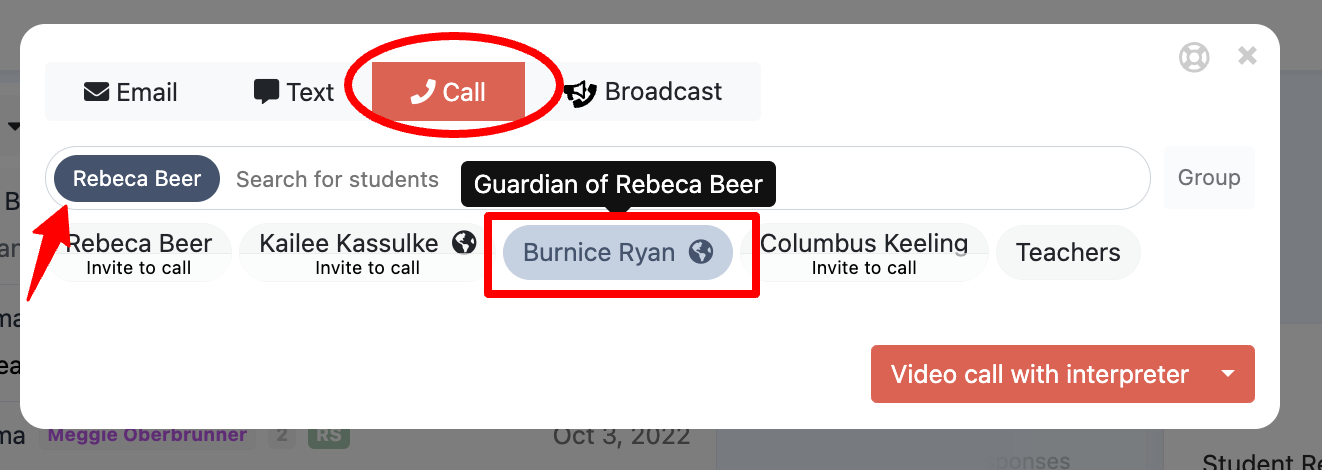
Set Up the Call:
- Use the drop-down menu in the bottom-right corner to choose "Video Call with an Interpreter."
- You can add other teachers or guardians to the call:
- Teachers will receive email invitations.
- To add or remove participants, click their name or use the search bar.
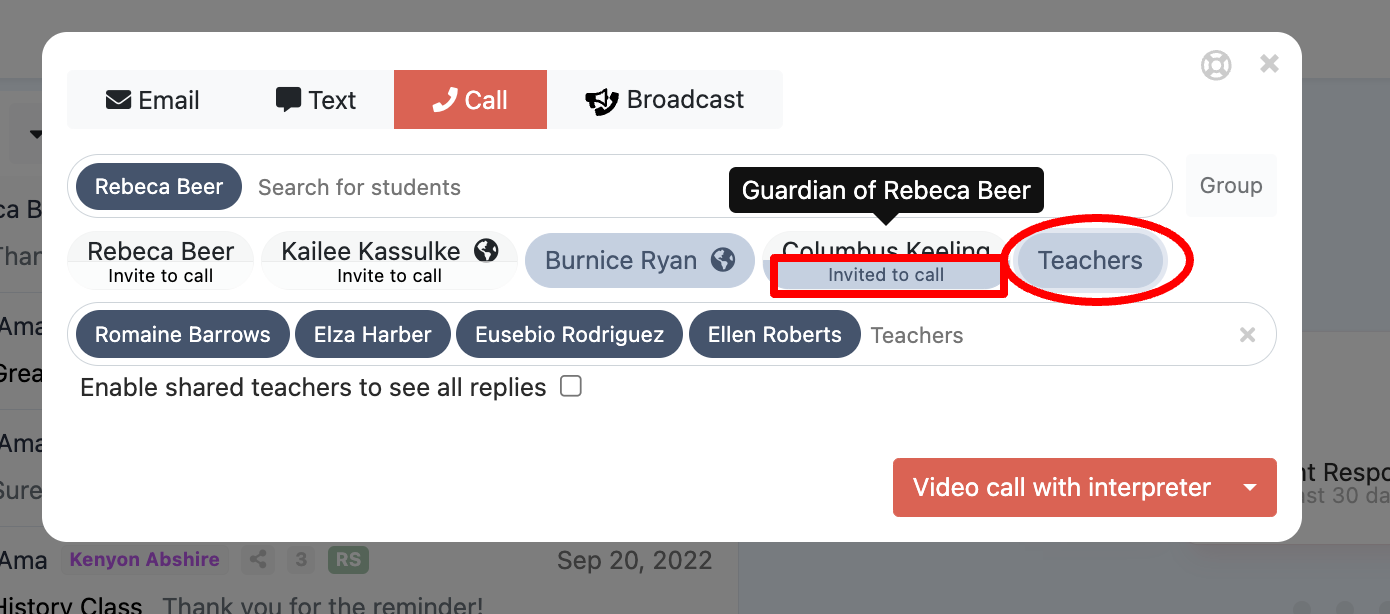
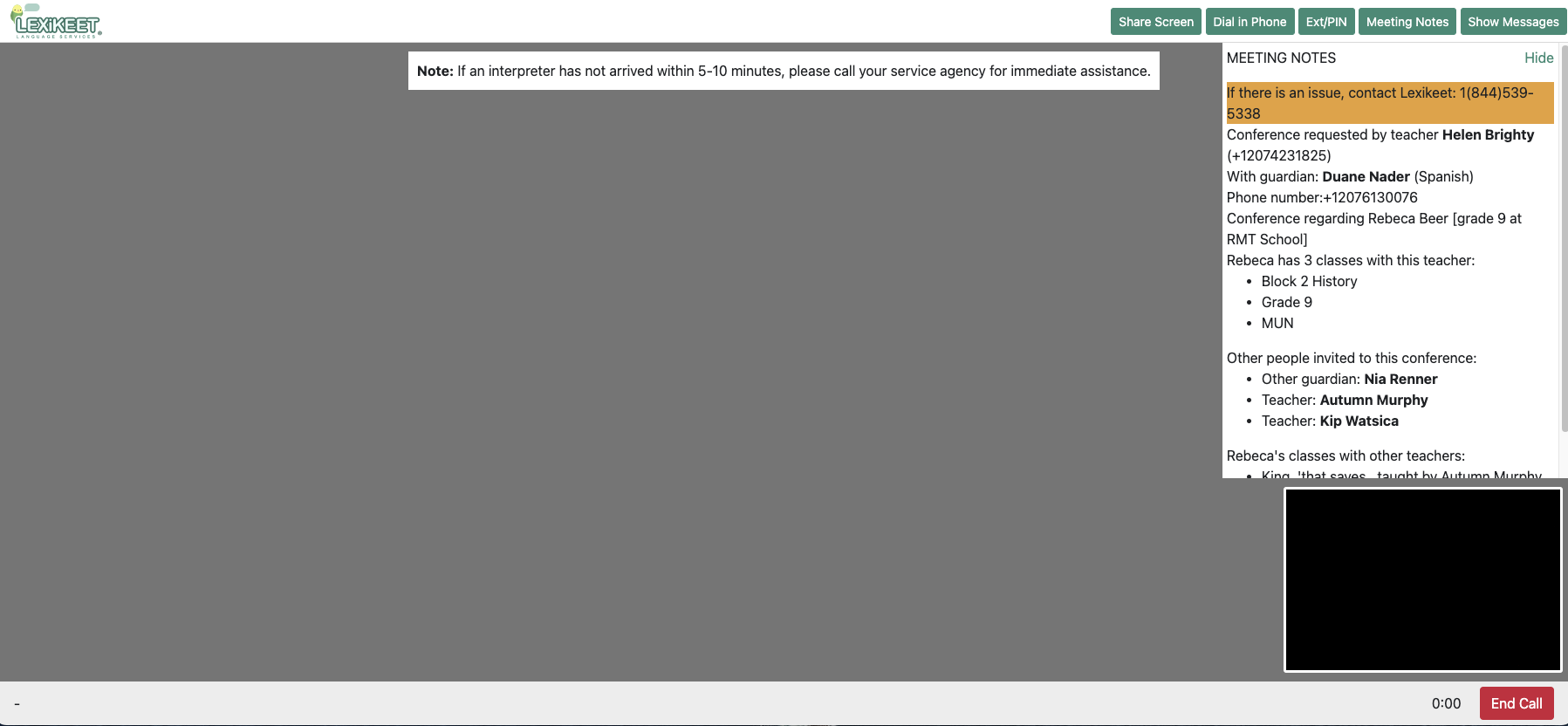
Initiate the Call:
- Click "Video Call with an Interpreter."
- Confirm the language needed for the call.
- You will be directed to the interpreter portal. Enable your camera and microphone to ensure the call functions properly.
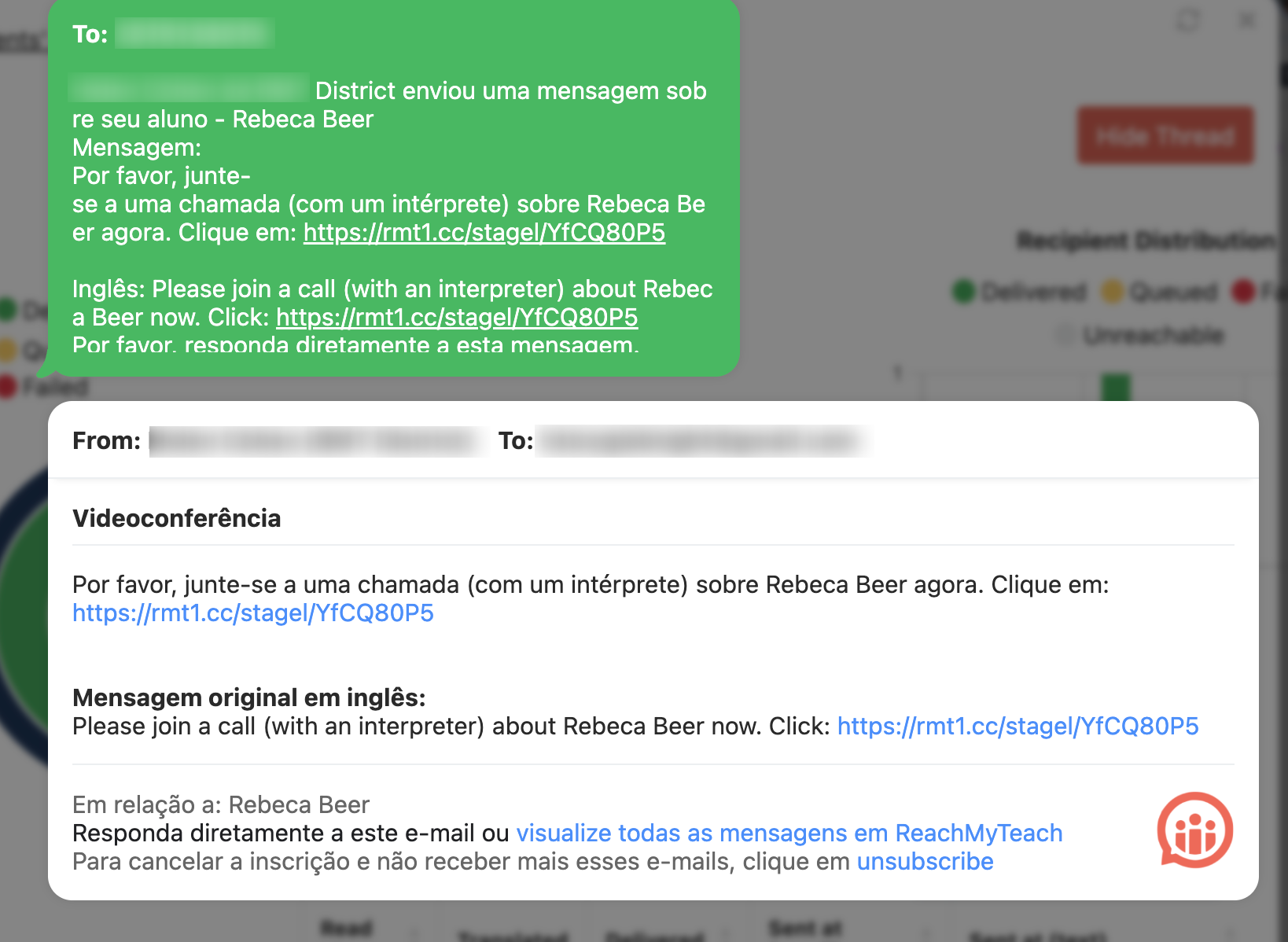
Guardian Notification:
- Guardians will receive a text and email with the link to join the conference.
- If the interpreter needs to assist the guardian, they will have the guardian’s contact number.
End the Call:
- When the conversation is complete, click "End Call."
Troubleshooting:
If there are issues with the interpreter, contact Lexikeet at 1(844)539-5338.
Need an interpreter without contacting guardians? Learn more here.
Need to schedule and interpreter for a different day/time? Learn more here.
Was this article helpful?
That’s Great!
Thank you for your feedback
Sorry! We couldn't be helpful
Thank you for your feedback
Feedback sent
We appreciate your effort and will try to fix the article