When you create a message you will be presented with options:
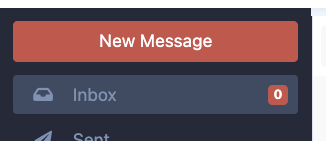
1. Starting a New Message
- Click "New Message" in the upper left corner.
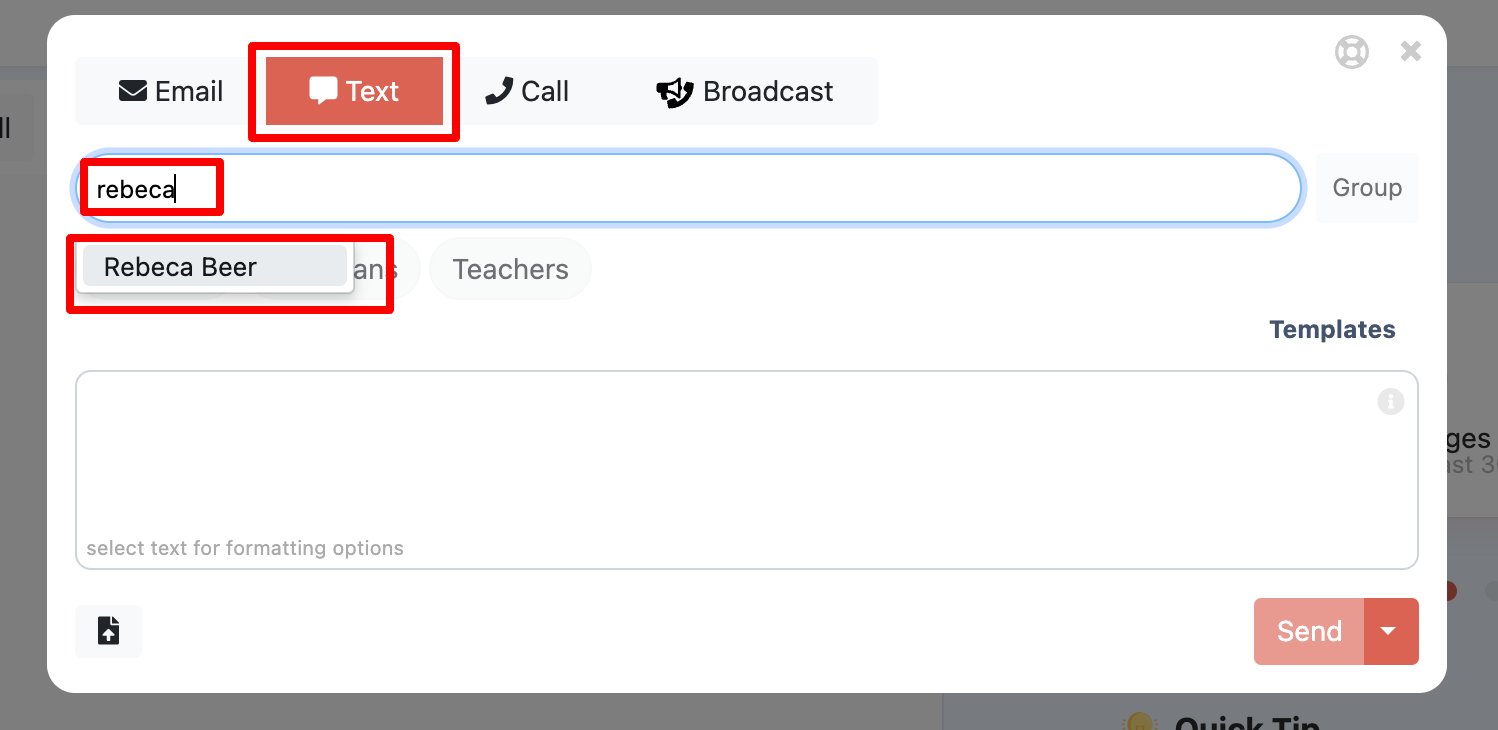
2. Choose a Communication Method
- Select how you want to send the message: choose email, text, WhatsApp, or call/video interpreter.
- To deselect an option, click on it until it turns gray.
- Recommendation: Use the methods that best reach your audience.
3. Select Who the Message is Regarding
- In the "students" field, type the student’s name, class, or grade level. There are many dynamic and pre-made groups. Send a group message information.
- You will only see students from schools you're associated with. If a name doesn't appear right away, type the full name.
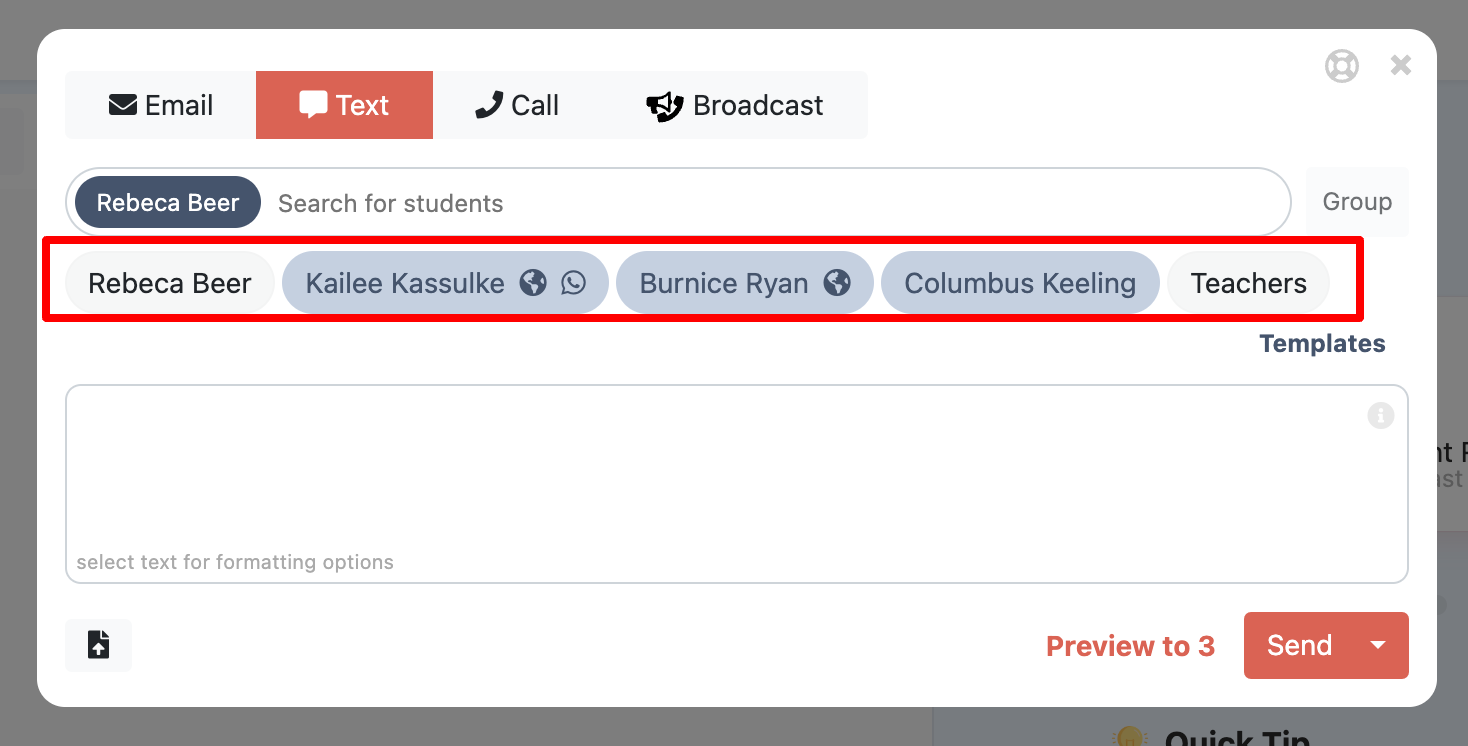
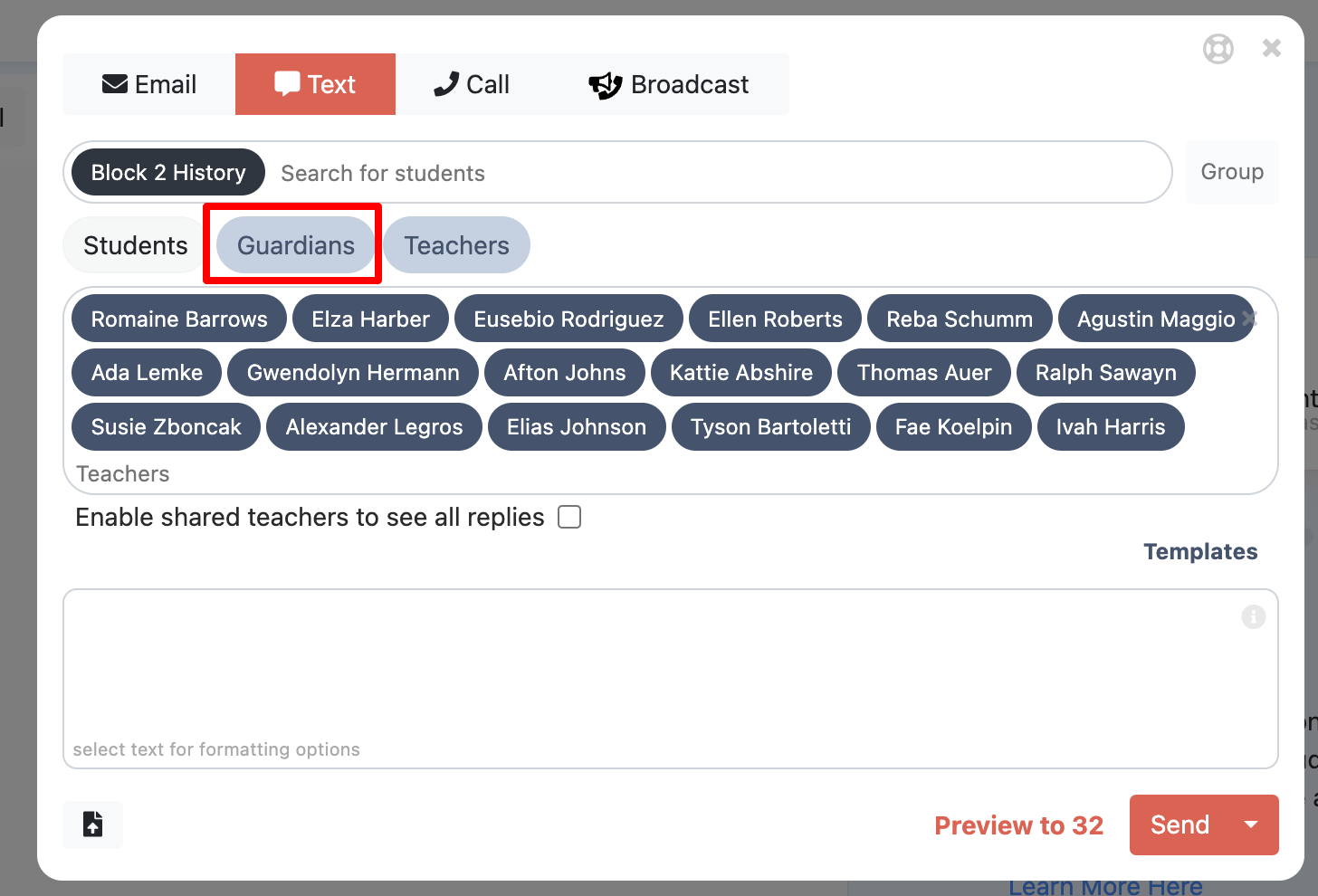
4. Select Message Recipients (Student, Guardian, Teacher)
- Decide if you want to send the message to the student, guardian, and/or teachers.
- You can share messages with teachers as well.
- Messages can be teacher-only if needed.
- Each parent will receive the message individually, even in group messages-- messages are FERPA compliant.
5. Craft message
- Interpreter-certified templates and writing assistant help with translation.
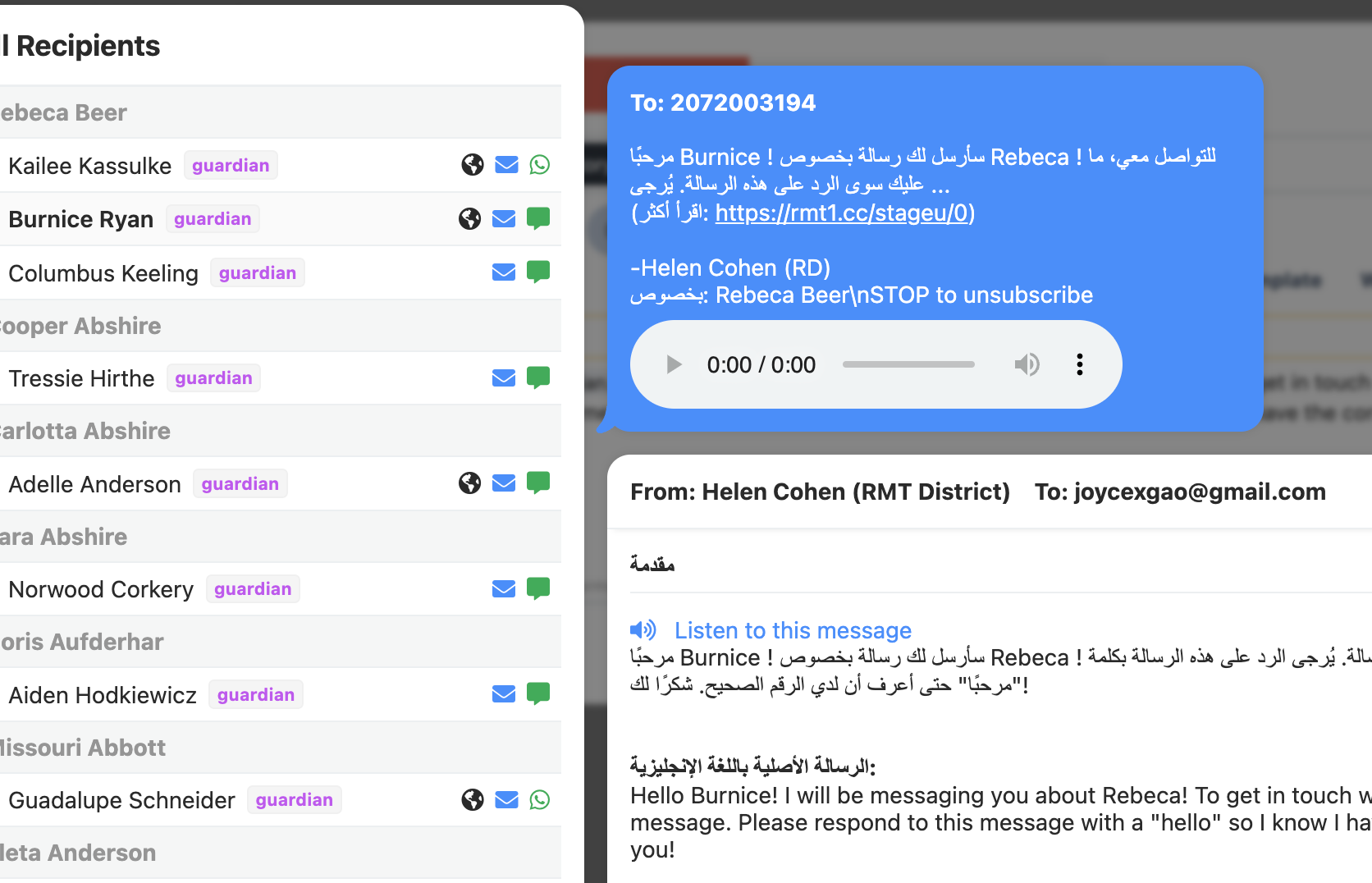
- The world icon
 next to a name means the message will be sent in both English and the recipient’s language. Attachments will also be translated.
- Learn more about easy ways to personalize and creating templates.
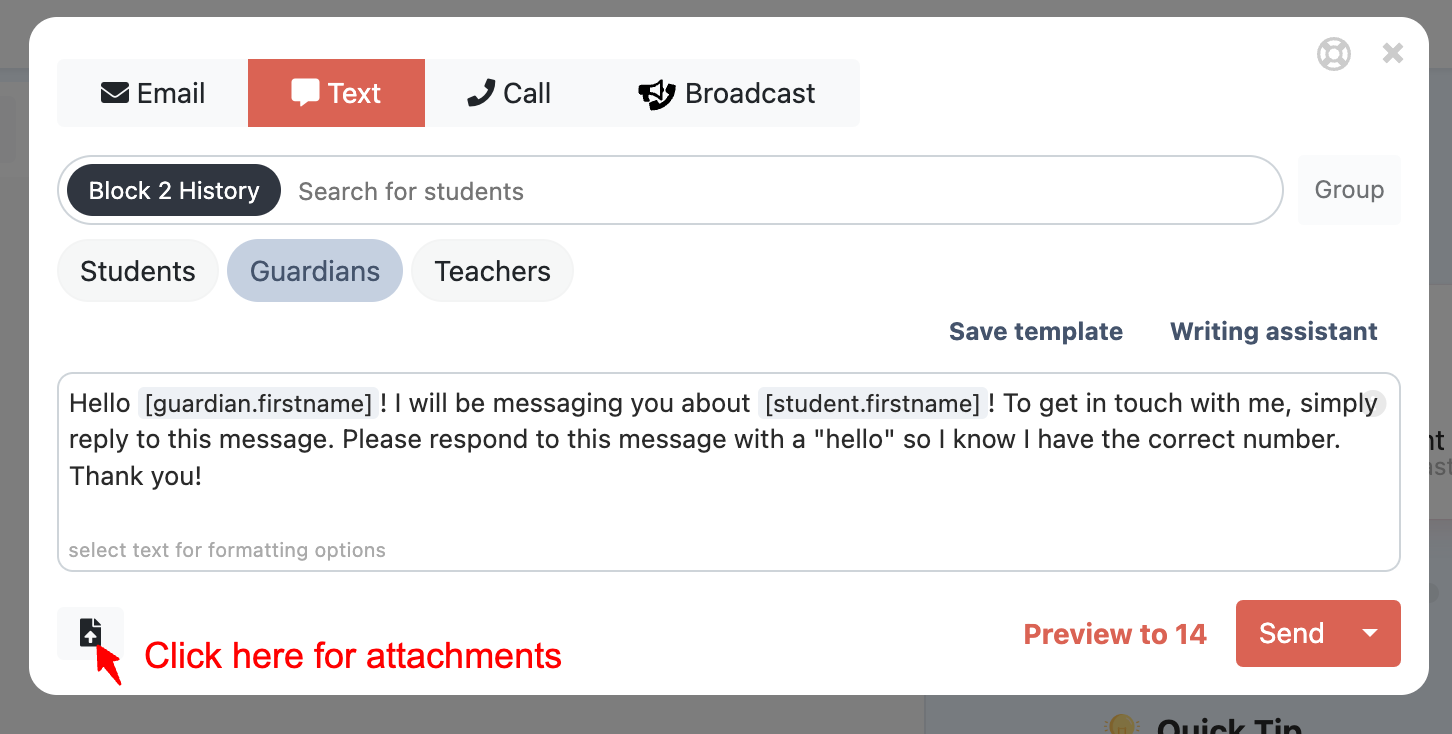
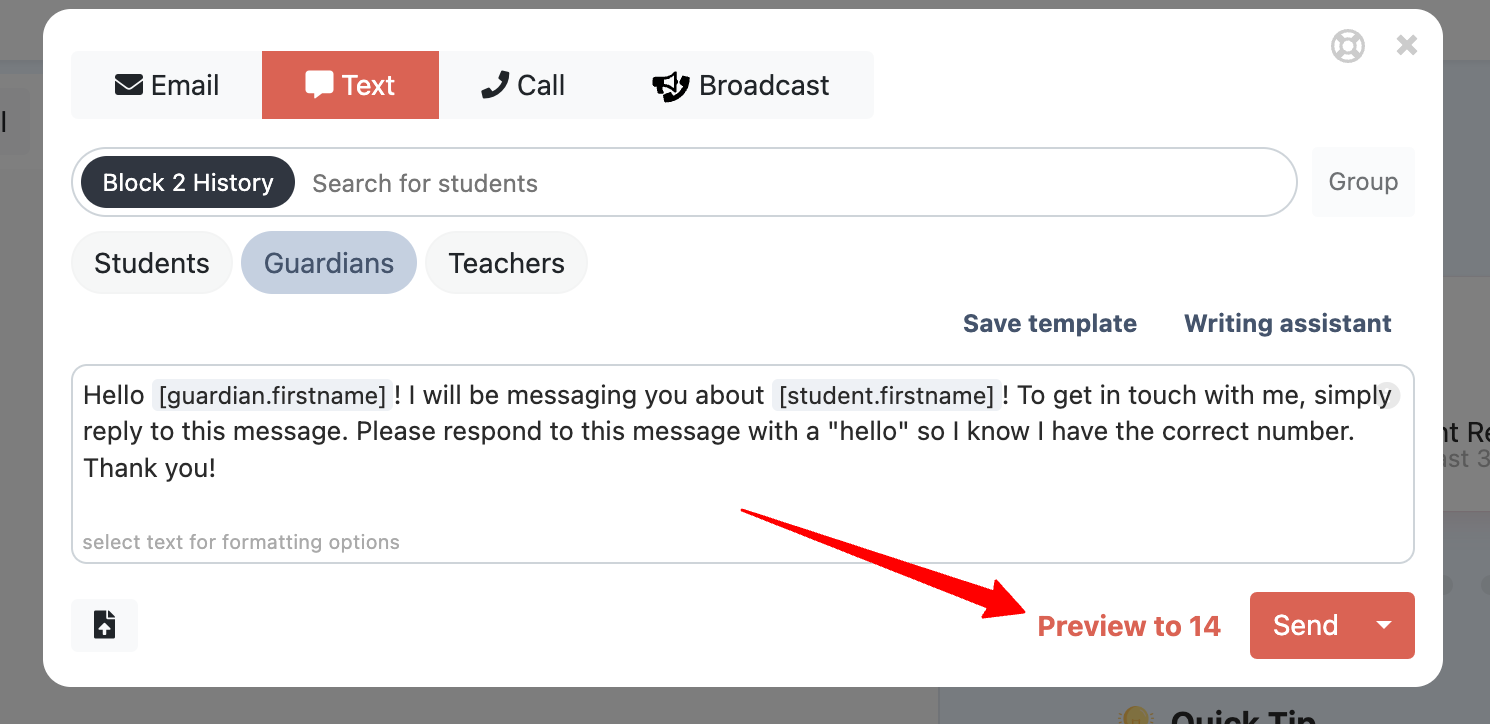
6. Preview Your Message
- Before sending, preview to confirm recipients and formatting.
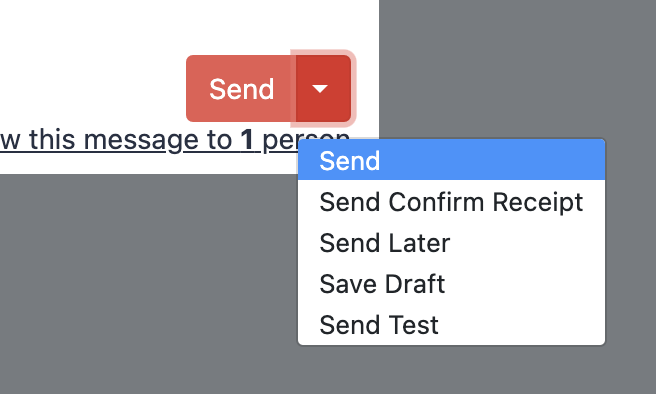
7. Send, Schedule, or Save
- You can send the message immediately, schedule it for later, save it as a draft, or send a test to yourself.
9. Review Delivery Status
- Check your message data to confirm successful delivery.
If you would like to schedule with an interpreter or do an on-demand call. Learn more here: https://reachmyteach.zendesk.com/hc/en-us/sections/15533928901273-Accessing-Interpretation
Was this article helpful?
That’s Great!
Thank you for your feedback
Sorry! We couldn't be helpful
Thank you for your feedback
Feedback sent
We appreciate your effort and will try to fix the article