You can format message texts in multiple ways!
Compose your message, to format the text, highlight the part of the message you want to adjust.
Under the highlighted text formatting options will appear.
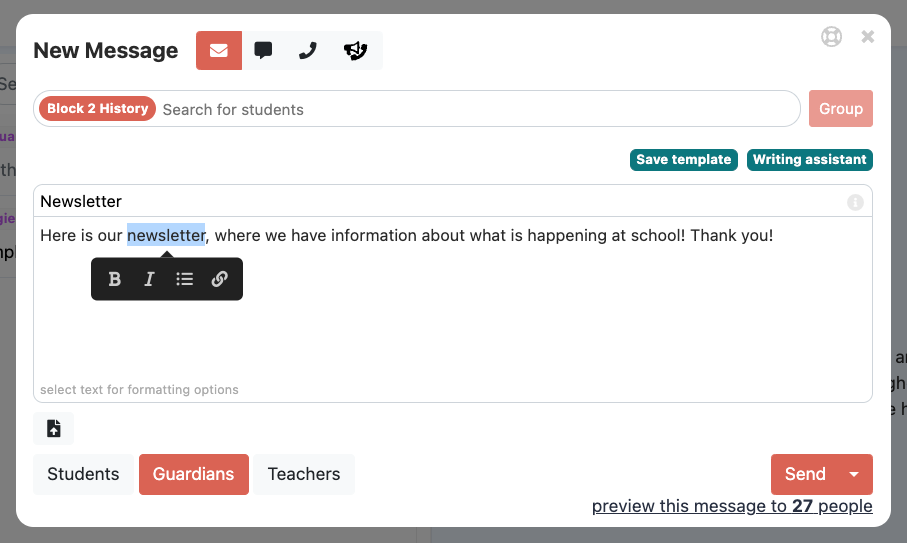
Add a link
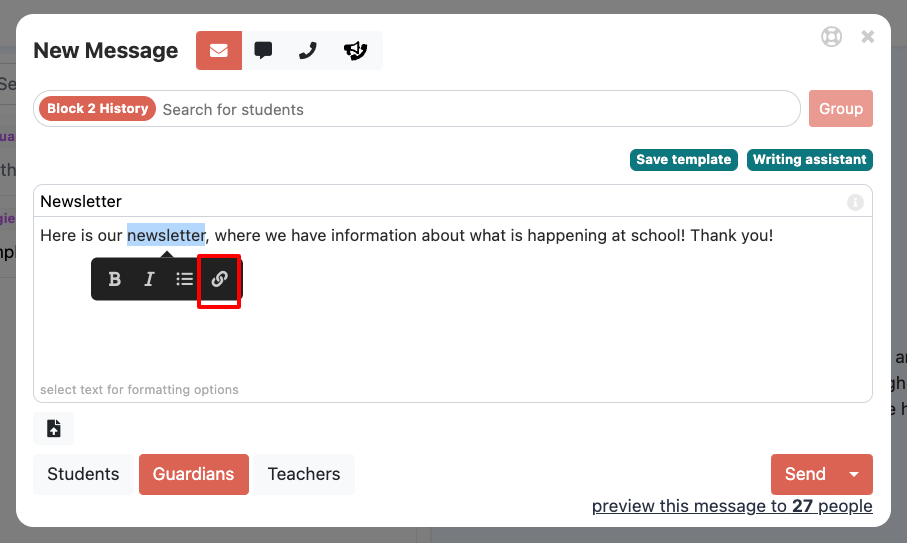
Click the link button and paste in your link, hit "enter" for the link to register.
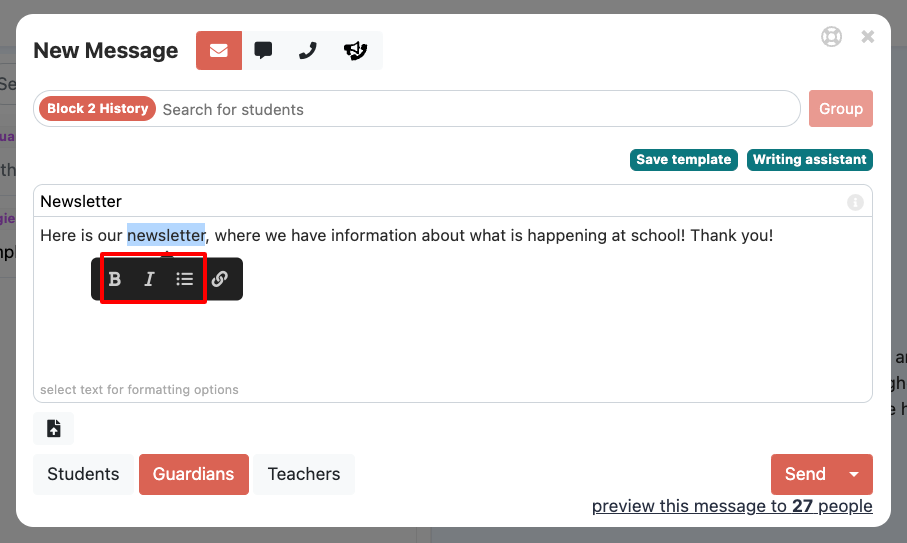
Bold, underline, italics, bullet
Adjust the font typeface or organization with the formatting options for the highlighted text.
Merge Fields
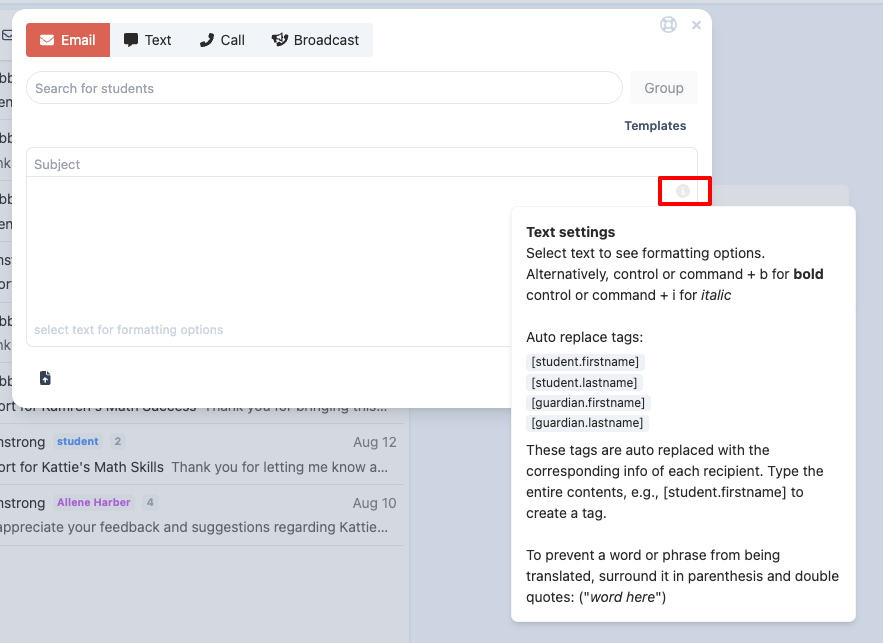
Sometimes you may want to send a message to multiple students/families and have it personalized. You can put certain variable fields in to the message. To do this, when you are creating a new message, you can add the following tags in to the message
When the message is sent, it will replace these fields with the relevant recipients information:
Below is an example:
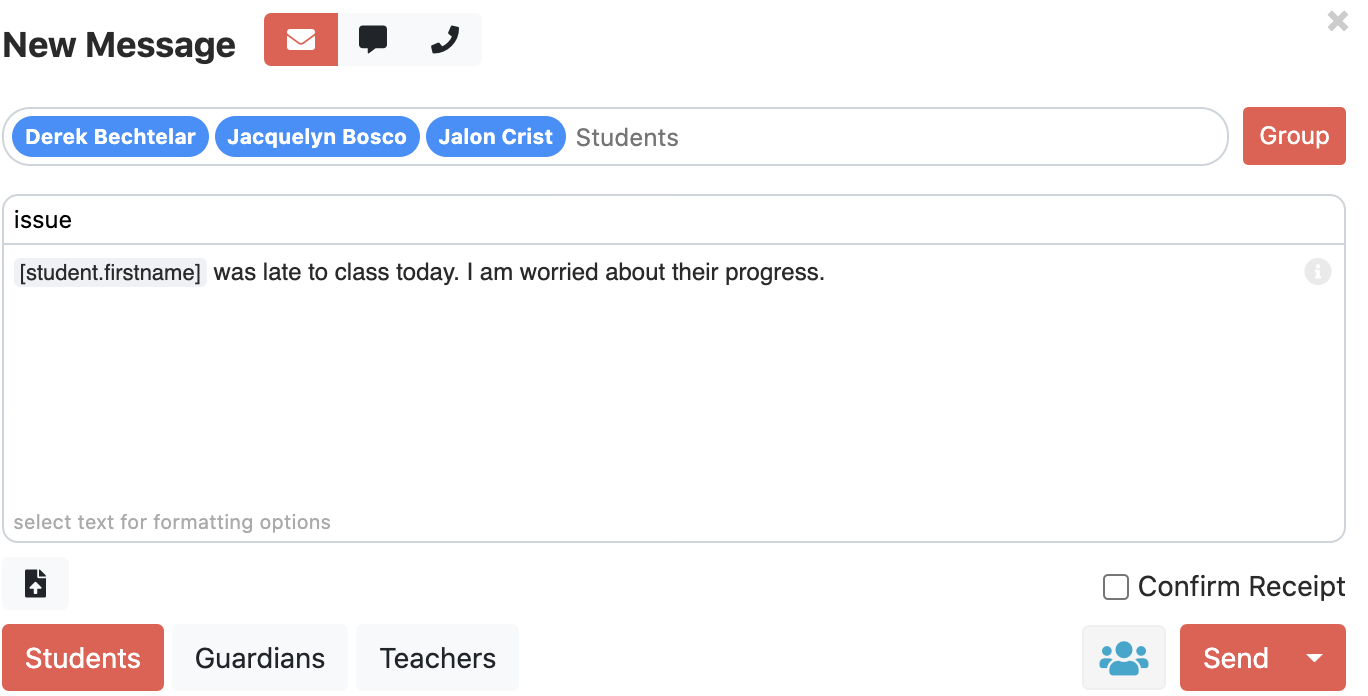
You can get reminders and more information if you click the i  in upper right corner of the text box. You can even click on the variable tags to enter them more quickly.
⚠️ Important Notes About Merge Fields
Merge fields do not work for phone calls.
When you use merge fields for emails:
If a family has multiple students in the school, they will receive separate, personalized emails for each student (for example, one for their 6th grader and one for their 7th grader).
If you send an email without merge fields and the content is the same for all students, the family will receive just one email, even if they have multiple students enrolled.
Preventing Words or Phrases from Being Translated
If you want to make sure a specific word or phrase always stays in its original language, you can wrap it in parentheses and double quotes.
Format:
Example:
If you type
("Hola"), it will always display as Hola, even if the rest of the message is translated.If you type
("Skyhawks"), the word Skyhawks will stay the same in every translation.
This is useful for:
Student names
School team names or mascots
Acronyms
Any term that should remain consistent across all languages
Was this article helpful?
That’s Great!
Thank you for your feedback
Sorry! We couldn't be helpful
Thank you for your feedback
Feedback sent
We appreciate your effort and will try to fix the article