You can add a confirm receipt to a message so that you know the recipient gets the message. You can click on any message and view who opened the message and, when available, at what time.
‼️ NOTE we recommend using this only after you have attempted to contact the recipient. Confirm recipient changes the content of the message from the actual message to "click to view your message". This could impact recipients viewing your original message.
To do this:
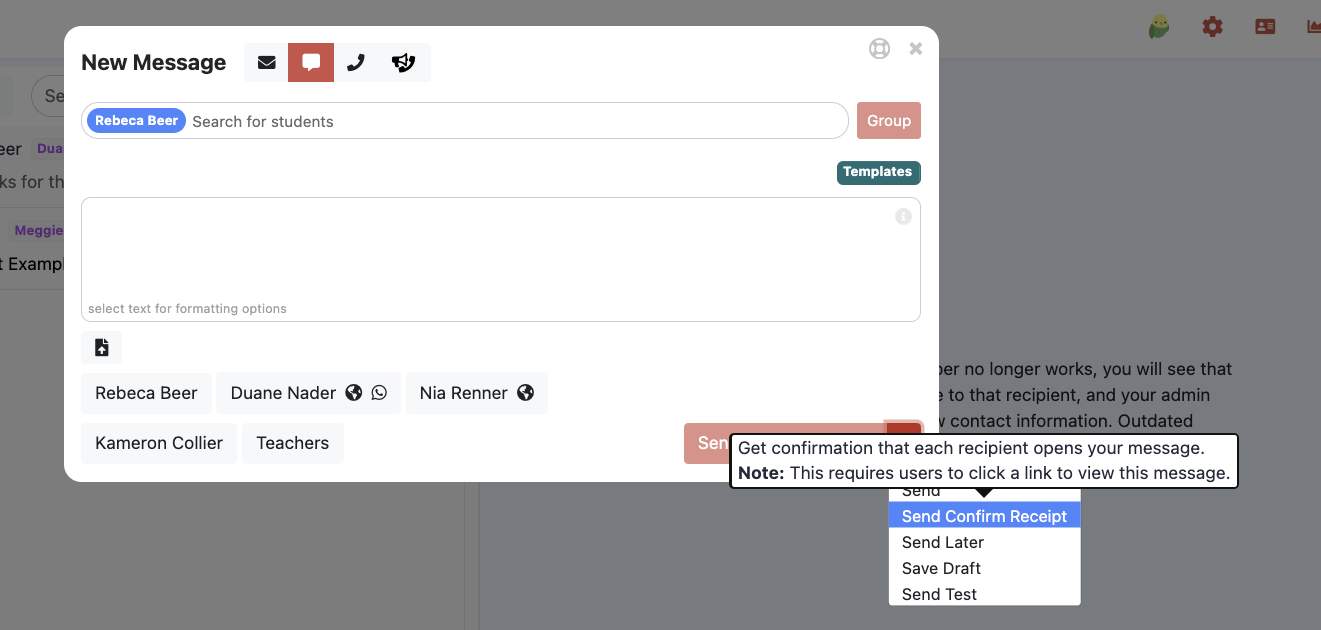
- Select the dropdown menu next to "send" and select confirm receipt when you create a message
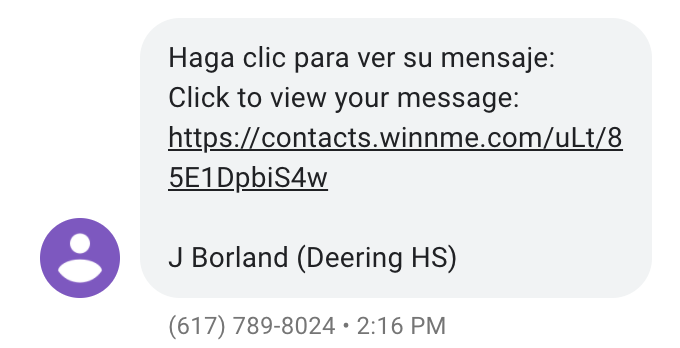
- The student/guardian will receive a message such as below:
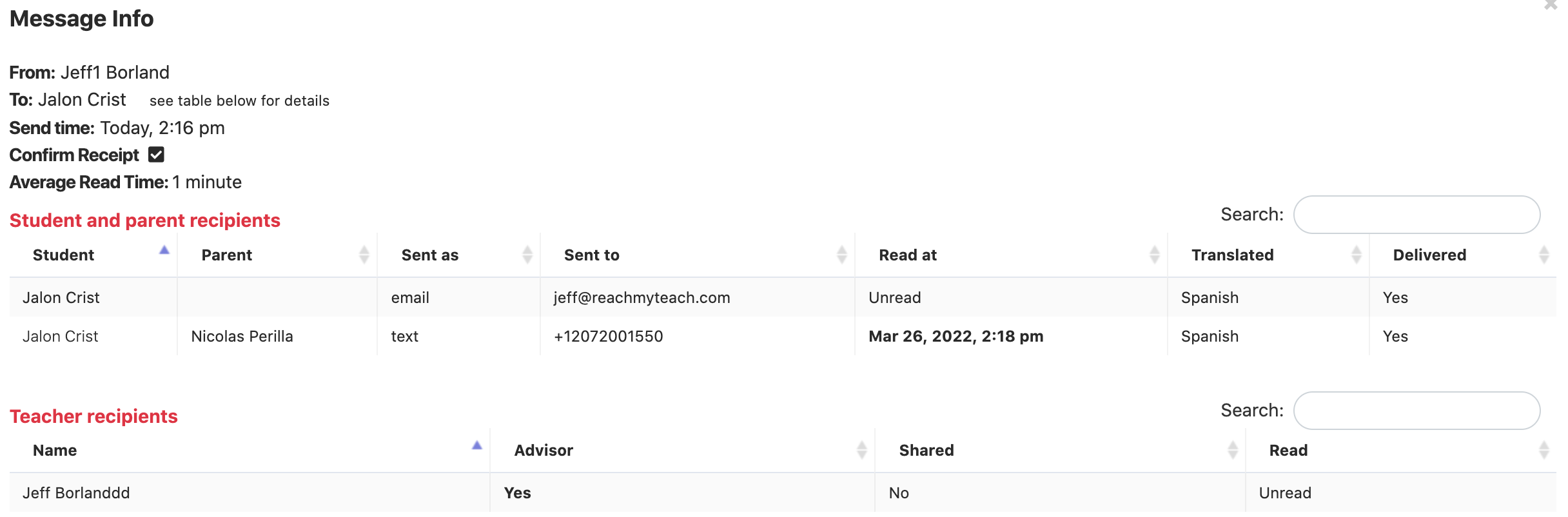
- Then you will see information if they have read the message or not in your sent messages.

- You can click on that icon for additional information.
- Here is a video about confirm receipt.
Was this article helpful?
That’s Great!
Thank you for your feedback
Sorry! We couldn't be helpful
Thank you for your feedback
Feedback sent
We appreciate your effort and will try to fix the article