The best way to stop communication with a guardian is to remove them from the SIS sync.
-
This ensures they do not receive texts or emails.
-
If the guardian logs into the portal or app later, they will still be able to view past messages.
If you only need to temporarily pause communication, you can also follow the steps in this guide:
-
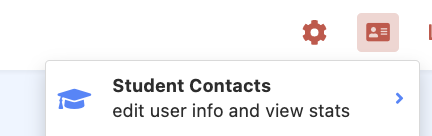
Go to Student Contacts.
-
Search for the family name.
-
Deselect the checkboxes:
-
Send this user emails
-
Send this user texts
-
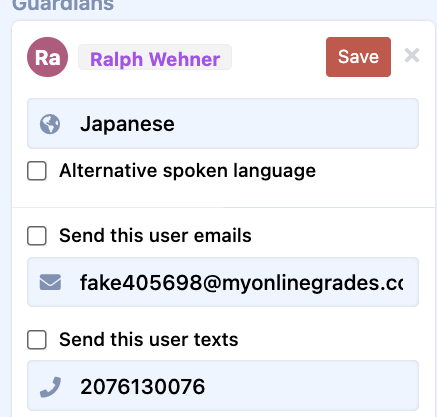
The guardian will no longer receive texts or emails. However, if they log into the portal or app, they will still be able to view messages there.
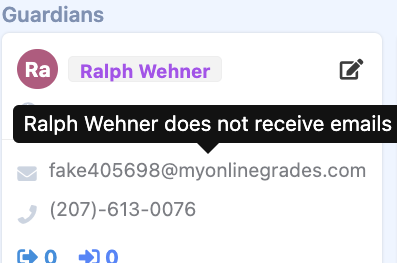
Guardians can also update these preferences themselves.
Was this article helpful?
That’s Great!
Thank you for your feedback
Sorry! We couldn't be helpful
Thank you for your feedback
Feedback sent
We appreciate your effort and will try to fix the article