You can make calls to students and families within the program. You can even use the program on your phone and make calls within the program on your phone.
- When the family makes the call they will see the name/phone number of the school or district (not a random number)*.
- The call is recorded (both parties are read a message saying the call is recorded).
- The call is transcribed and searchable. !!This only applies to non-interpreted calls.
To initiate a call, go to New Message and find the student/family and click the phone icon. Search for the student, and select the guardian you want to call. Reminder the calls are not translated or interpreted you must speak the same language as the guardian on a phone call.
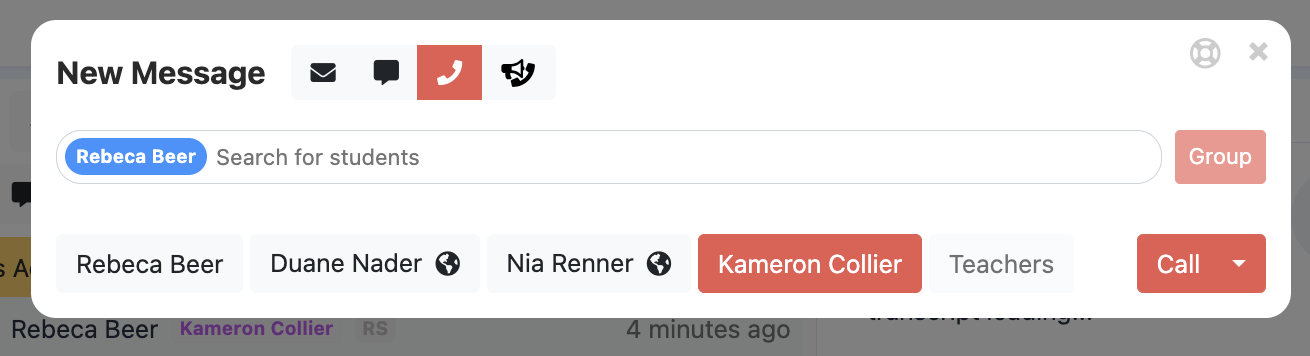
To search for a call already made.
Select your sent folder:
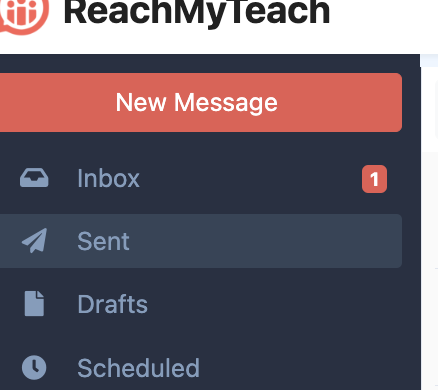
Select the call you can filter for just calls by selecting the phone icon. When you select the call only the educator and administrators will see the recording and transcript.

Note: There are no incoming calls (from students/teachers) accepted in ReachMyTeach.
*Districts need to confirm their contact info for this feature.
Was this article helpful?
That’s Great!
Thank you for your feedback
Sorry! We couldn't be helpful
Thank you for your feedback
Feedback sent
We appreciate your effort and will try to fix the article