If you’re a family member receiving messages from ReachMyTeach, your school has already set up your account. You can log in using any of the following methods:
-
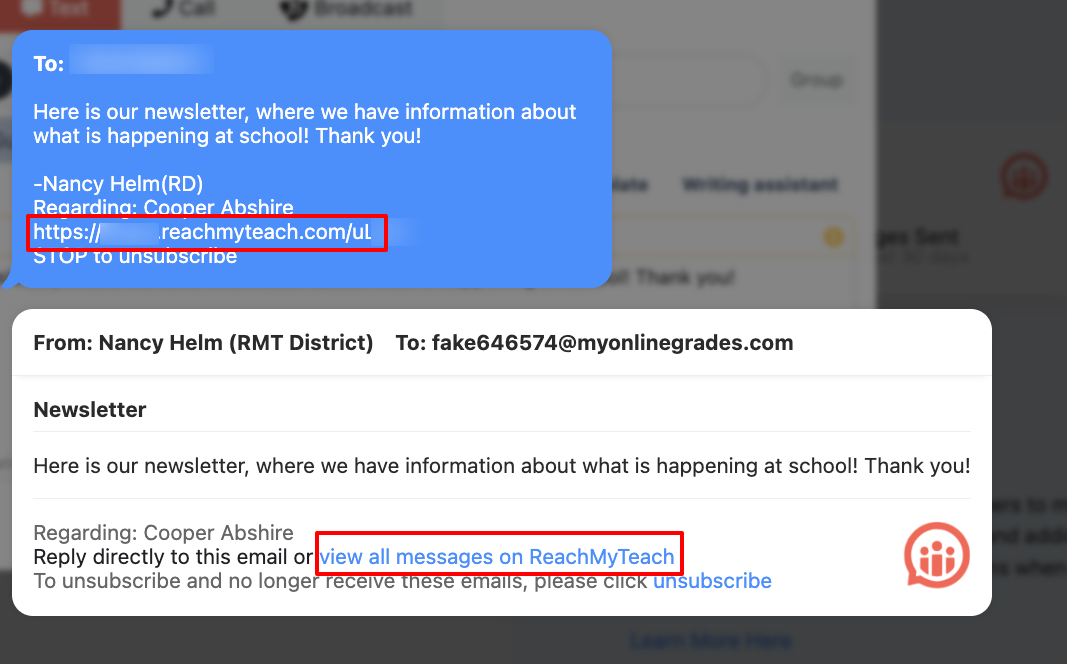
Instant Login via Message Link: Click the link at the bottom of a recent message from ReachMyTeach to be taken directly to your parent portal in your preferred language.
-
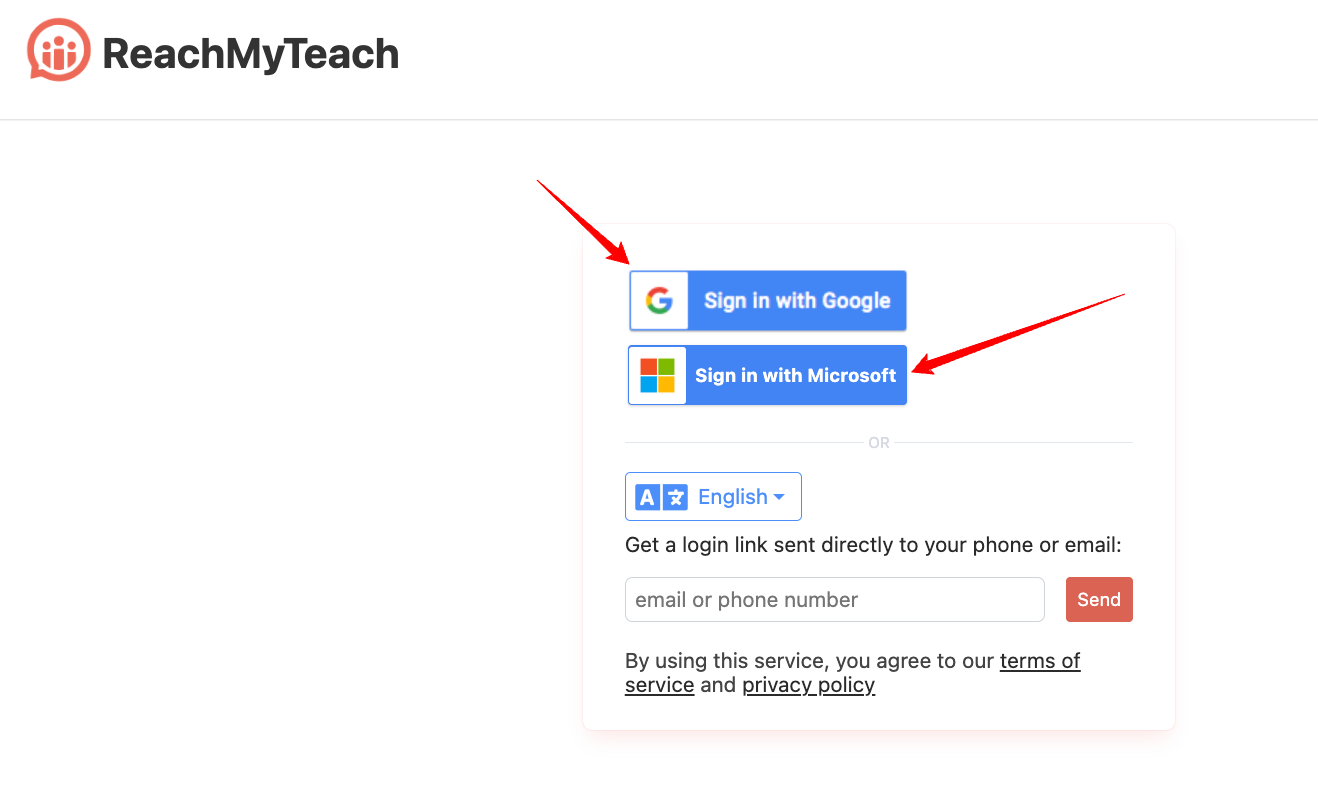
Login Using Google or Outlook: Visit www.reachmyteach.com/login and select “Sign in with Google” or “Sign in with Outlook” to access your account.
Note for Teachers: If you’re also a parent at a school using ReachMyTeach, make sure you’re logged into the correct account. You can always change your account by clicking your avatar/profile in the upper right
-
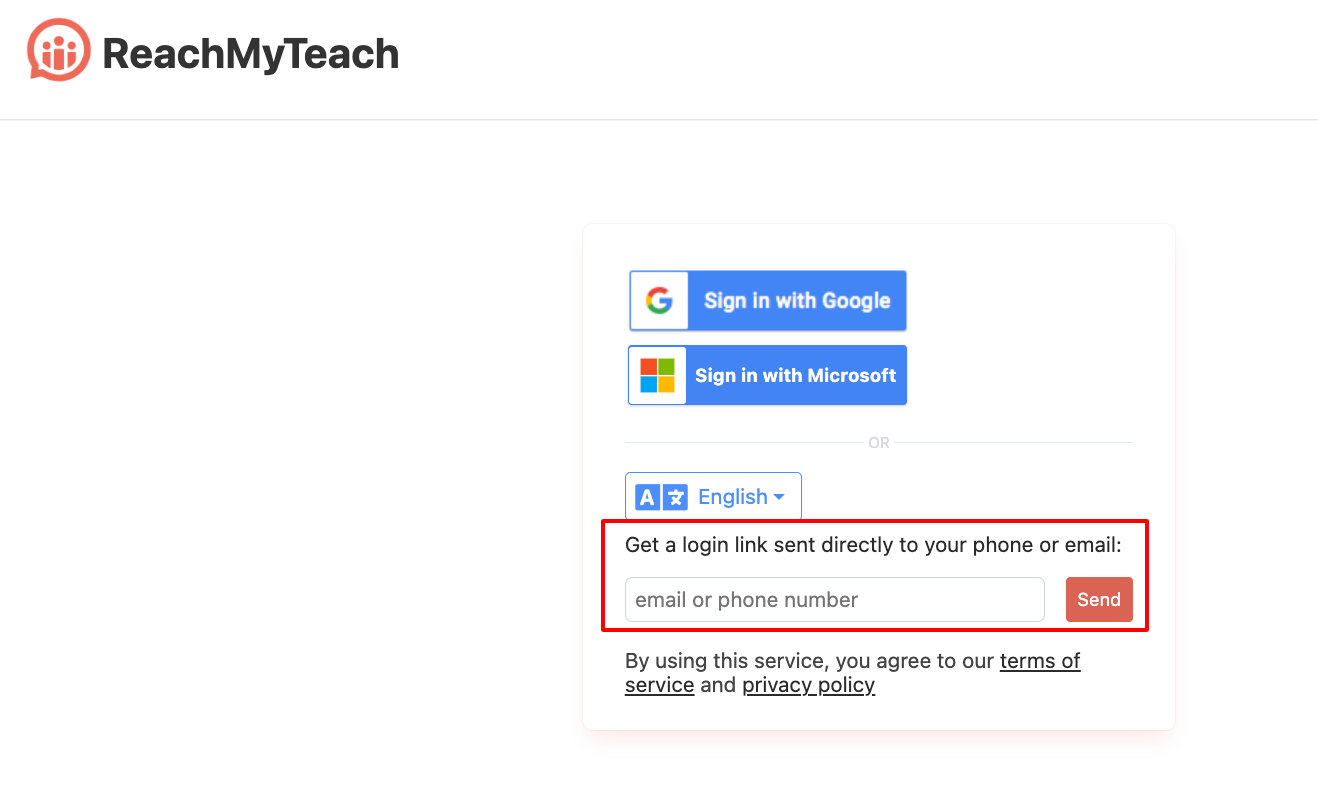
Manual Login with Email or Phone: If you don’t use Google or Outlook, you can enter your email or phone number directly. We’ll send a secure login link to your email or phone, which you can use to access your account.
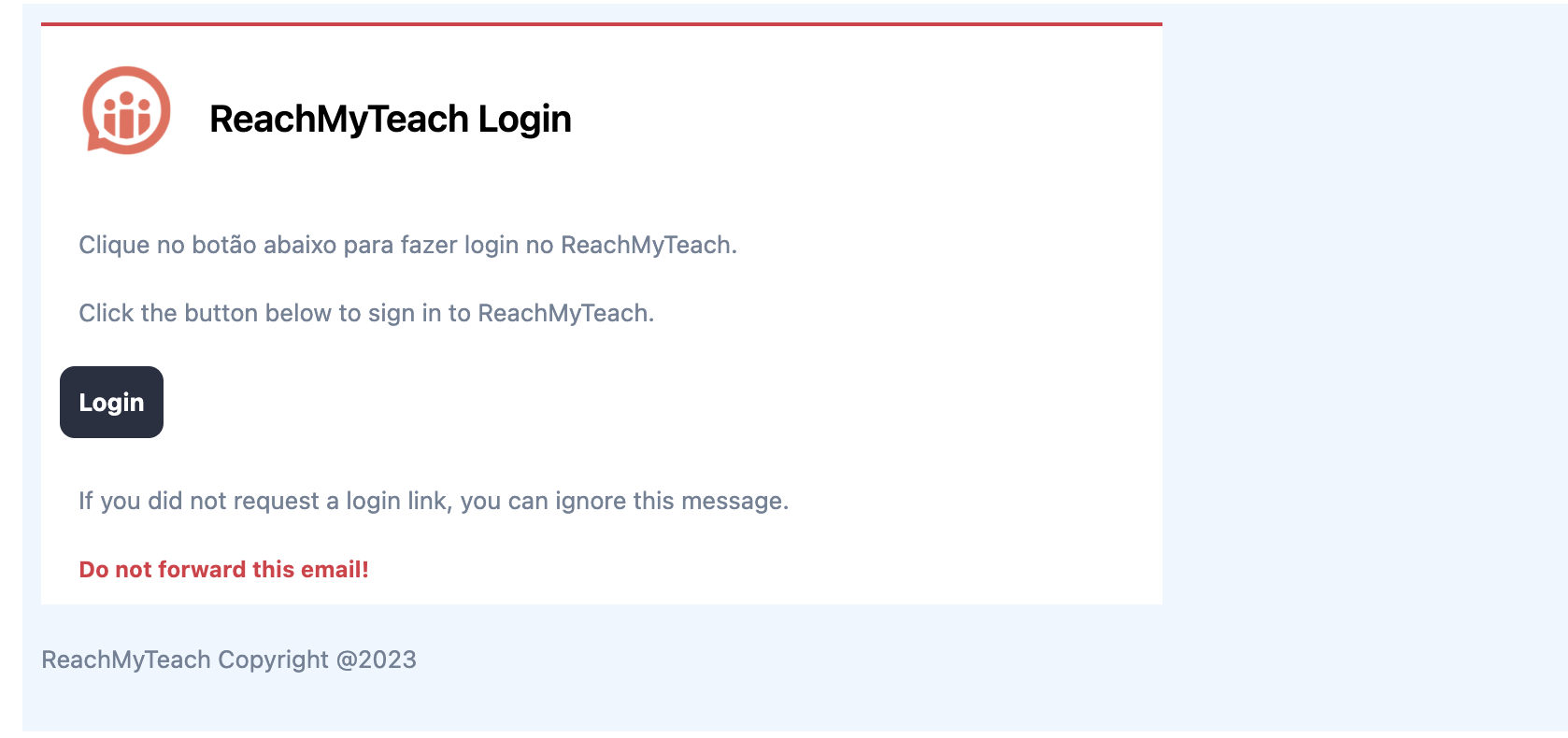
A login link will be either emailed or texted to you with a direct login:
-
Changing Language, communication Preferences: To change contact information or adjust language and other settings click here.
-
Troubleshooting Tips:
- Check your spam/junk folder if you don’t see the login link in your inbox.
- Make sure your phone number or email matches the one your school has on file.
-
Need Help?: If you have any questions or run into issues, please enter a help desk ticket under the "Help?" Icon in the lower right of the page.
For more details on the family portal, click here.
For information about signing up for conferences click here.
Was this article helpful?
That’s Great!
Thank you for your feedback
Sorry! We couldn't be helpful
Thank you for your feedback
Feedback sent
We appreciate your effort and will try to fix the article