Use HTML when you want to send a more designed message, such as a newsletter, flyer-style update, event announcement, or resource roundup. HTML lets you include formatting, images, buttons, and organized sections while still sending the message through ReachMyTeach.
Why send HTML through ReachMyTeach?
When families receive newsletters through tools like Smore, they may need to manually choose their language or interact with a web page to translate the content.
With ReachMyTeach, you can send the designed message directly to families and have it delivered in their preferred language. Families do not need to take an extra step to choose a language. The message comes to them through the communication method they already use, such as text, email, WhatsApp, or phone-supported communication.
This is especially helpful for:
- School newsletters
- Weekly classroom updates
- Principal messages
- Event reminders
- Family resource lists
- Attendance or conference reminders
- Districtwide announcements
- Flyers that need to be accessible to multilingual families
Before you begin
Have the following ready:
- The HTML you want to send
How to add HTML to a ReachMyTeach message
1. Go to New Message
From ReachMyTeach, select New Message.
Choose the recipients for your message the same way you normally would. This could be an individual family, a classroom, a group, a school, or a larger recipient list, depending on your permissions.
2. Open the HTML option
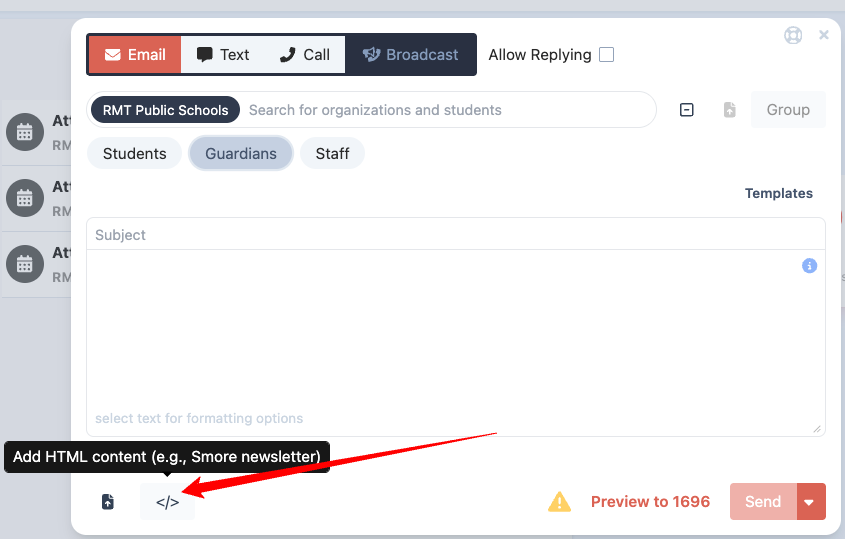
In the message editor click the </> at the bottom:
3. Copy and paste your HTML
Paste the full HTML into the HTML field.
Make sure you copy the complete HTML, including any formatting, image links, buttons, and links you want included in the message.
4. Preview the message
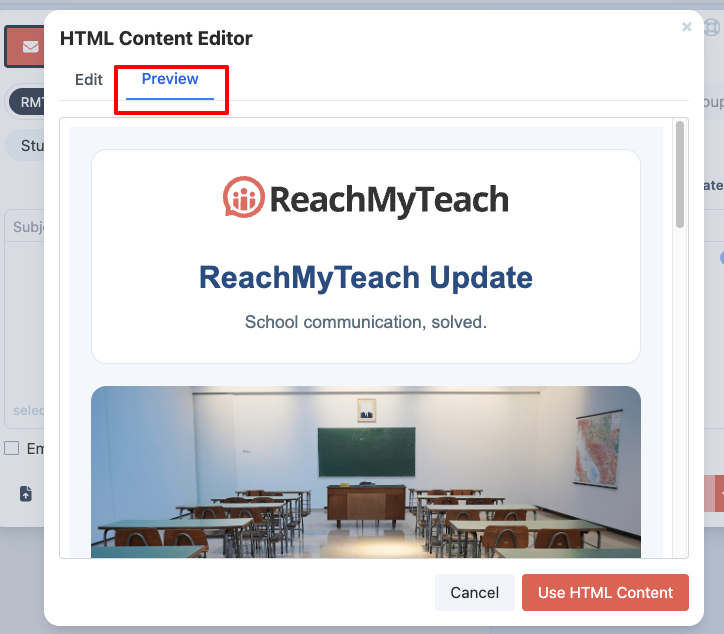
Select Preview before sending.
5. Send or schedule the message
Once the preview looks correct, click Use HTML Content, and then send or schedule your message as you normally would.
ReachMyTeach will send the message to families through their preferred communication method and language settings.
Example use case: replacing a Smore newsletter
A school creates a weekly newsletter in a designed format and wants families to receive it in their preferred language.
Instead of sending a link where families need to open the newsletter and choose a language, the school can send the HTML version through ReachMyTeach. ReachMyTeach helps push the communication directly to each family based on their language and communication preferences.
This makes the message easier to access, especially for families who may not know where to find the language selector, may be using a phone, or may not regularly open separate newsletter links.
Was this article helpful?
That’s Great!
Thank you for your feedback
Sorry! We couldn't be helpful
Thank you for your feedback
Feedback sent
We appreciate your effort and will try to fix the article