Newsletters are a great option for longer, visually polished communications, such as:
Classroom updates
School announcements
Event information
Weekly recaps
Family-facing messages with images or multiple sections
How Families Receive a Newsletter
The way a newsletter appears depends on how the family receives the message:
Email: The full newsletter appears directly in the email.
Text message: The recipient receives a link they can tap to open the newsletter.
Translation: The newsletter is translated into each recipient’s preferred language when translation is available.
There are two main ways to begin creating a newsletter.
Create a Newsletter
Option 1: Start from the Newsletter Folder
Open the Newsletter folder
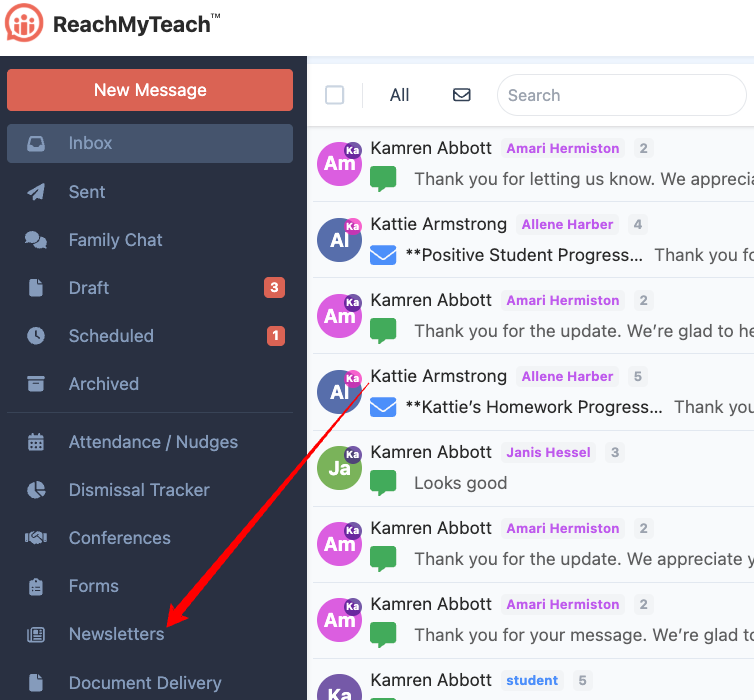 Click New.
In the Start Newsletter window, choose one of the following options:
Use Template: Start with a previously saved template.
Start Fresh: Build a new newsletter from scratch.
Paste Code: Add existing HTML, including HTML copied from S’more.
Option 2: Start from a New Message
Click New Message.
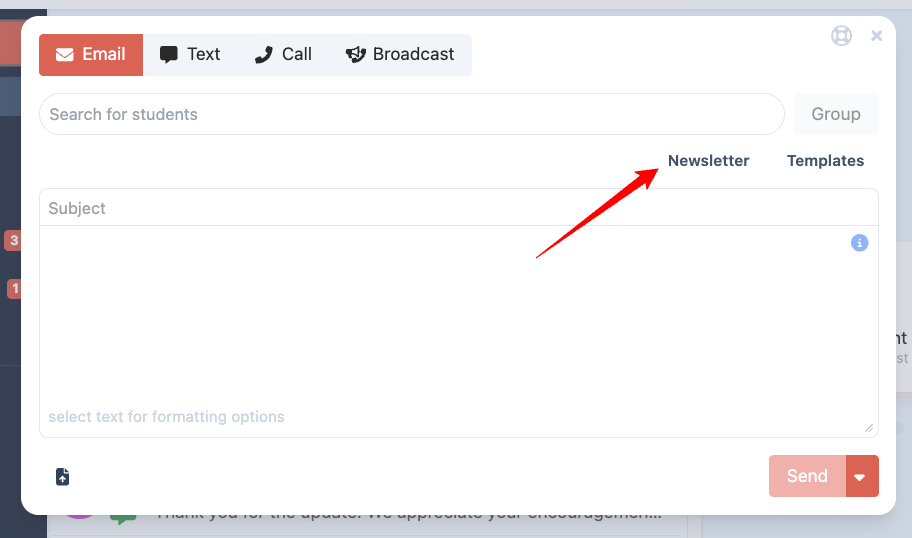
In the message composer, select the newsletter option.
Open Newsletter Builder.
Was this article helpful?
That’s Great!
Thank you for your feedback
Sorry! We couldn't be helpful
Thank you for your feedback
Feedback sent
We appreciate your effort and will try to fix the article