You can save a completed newsletter as a template for future use or share it with another staff member.
[SCREENSHOT: Templates menu and Save Template option]
Save a Newsletter as a Template
Open the newsletter in Newsletter Builder.
Open Templates.
Click Save Template.
Choose one of the following:
Save as new template
Override existing template
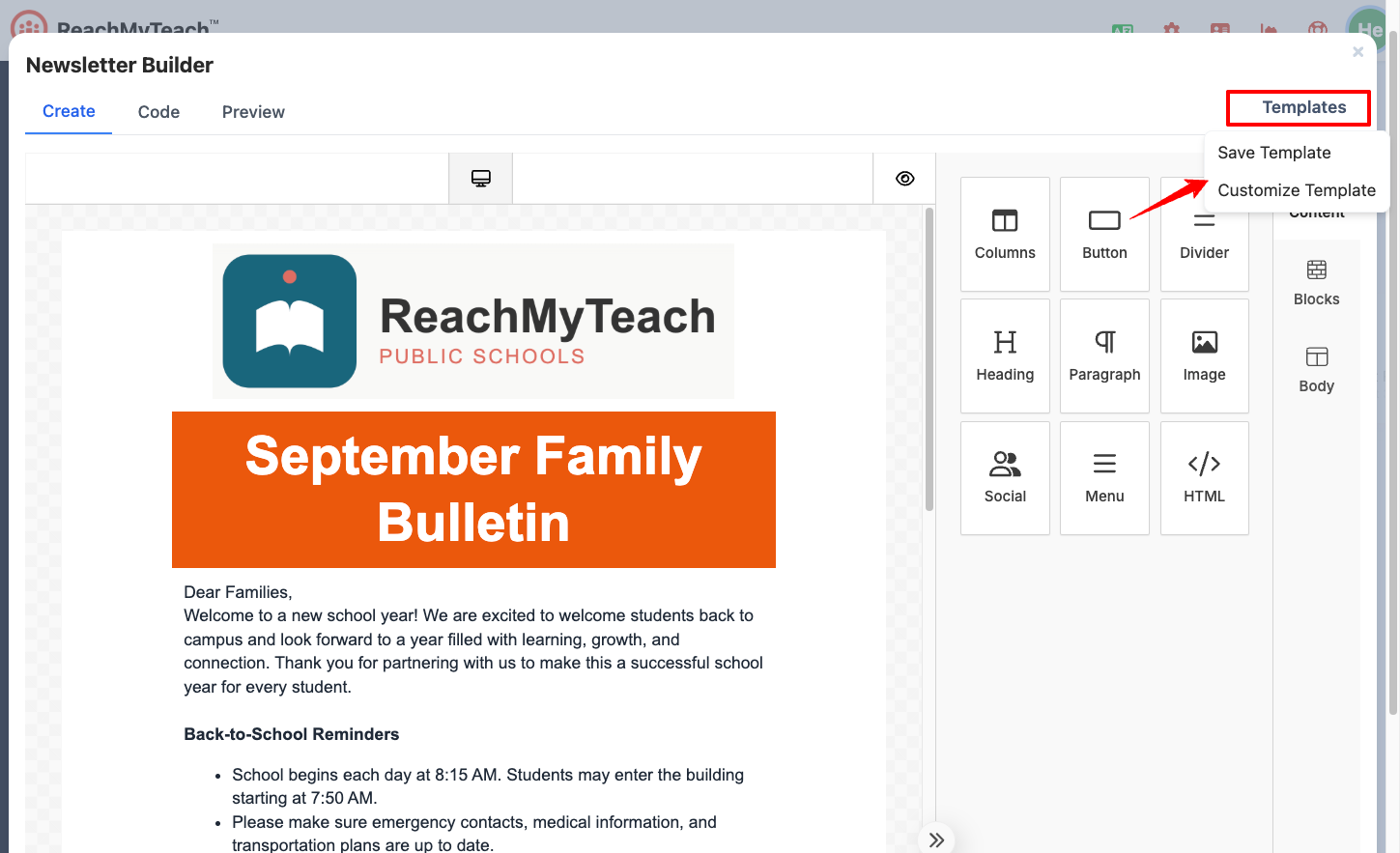
Enter a Template Name.
Click Save Template or Update Template.
Share a Newsletter with Another Teacher
The newsletter must be saved before it can be shared.
Save the newsletter.
Open it from the Newsletter folder
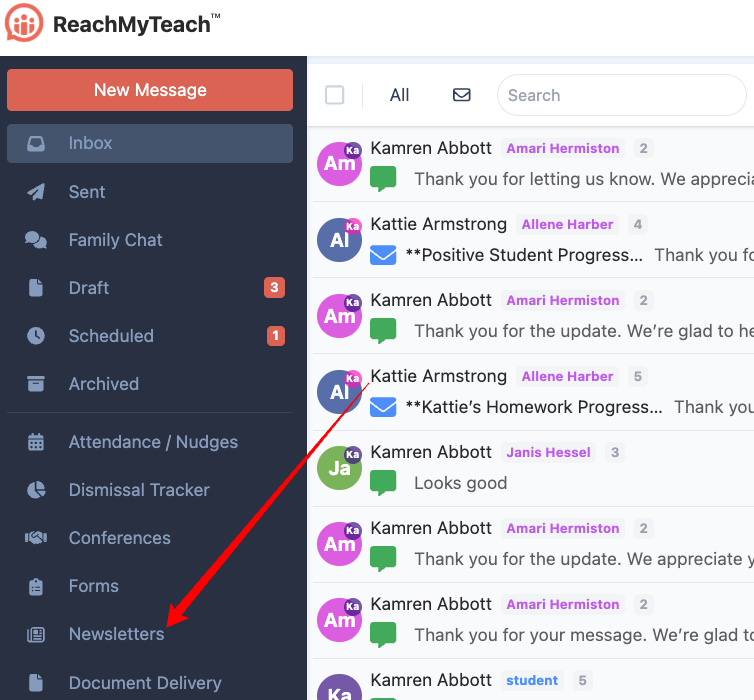
Click Share.
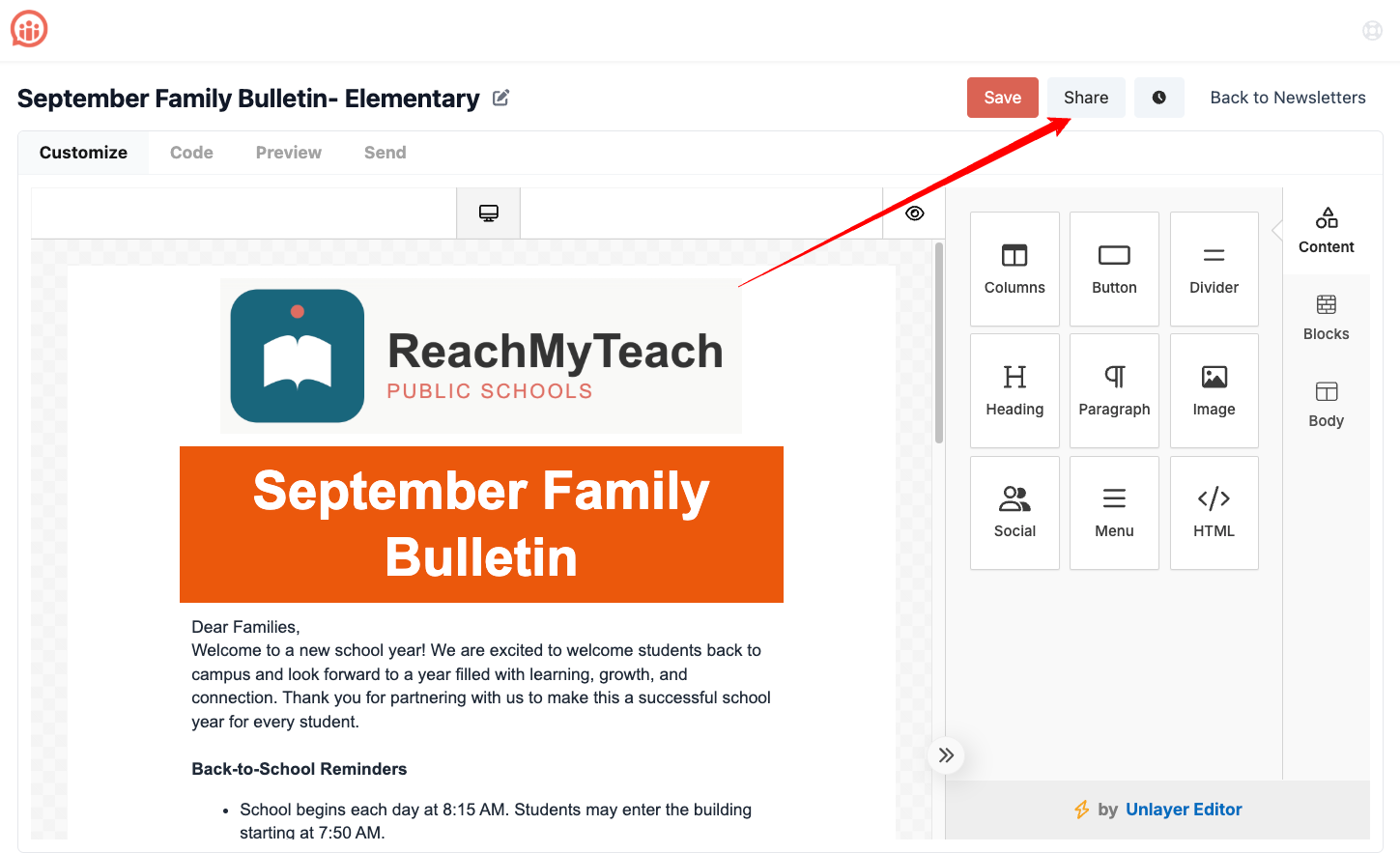
Search for the teacher you want to add.
Select the teacher.
Click Share.
Important: When multiple people edit a shared newsletter at the same time, the most recent save may overwrite earlier changes.
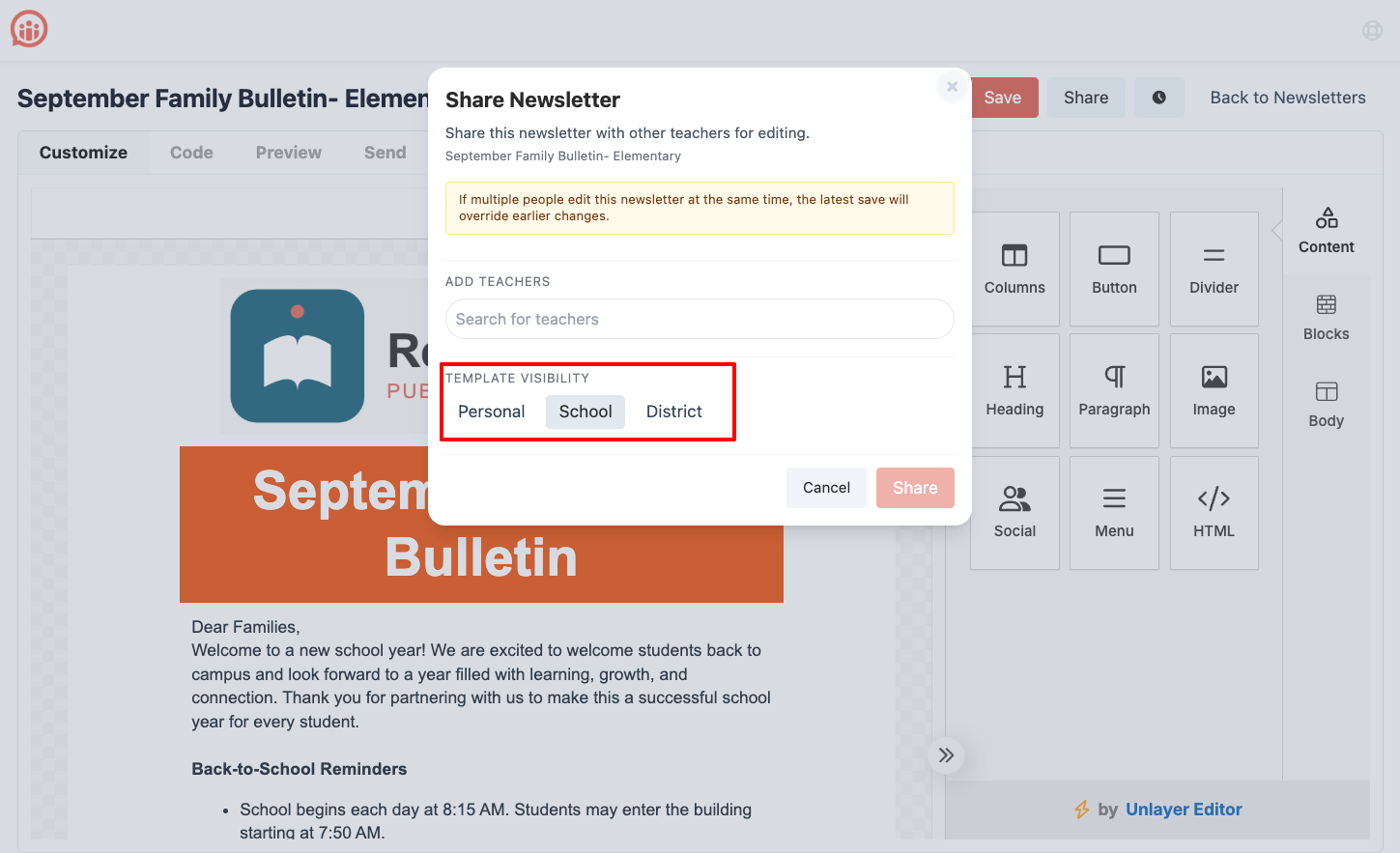
Set Template Visibility
Administrators can control who can access a newsletter template.
Available visibility options include:
Personal: Available only to the person who created it.
School: Available to staff throughout the school.
District: Available to staff throughout the district.
Using school or district visibility allows administrators to turn a well-designed newsletter into a reusable template for other staff members.
Was this article helpful?
That’s Great!
Thank you for your feedback
Sorry! We couldn't be helpful
Thank you for your feedback
Feedback sent
We appreciate your effort and will try to fix the article