Attendance Absence Form and Submission Log
Overview
Every school using the Attendance feature has an absence form that families can use to report an absence before the daily attendance message is sent.
Schools can share the form directly with families or embed it on a school or district website. All submissions are recorded in the Form Absence Log and emailed to the appropriate attendance staff.
Find and Share Your School’s Absence Form
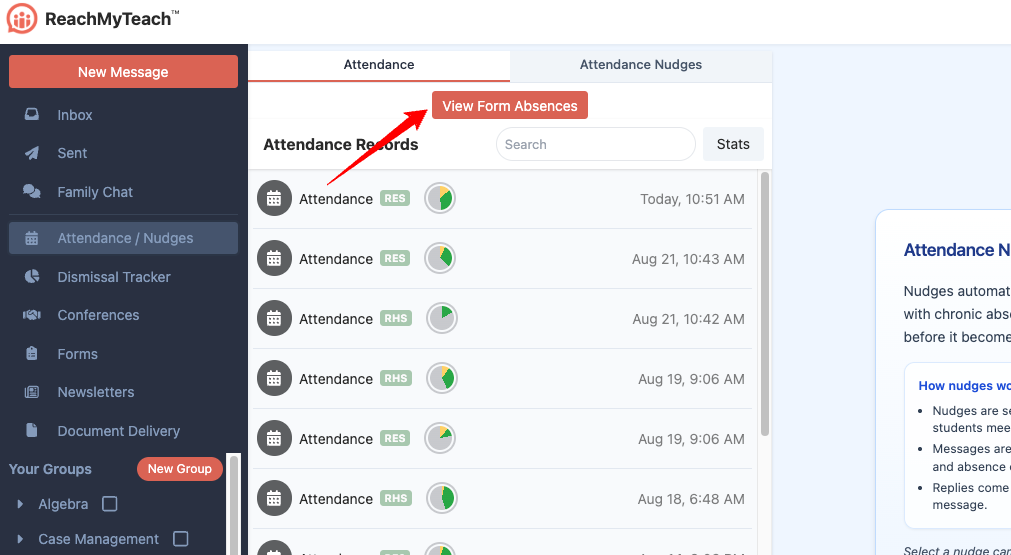
Attendance Point People and administrators can access the form from ReachMyTeach.
Go to the Attendance folder.
Select View Form Absences.
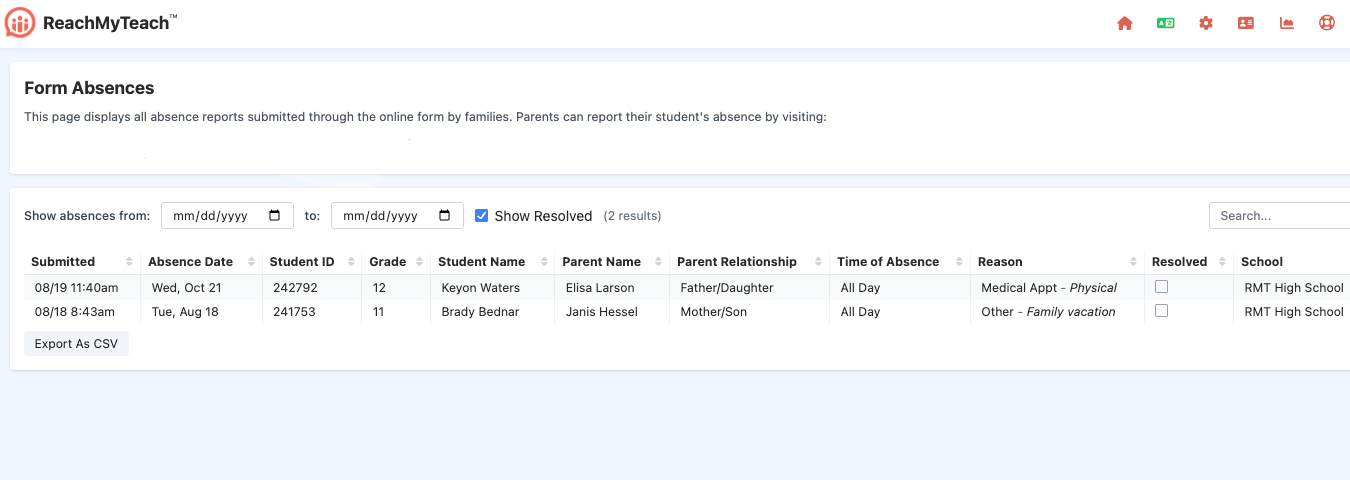
Open the form sharing options.
Choose whether to:
Copy and share the form link with families
Embed the form on your school or district website
Choose Who Can Complete the Form
Schools can choose between two access options.
Require Families to Log In
Families must log in to ReachMyTeach before completing the form.
Because ReachMyTeach already knows which family member and student are connected to the account, the form can automatically include much of the needed information. This creates a faster experience for families and helps staff identify who submitted the response.
This option may be especially helpful for high schools or schools that want to confirm the identity of the person submitting an absence.
Allow Anyone With the Link to Respond
Anyone with the form link can complete the form without logging in.
This option makes the form as easy to access as possible. Families will need to provide the identifying information requested on the form so staff can connect the submission to the correct student.
PLEASE EMAIL REACHMYTEACH TO MAKE ADJUSTMENTS
What Families See
Families receive a simple form where they can provide absence information before the school’s daily attendance message is sent.
If login is required, ReachMyTeach can use information already connected to the family’s account to make the form easier to complete.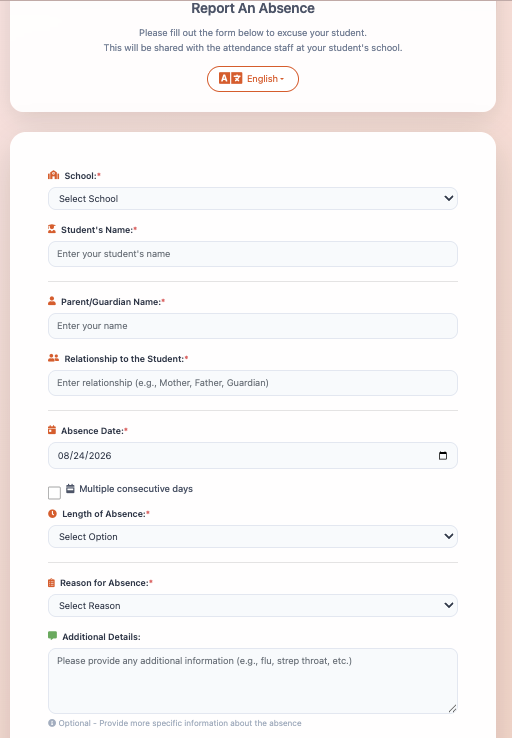
View Submitted Absences
Attendance Point People and administrators can view and manage submitted absence forms at any time.
Open the Form Absence Log
Go to the Attendance folder.
Select View Form Absences.
From the log, you can:
Review all absences submitted through the family form
See when each response was submitted
Access the form link and sharing options
Download submissions as a spreadsheet for further review or analysis
Submission Notifications
Each response is:
Added automatically to the Form Absence Log
Sent by email to the attendance staff member with Show Attendance turned on
Available to administrators in the complete form log
To review or update attendance permissions, see Editing Permissions: Granting Educators Different Permissions or Elevating to Administrator.
Was this article helpful?
That’s Great!
Thank you for your feedback
Sorry! We couldn't be helpful
Thank you for your feedback
Feedback sent
We appreciate your effort and will try to fix the article