To boost family responses to your conference invitations, as an admin, it can be helpful to resend invites to those who haven’t yet signed up. We recommend doing this a day or two before your first conference.
Steps to Resend Invitations
Navigate to “Invite”
As an admin, go to the Invite tab.
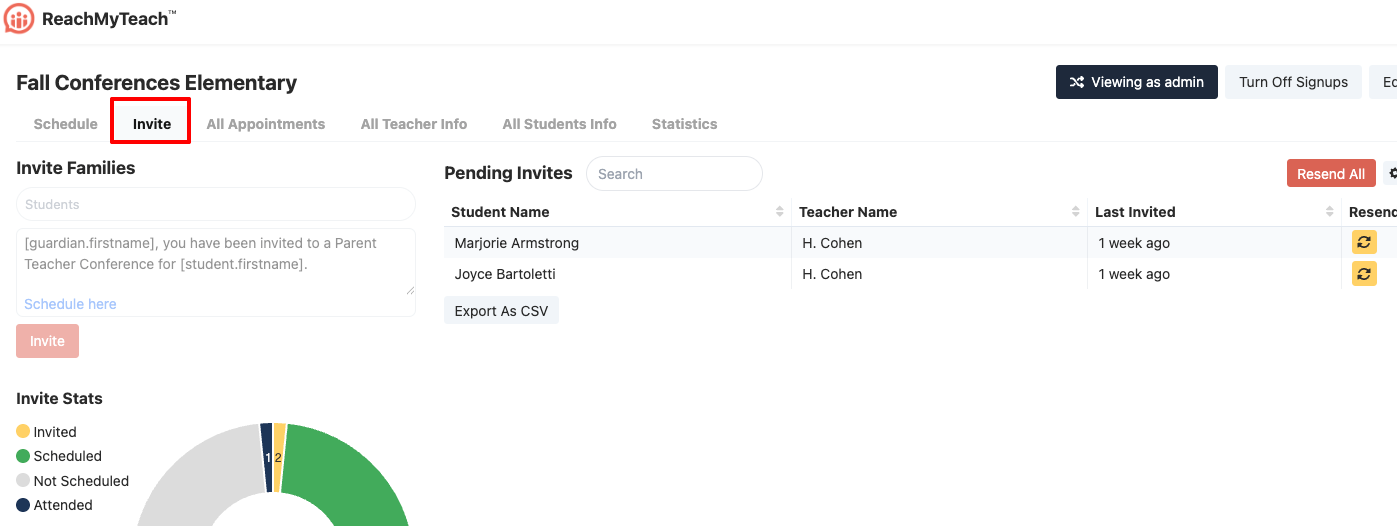
Locate Pending Invitations
Under Pending Invitations, you’ll see families who haven’t signed up yet.-
Resend Options
-
Resend to All: Click Resend to All to send a new invite to every family who has not yet signed up.
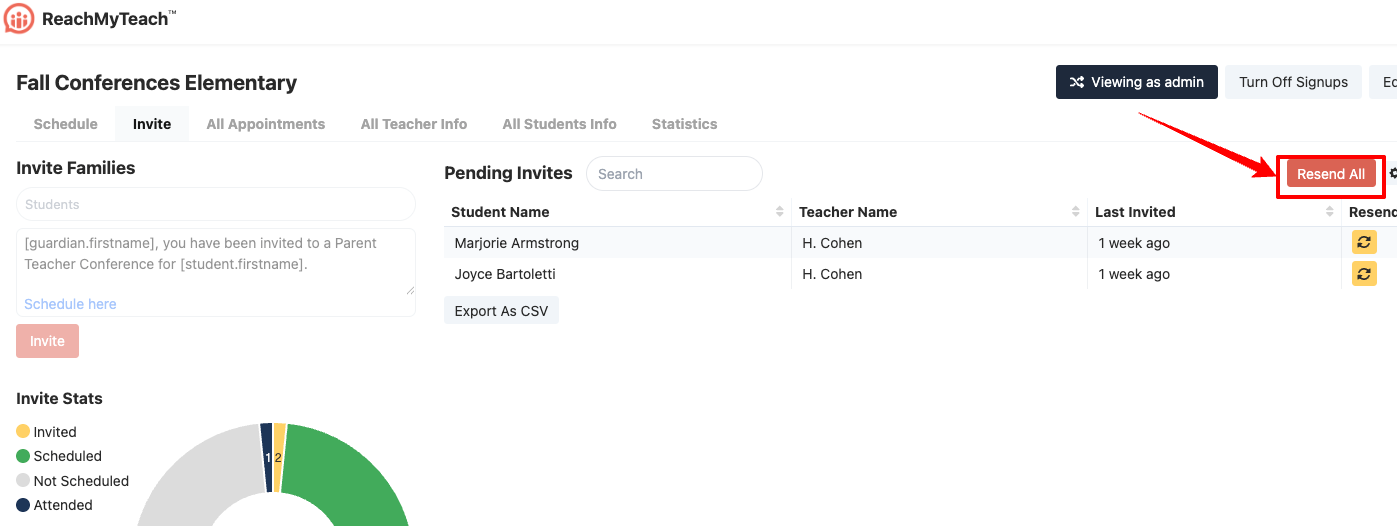
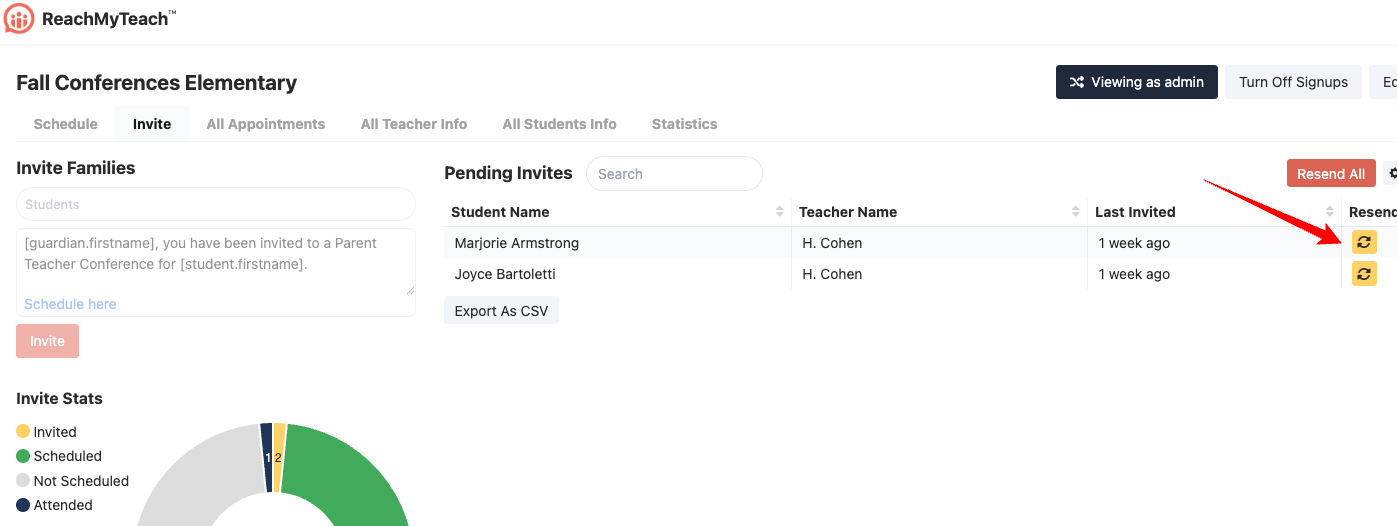
Resend Individually: Click the yellow resend icon next to a family’s name to resend an invitation to that specific family. Depending on your invitations, you may see multiple entries for the same student, this simply means the student has invitations from multiple teachers. You can resend for a specific teacher if needed. When you click Resend to All, the system sends one message per family with a list of all conferences they can sign up for.
-
-
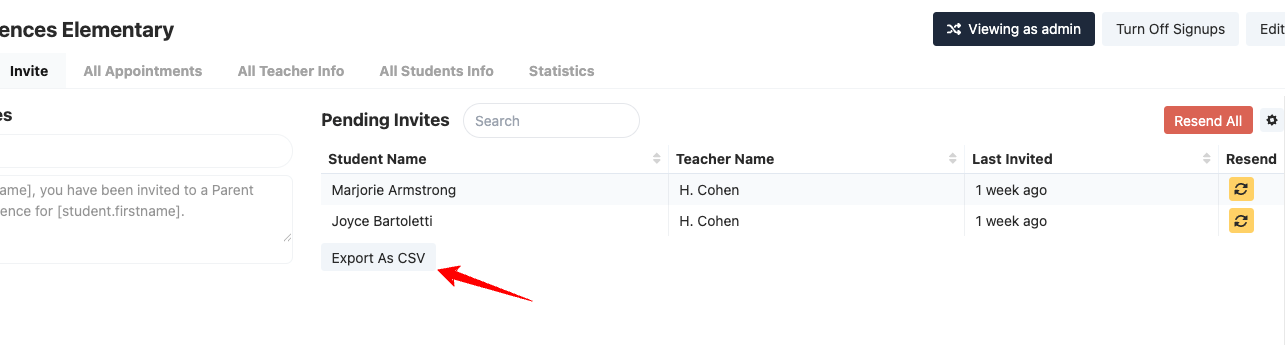
Download Pending List: You can also download the CSV of families who have yet to sign up.
? Tip: Resending invitations won’t affect families who’ve already scheduled. It simply gives those who haven’t signed up another chance to respond.
Learn more about the stats you can see after conferences have concluded.
Was this article helpful?
That’s Great!
Thank you for your feedback
Sorry! We couldn't be helpful
Thank you for your feedback
Feedback sent
We appreciate your effort and will try to fix the article