Scheduling Parent-Teacher Conferences on Behalf of Families as a PTC Admin

Modified on Thu, 25 Dec, 2025 at 10:29 AM

As a Parent-Teacher Conference (PTC) Admin, you have the ability to schedule families with teachers when they need assistance, such as when they call in or encounter technical issues.

Steps to Schedule a Family with a Teacher

Access the Conference Folder:

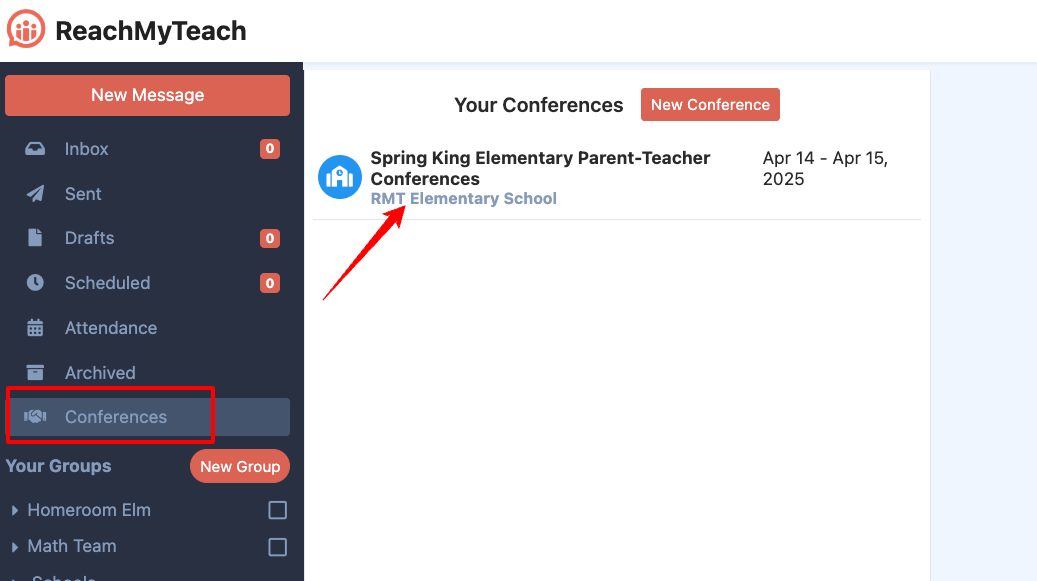
    • Navigate to the Conferences folder in your ReachMyTeach platform dashboard. Click on the specific conference you need to schedule for, ensuring you’re in the correct event.

ReachMyTeach-Messages-10-31-2024_02_00_PM.png


Enter Student Details:

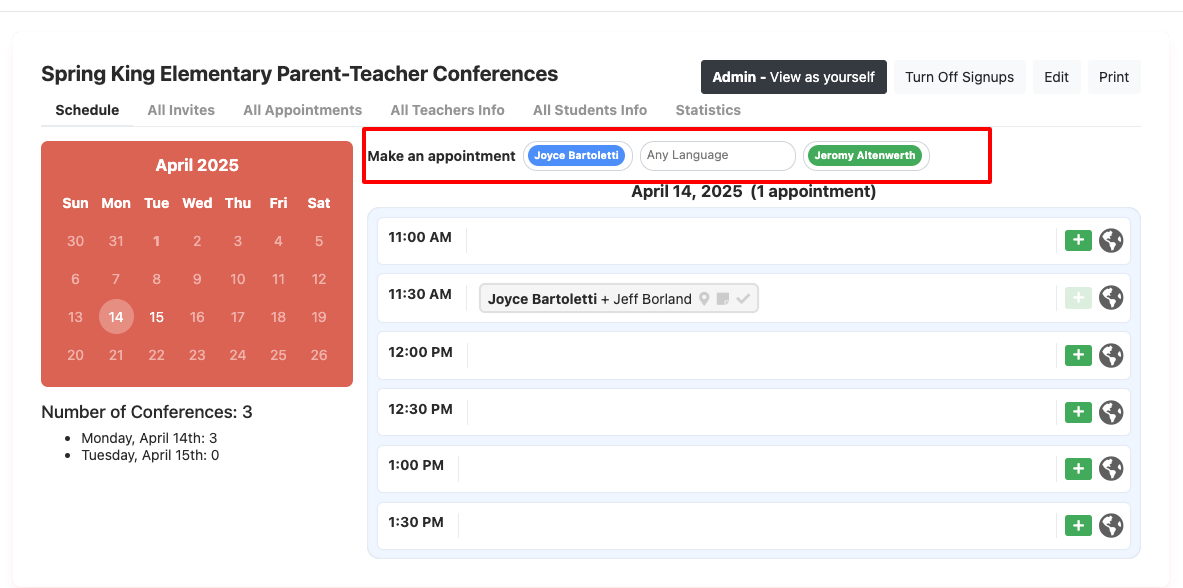
    • Use the search bar to type in the student’s name. This helps you locate the relevant information for that student.
    • If a language other than English is preferred, indicate it in the Language field.
    • Input the teacher's name associated with the student.

Review the Teacher’s Schedule & Separate Conferences as Needed:

      • After selecting the teacher, you’ll see their availability for the conference, select the + button to sign the family up.

ReachMyTeach-11-12-2024_01_37_PM.png

Schedule the Appointment:

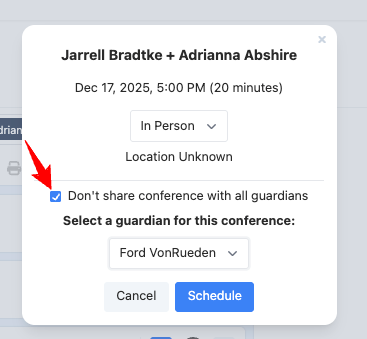
    • Depending on your conference set up you may have the option to support the family virtually or in person.
    • If the family needs a separate or additional conference, choose "Don't share conference with all guardians" and select the guardian you want to sign up:
      ReachMyTeach-11-10-2025_07_51_AM.png
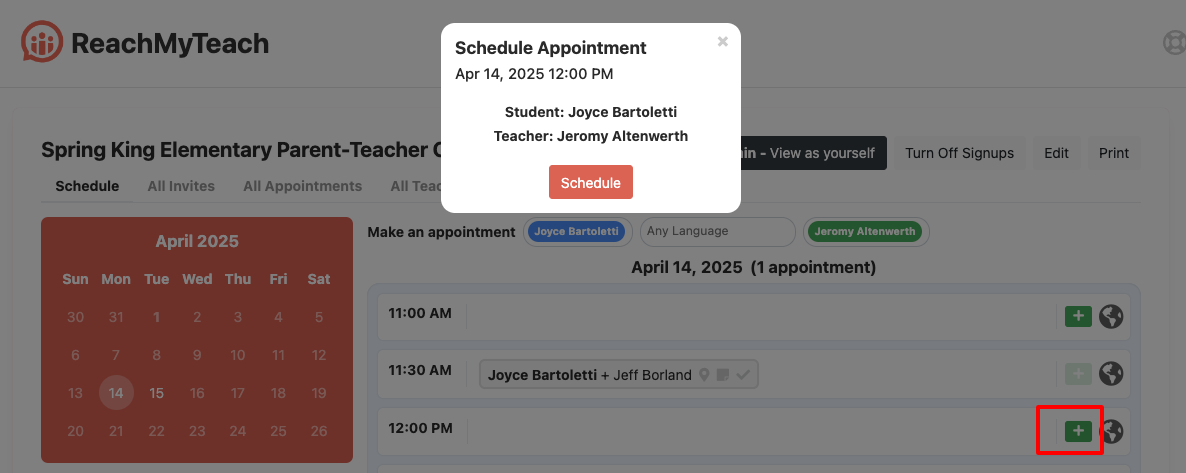
    • Confirm the appointment.

ReachMyTeach-11-12-2024_01_38_PM.png

Confirm with Family:

    • Families will be sent an automatic email/text that the appointment has been scheduled and will receive reminders.

Was this article helpful?

That’s Great!

Thank you for your feedback

Sorry! We couldn't be helpful

Thank you for your feedback

Let us know how can we improve this article!

Select at least one of the reasons
CAPTCHA verification is required.

Feedback sent

We appreciate your effort and will try to fix the article